5 Managing Patients and Equipment
127
Care Groups in PIIC
There are two main types of Care Groups:
• standard care group (Bed-based Care Group) - up to 12 patients monitored by up to
4 Information Centers
• unit group (Unit-based Care Group) - for a complete unit with up to 64 patients monitored by
up to 4 Information Centers
Care Groups are configured at the Information Center. Monitors can be added to or removed from an
existing care group at the monitor. There is a third care group which can be assigned locally at the
bedside. This is the
My Central care group which includes all beds (up to 16) from the Information
Center your bed is connected to. This care group setting is typically used in facilities with only one
Information center. The selection of beds is automatic and cannot be changed.
Understanding the Alarm Status Overview Bar
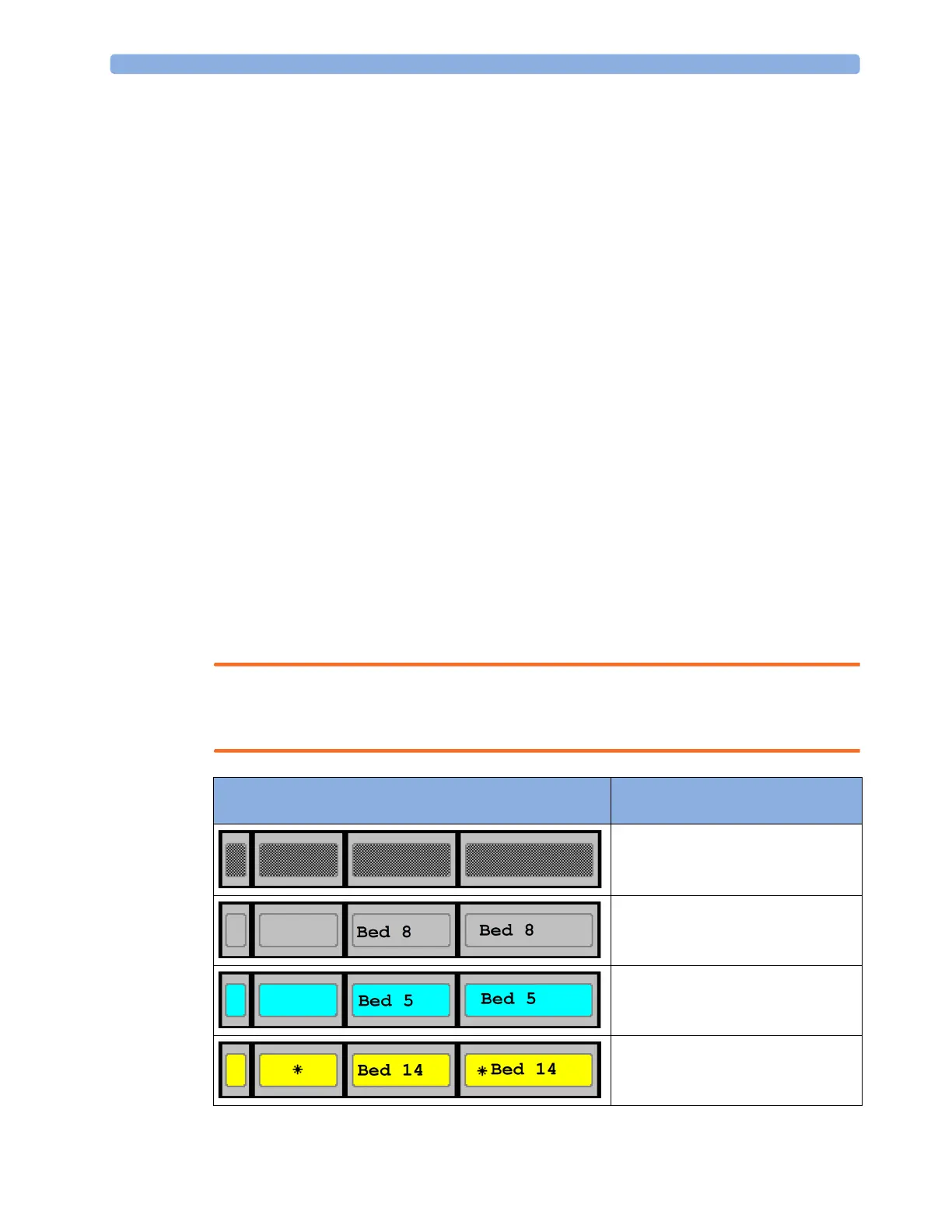
The Care Group monitors' and equipment status is shown in symbol form in the Alarm Status
overview bar. Flashing symbols indicate active alarms, symbols that are not flashing indicate alarms
that have been acknowledged. Selecting a bed symbol calls up the window for that bed or a setup
window to select it. Because multiple equipment can be used for one patient, it can occur that the
alarm status is different at different devices. The alarm status will then be consolidated and the highest
priority alarm information will be displayed.
The Alarm Status overview bar must be configured to display on the monitor Screen. If it is not visible
on your monitor, select a Screen which has been configured to show the bar. Some screens may show
the Care Group monitors grouped together in a tabular format on the right hand side of the screen.
PIIC iX Depending on the Information Center configuration, the Alarm Status overview bar may contain My
Patients (your own care group), My Unit (all beds from the unit) or it may not display at all.
WARNING
With PIIC iX, the alarm status overview bar is independent from the configured alarm pop-up
behavior.
Alarm Status Symbols (four alternative display possibilities
depending on space available)
No data from this bed
The alarms are on but there are no currently
active alarms from this bed
The highest priority alarm from this bed is a
standard INOP
The highest priority alarm from this bed is a
short yellow alarm



 To Next Page