28 Recording
366
As soon as the monitor is connected to a printer, or to a PC or network with the IntelliVue XDS
Application software, it will automatically print the report, or send it to a patient-specific folder as an
electronic file.
Alarm-Triggered Realtime Reports
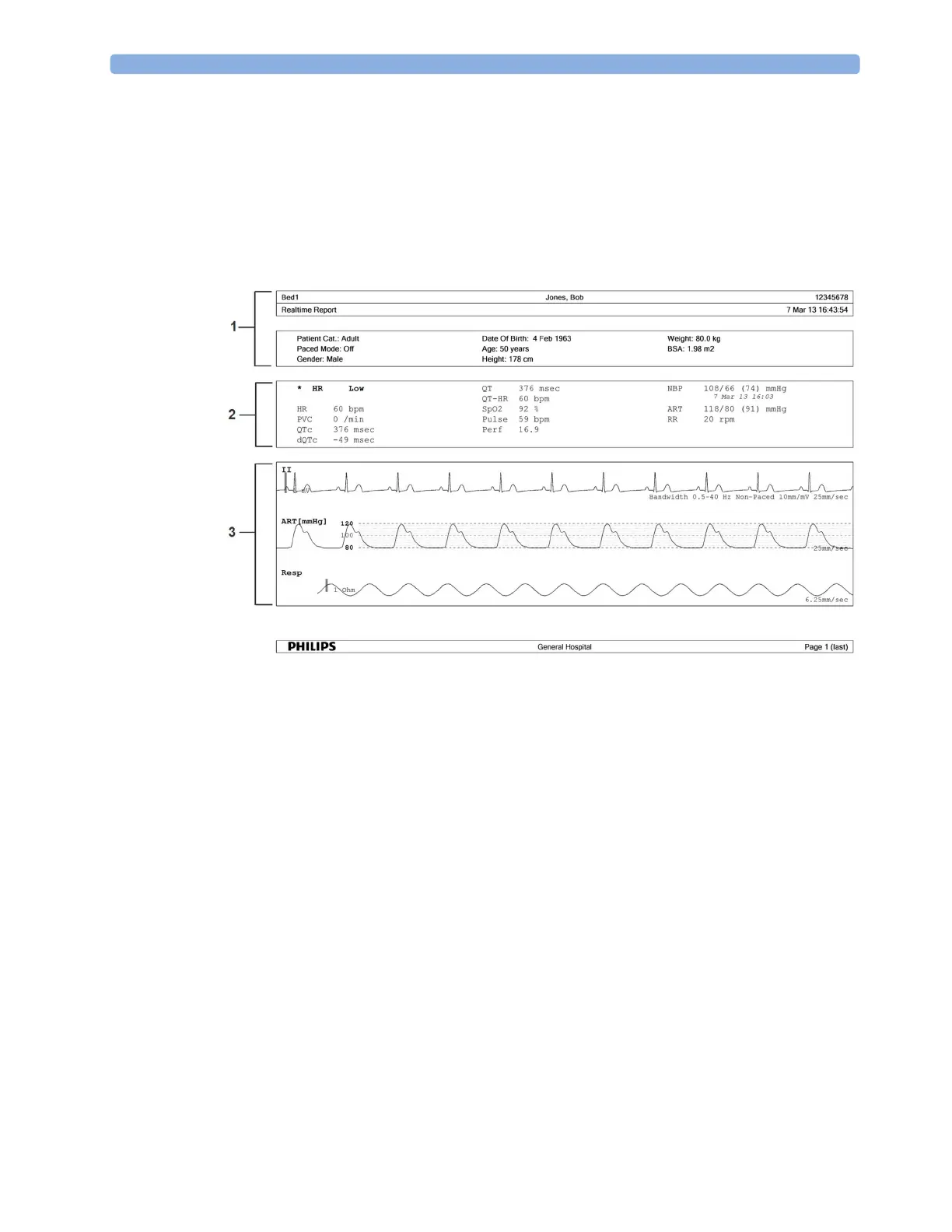
Here is a sample of a realtime report triggered by an alarm event.
1 Patient demographic information, time stamp
2 Active Alarms and INOPs, followed by vital signs
3 Measurement waves section
The data in the report are from the period before the alarm triggered the report. The span of time
covered by the wave data depends on the wave speed of the individual waves.
The time stamp on the report is the time the report was created and may not exactly correspond with
the time the alarm was indicated on the monitor.
More Information About the Print Database
The reports captured in the database will remain there until they are printed, even after patient
discharge. When they have been sent to the printer they will be automatically deleted from the
database.
NOTE
The monitor cannot check for printer errors. If a report is sent to a printer but cannot be printed due
to an error, it may be lost. Use an XDS print server set up to save the reports as electronic files, to
ensure that no reports are lost.



 To Next Page