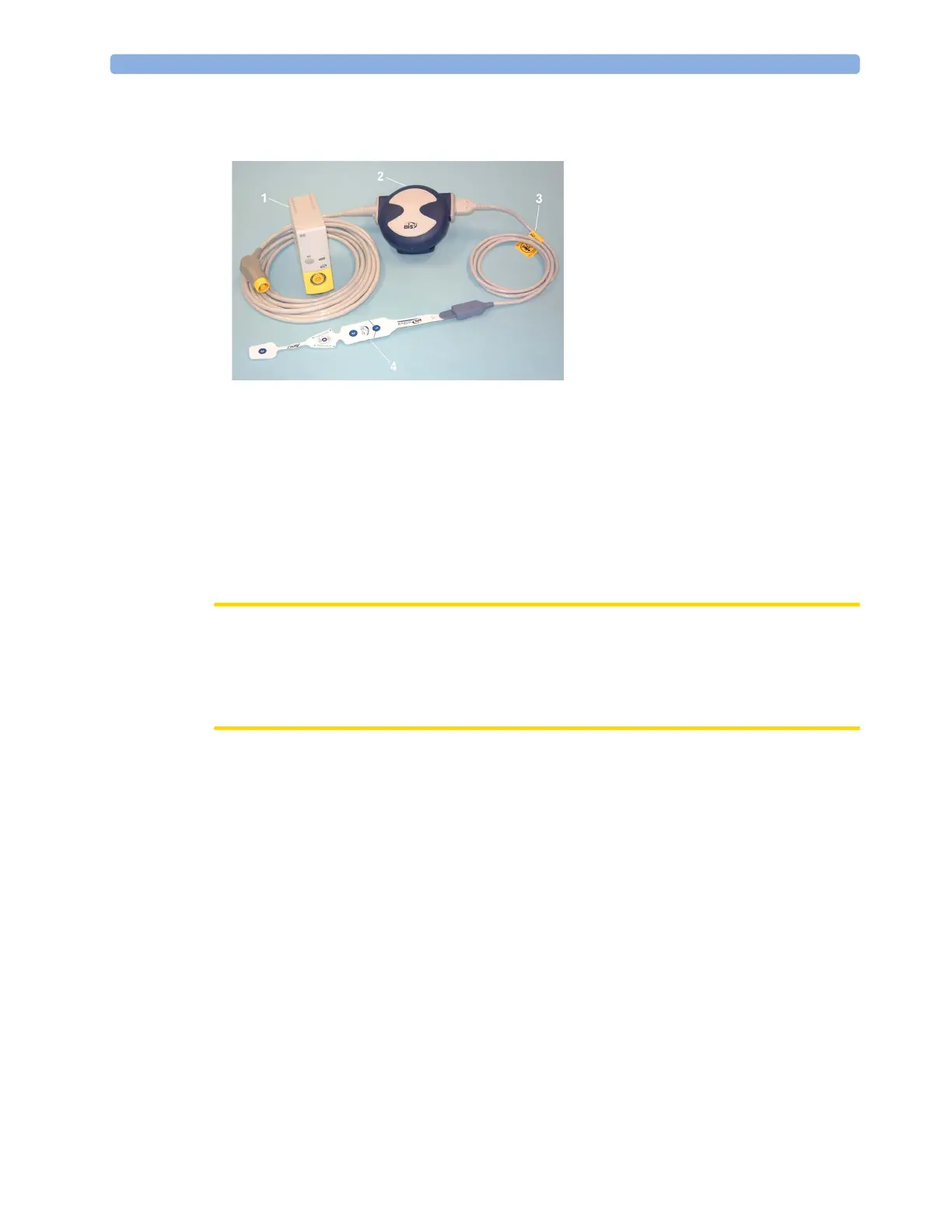
19 Monitoring BIS
287
Monitoring BIS using the BISx
1 If you are monitoring BIS using the BISx,
a. Connect the BISx to the BIS module
b. Use the clip on the rear of the BISx to affix it in a position convenient for your patient, not
above the patient's head.
2 Attach the BIS sensor to the patient following the instructions supplied with the sensor.
Make sure that the patient's skin is dry. Be aware that a wet sensor or a salt bridge may cause
erroneous BIS and impedance values.
A variety of sensors are available for use in the OR and ICU environments.
CAUTION
Ensure that the BISx does not come into prolonged contact with your patient's skin, as it may
generate heat and cause discomfort.
The BISx may remain connected to a patient during defibrillation as long as the sensor is not
located between the defibrillator pads.
3 Attach the patient interface cable (PIC) to the BISx.
4 Connect the BIS sensor to the PIC.
As soon as a valid sensor is detected, the impedances of all electrodes are measured automatically and
the results are shown in the BIS window.
Manufacturer's Information
BIS Engine, DSC, BISx, the Patient Interface Cable and the BIS Sensors are manufactured by
Covidien llc.
1 BIS Module
2 BISx
3 Patient Interface Cable
4 BIS Sensor



 To Next Page