6 ECG, Arrhythmia, ST and QT Monitoring
173
If a lead is in INOP (the value is being measured but is invalid or unavailable because, for example, the
corresponding ECG electrode is off), the area formed by the remaining ST leads is left open.
If there is insufficient information (for example, there are less than three chest leads) for a second ST
map to be displayed, the currently available ST values are displayed in place of the second ST map.
Trend View
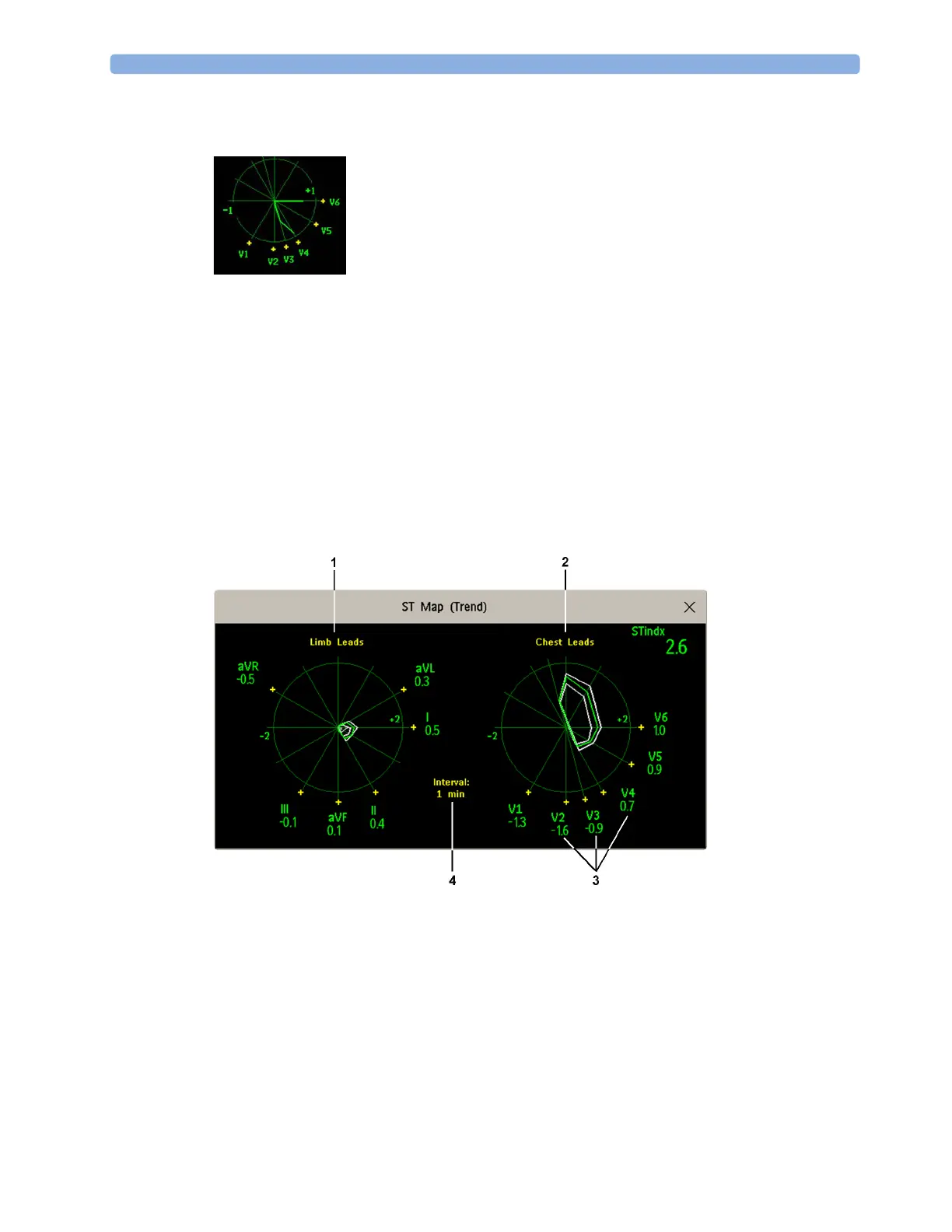
In trend view, you can see up to four trended ST maps, and the current ST map, simultaneously. You
can configure the time interval between trended samples. The most recent map is shown in the same
color as the parameter itself. Past values change from white through dark gray. In the diagram below,
the time interval between trends is one minute. The first trended sample is white and is one minute old.
The second trended sample corresponds to the ST values two minutes ago and so forth. The ST values
on the diagrams show the current ST values.
If a lead is turned off, its axis is no longer shown. This has no impact on the presentation of trended
values that were recorded while the lead was still on.
1 Limb Leads
2 Chest Leads
3 current ST values
4 trending interval



 To Next Page