32
391
32IntelliBridge EC10
An IntelliBridge EC10 module or Interface board (for MX400/450/500/550) transmits information
from a connected external device to your monitor. The IntelliBridge EC5 ID module is used to
provide identification information from the external device. Data imported from the external device,
for example waveforms, measurement numerics, settings and alarms, can be displayed on the monitor,
passed on to an Information Center and included in trends as appropriate. The external device may
show more information than is available on the monitor. Data from IntelliBridge EC10 cannot be
included in monitor trends when the label is a free-text label.
See the documentation supplied with the IntelliBridge EC5 ID module for a list of supported devices
and accessories, and for configuration information.
Connecting an External Device
1 When using the module: Insert the module into the FMS or integrated module slot.
2 Check that you have the correct EC5 ID module for the external device - indicated on the EC5
label.
3 Connect the EC5 ID module to the external device.
4 Connect the EC5 to the EC10 module or Interface board using the supplied cable.
5 Switch the external device on.
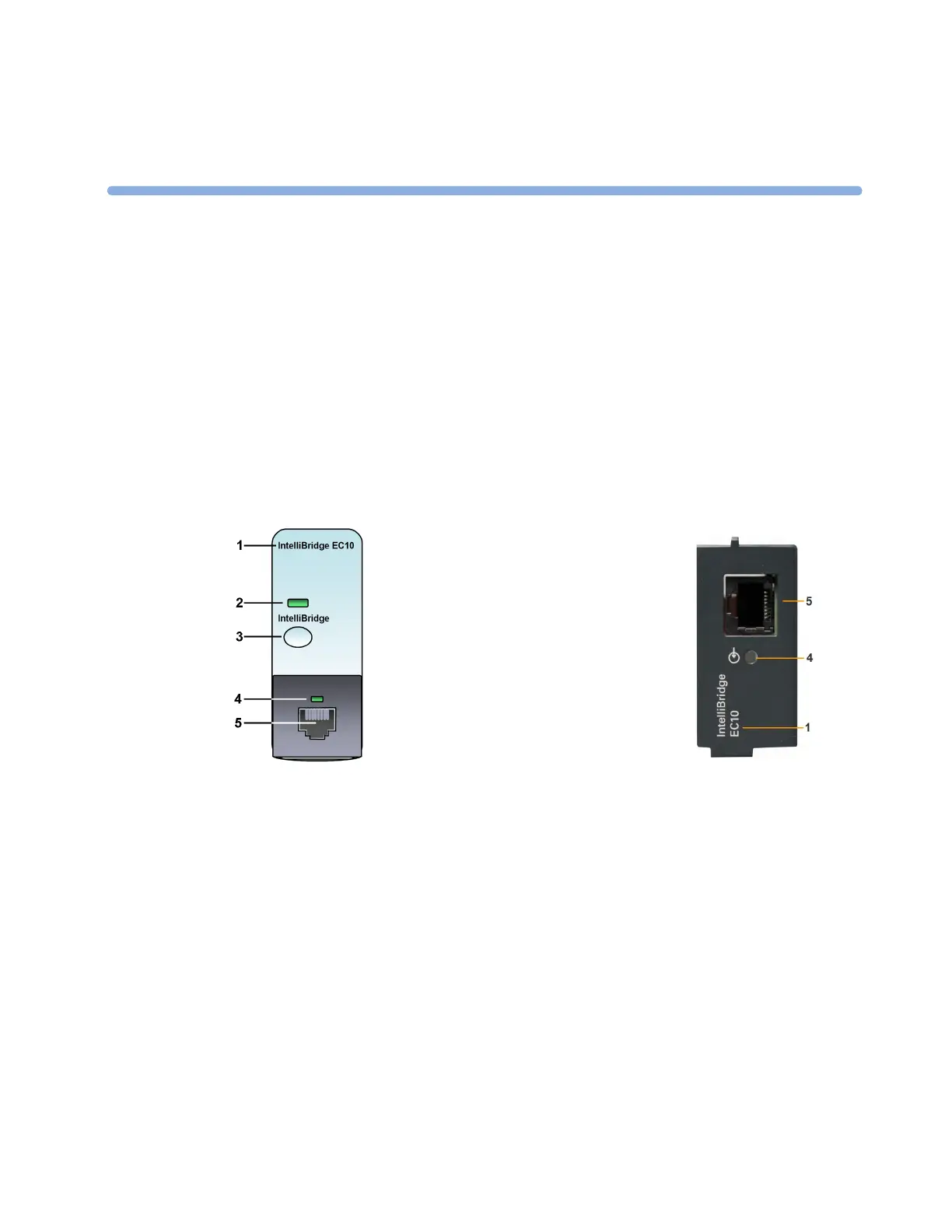
Module
1 module/interface board name
2 setup indicator LED
3 setup/data viewing key
4 connection status LED
5 external device cable connector
Interface Board



 To Next Page