16 Monitoring tcGas
267
Calibration Failure
If calibration fails, the monitor displays <tcGas Label> transducer or cal. unit malfunction and the
<tcGas Label> Cal Failed INOP for the measurement.
Troubleshooting tcGas Calibration
Perform each of the following steps, in order, until calibration is successful.
1 Check the calibration unit, then recalibrate, remembering to turn on the gas supply on the
calibration unit. If the pressure indicator reading is in the out of gas zone, there is insufficient gas
in the cylinder. Connect the gas tubing firmly to the calibration unit and to the module's
calibration chamber.
2 If Step 1 fails, check whether you need to activate the transducer (necessary if the electrolyte has
dried out or if you have a new transducer). Remembrane the transducer, removing the old
membranes, and cleaning the transducer head thoroughly.
3 Calibrate a second time.
4 If Step 2 is unsuccessful, calibrate again. This calibration may be required to stabilize the
electrochemical system in the transducer.
5 Only if the above steps are unsuccessful (you have activated and remembraned the transducer and
calibration has still failed twice), replace the transducer.
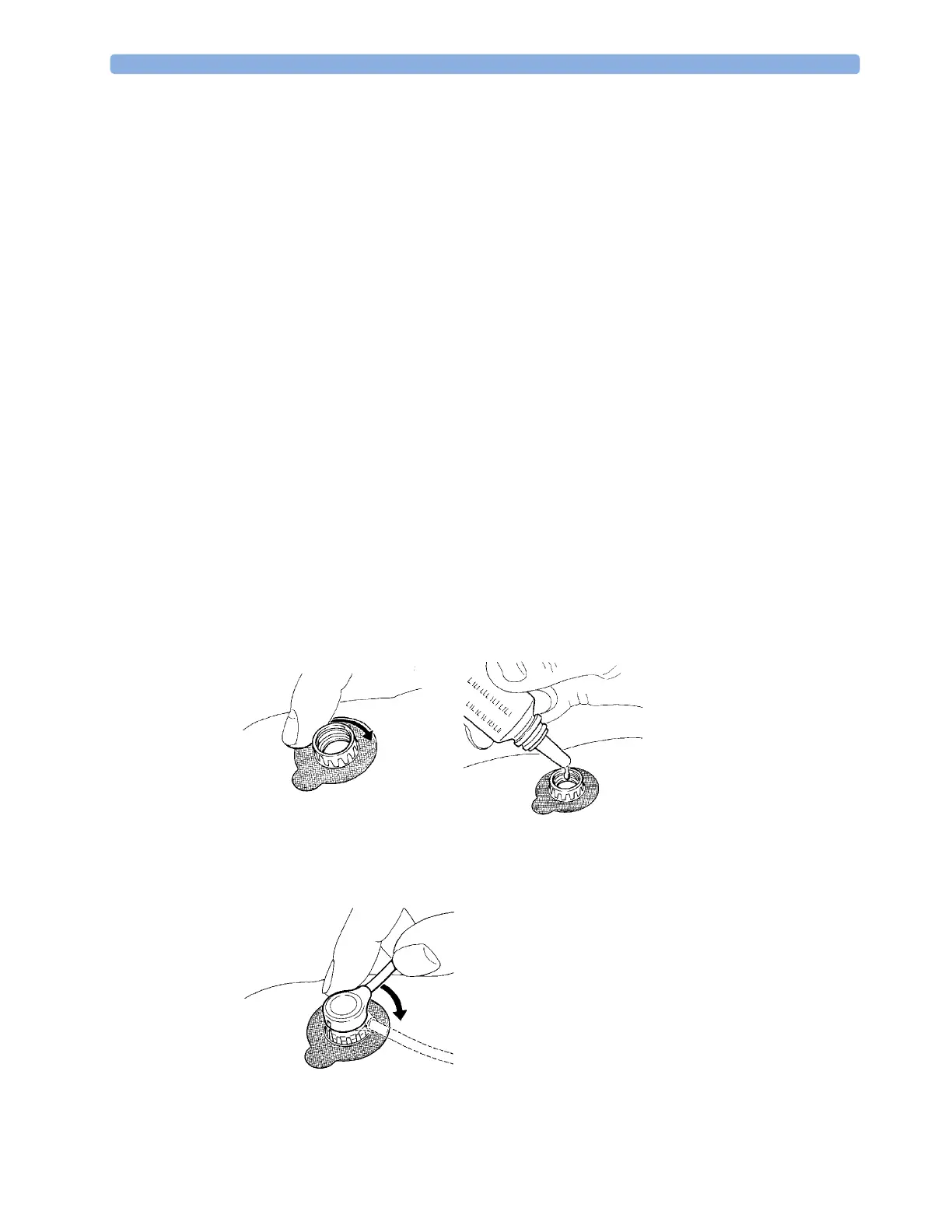
Applying the tcGas Transducer
1 Peel protection film from fixation ring. Using a finger, press the sticky side of the ring on to clean,
dry skin. Press around the outside to ensure a good seal. Apply three to five drops of contact fluid
in the ring's center. Remove transducer from chamber.
2 Align the arrow on the transducer with the tab on the ring and fasten by turning a quarter-turn
clockwise. Wait 10-20 minutes for readings to stabilize.



 To Next Page