21 Guardian Early Warning Scoring
305
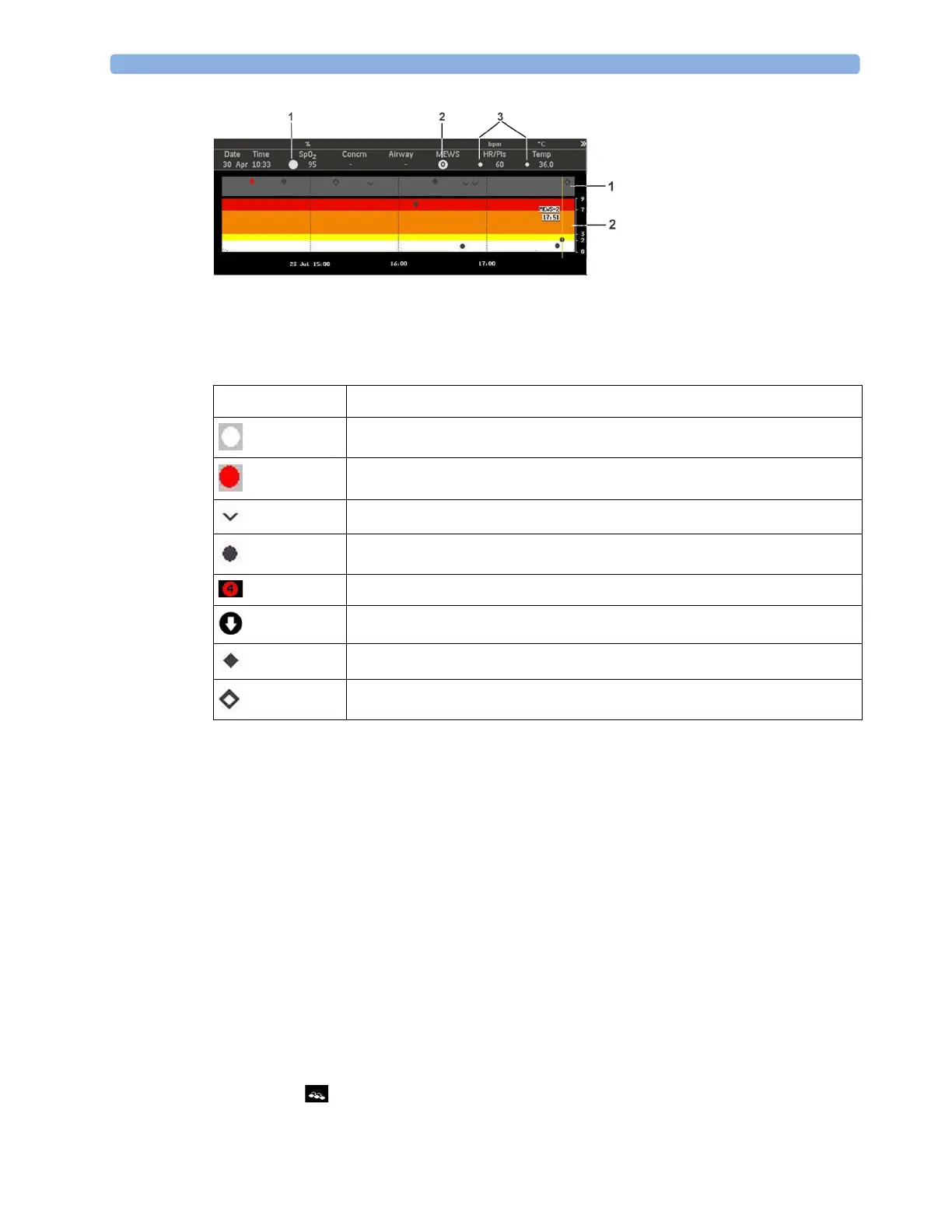
Symbols Used in the Trend Views
The following symbols can appear in the trend views:
Making Recordings
The trend data can be sent to a recorder using the recording pop-up keys.
•
Record Selected makes a recording for the selected SpotCheck record.
•
Record 8 h makes a recording for the last 8 hours of data.
•
Record All makes a recording of all available SpotCheck records.
At the beginning of the recording, the title, the type of recording and the time will be printed. If
available, the patient's name, date of birth, ID and the type of scoring (protocol name) currently active
will also be printed.
Using Different Types of Scoring
If your department has more than one type of scoring configured, for example one type for patients
receiving oxygen and one for patients not, you can switch from one type to another.
To switch to a different scoring protocol, depending on which screen is currently displayed, either:
1 Select the symbol.
Symbol Indicates
SPS SpotCheck record - normal range
SPS SpotCheck record - outside of normal range
Manual SpotCheck record
MEWS SpotCheck record
MEWS score (color depends on the risk level)
SpotCheck record triggered by a deterioration
SpotCheck record triggered by an alarm
SpotCheck record from an automatic vital signs measurement



 To Next Page