26 Event Surveillance
336
Event Triggers
You can trigger event capture manually, for example, if you want to record a patient's condition before
a procedure. You can also set events to trigger automatically, when the patient's values cross a
predefined threshold value, or when a particular measurement or procedure is carried out.
If more than one trigger is available for the measurements in the active event group, the trigger
condition may be
At least one Param., At least two Param., At least three Par., or All four
Parameter
. If the trigger is At least one Param. (this is short for "at least one measurement
parameter"), the monitor starts an event capture if a trigger occurs in any of this event group's
measurements. If the trigger is
At least three Par., the monitor captures events when three or more
trigger thresholds from this event group's measurements are violated. With
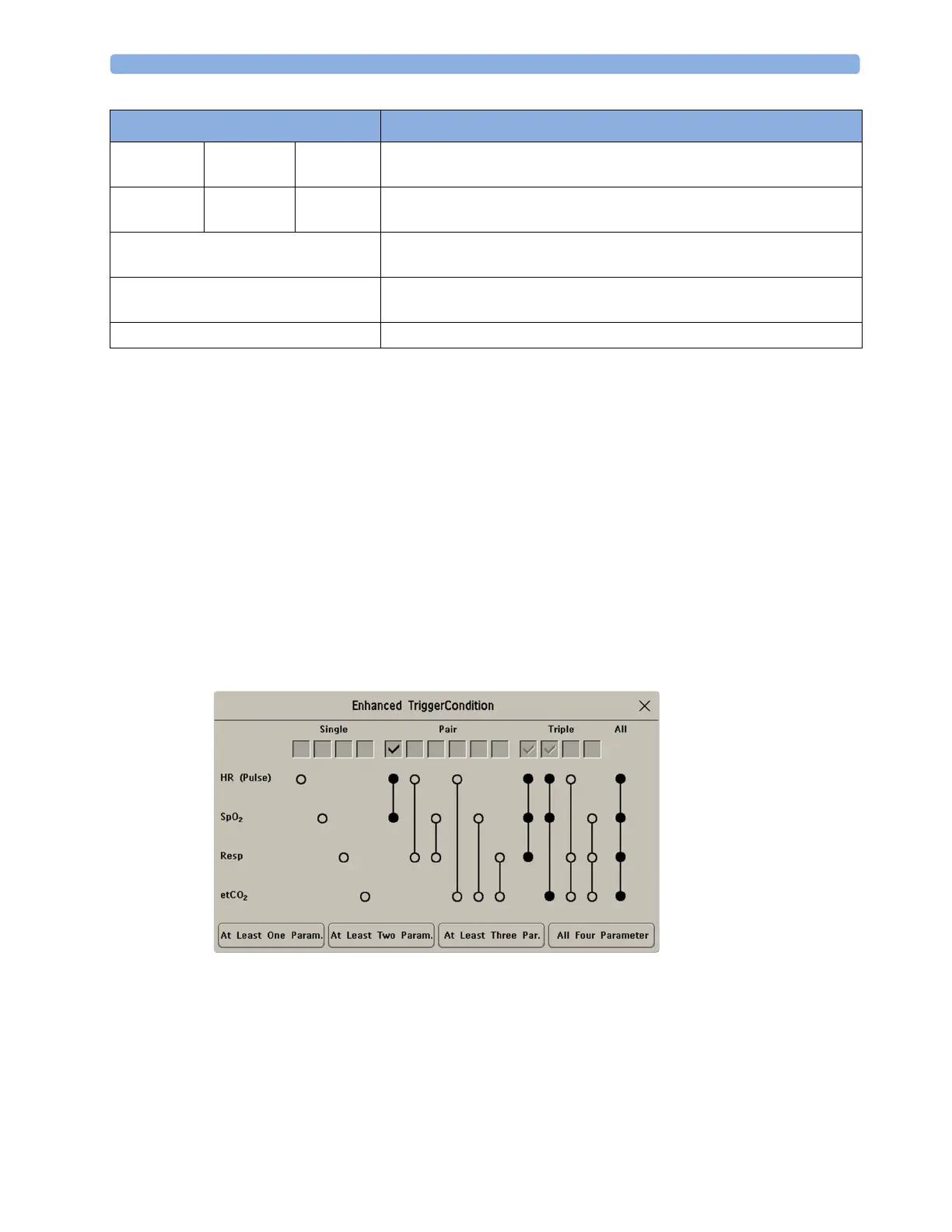
Enhanced Condition you
can not only select a minimum number of triggers to trigger an event but define which specific
measurement triggers these must be. For example,
At least two Param. will cause an event to be
captured if a trigger occurs in any two of this event group's measurements - with
Enhanced Condition
you can select that only when triggers are in HR and SpO
2
an event will be captured.
The trigger condition for event groups is set in the monitor's Configuration Mode.
If You Use Alarm Limits As Event Triggers
The event capture is triggered automatically when your patient's values violate set alarm limits, or when
a specified alarm condition, such as apnea, occurs. No events of this kind are triggered if alarms are
switched off. Changing alarm limits changes the event trigger definitions.
The asterisk symbols beside the trigger tell you about the alarm triggers:
Vitals View Graphic
View
toggle between a tabular and graphic version of the Event Episode window
currently viewed.
Table
Review
Graphic
Review
CAR
Review
toggle between a tabular and graphic version of the Event Review window
currently viewed.
Delete Event delete the currently-selected event from the database. The monitor asks
you to confirm this deletion. You cannot retrieve deleted events.
Select Annotatn access the list of available annotations to add a nursing note for the current
event episode (Advanced Event Surveillance only).
Print/ Record access the printing and recording pop-up keys to document events.
Pop-Up Keys Selecting this pop-up key lets you....



 To Next Page