28 Recording
364
Reloading Paper
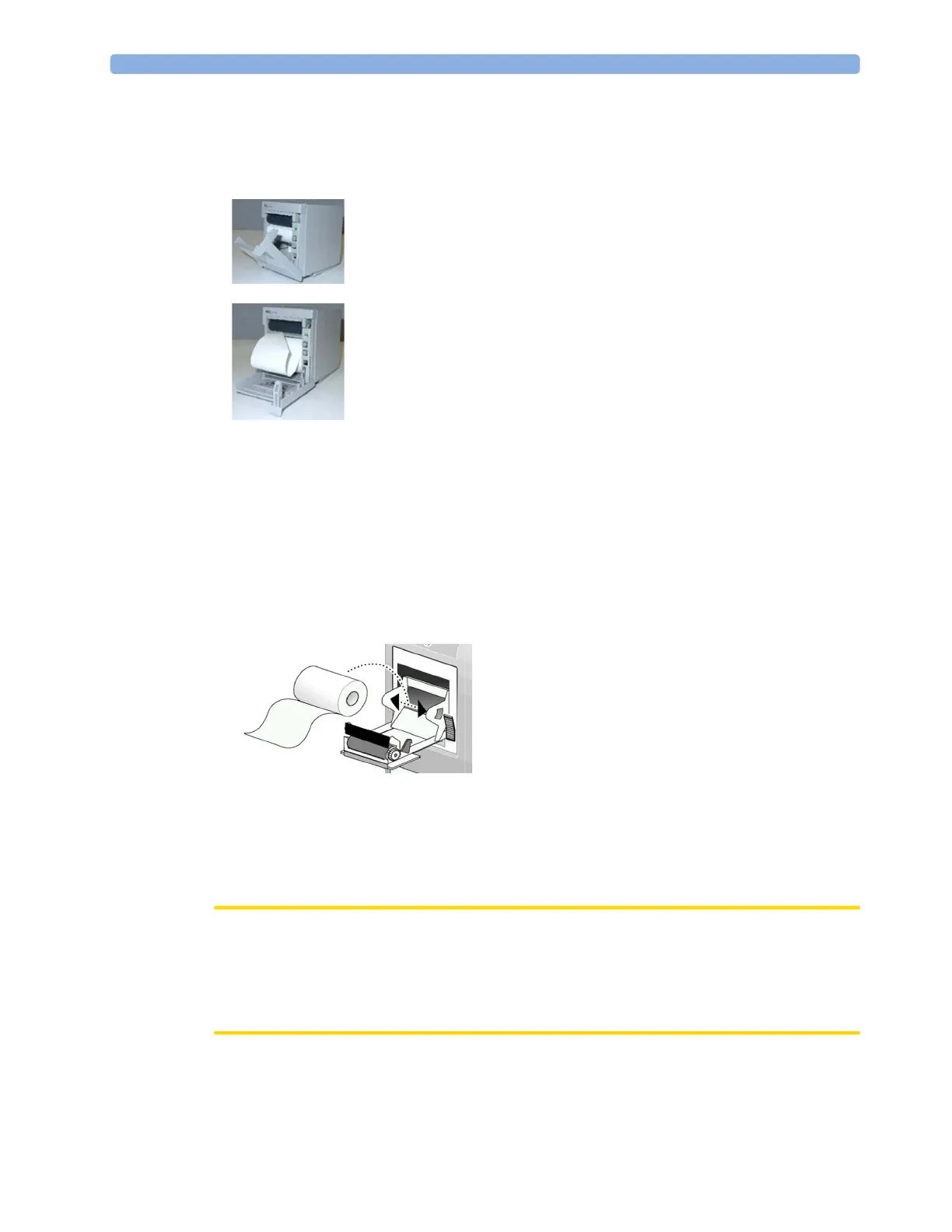
M1116B (MX500/550/600/700/800)
M1116C (MX500/550/600/700/800) and Integrated Recorder (MX400/450)
1 Press the latch on the right side of the recorder door to open the door.
2 Remove the empty core.
3 Insert a new roll and secure it in place on the paper holder. The paper feeds from the bottom of
the roll and over the top of the recorder door.
Recommended paper: M4816A and M4817A.
4 With at least one inch of paper extending beyond the edge of the door, swing the recorder door up
and push it firmly closed.
5 To test if paper is loaded correctly, start a recording. If no printing appears, paper may be loaded
backwards. Try reloading the paper.
CAUTION
When the recorder is disabled (for example, door open, or out of paper), any alarm recordings will be
sent to the central station recorder, if there is one. If no recorder is available, alarm recordings may be
lost during the time the recorder is disabled. The message
No alarm recording available will be
displayed. This message is not shown if
Printer is configured as the alarm recording destination.
1 Use the latch on the right side of the recorder door to pull the door
open.
2 Remove the empty core.
3 Insert a new roll so that it fits snugly into its housing and the paper
end is feeding from the top. Recommended paper: 40477A and
40477B.
4 Pull out some paper and fold along the front edge at a 45° angle. This
makes it easier to feed the paper under the roller as shown.
5 Feed the paper through and pull some paper out from the top of the
roller.
6 Close the recorder door.
7 To test if paper is loaded correctly, start a recording. If no printing
appears, paper may be loaded backwards. Try reloading the paper.



 To Next Page