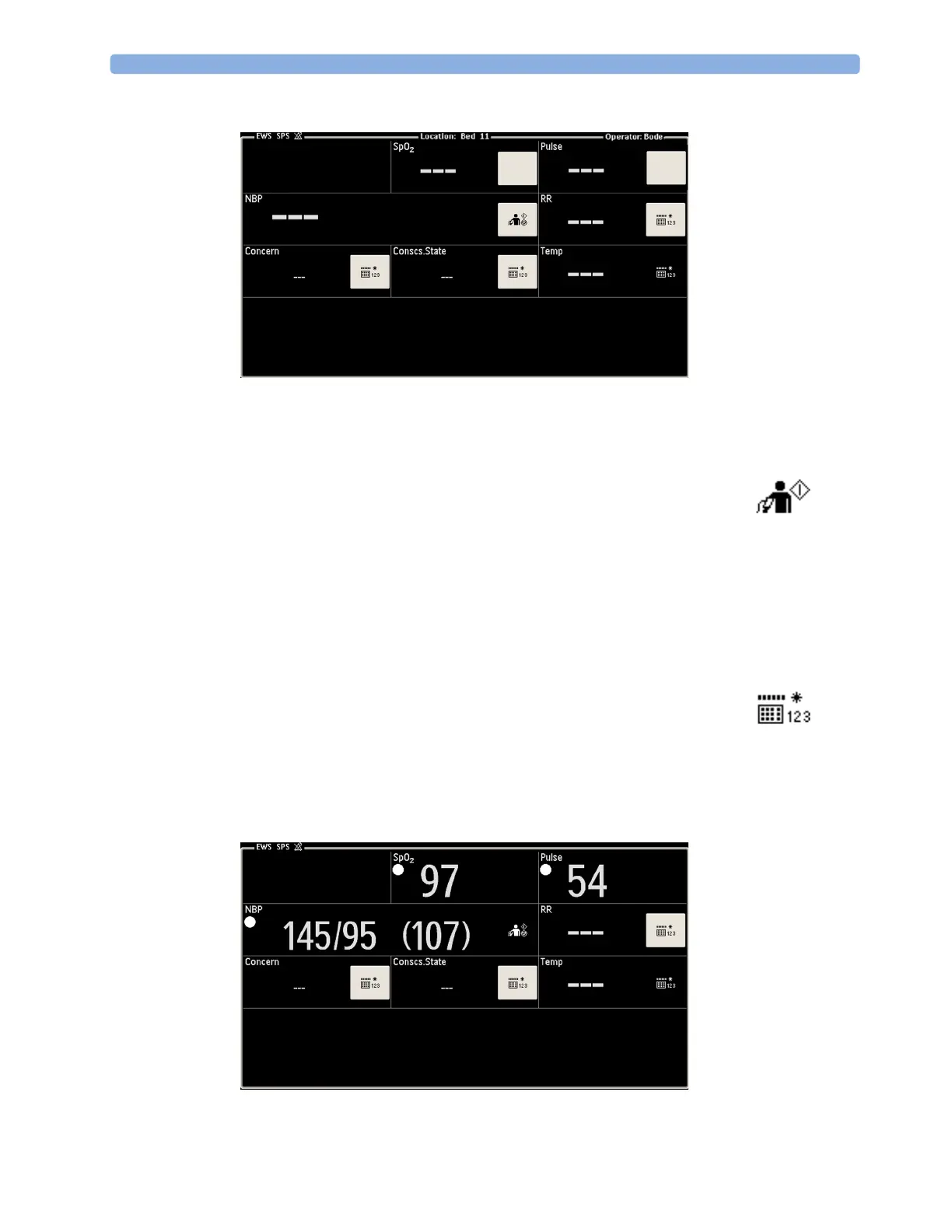
21 Guardian Early Warning Scoring
302
2
If required, enter your operator data with a barcode scanner.
3 Start collecting vital signs and entering observations. If the patient is continuously monitored, any
relevant currently measured vitals will appear automatically in the EWS Screen. Other vitals may
be measured by the monitor, or may need to be entered manually:
All vital signs and clinical observations with a white box are required, i.e. they must all be entered
for a complete SpotCheck record. If a keyboard symbol or start key is not in a white box, the
corresponding vital sign or clinical observation is optional.
When values have already been entered or measured, an existing white box will disappear.
• If NBP is not yet displayed on the screen, start a blood pressure
measurement with the start key.
•If SpO
2
is not already being measured, apply the SpO
2
sensor and a short
time later the value will appear in the SpO
2
box on the screen. Moving
dashes are displayed until the measured value is available.
• If the pulse rate is not already displayed from a continuously measured HR,
SpO
2,
or NBP, it will appear as soon as a blood pressure or SpO
2
measurement has been made.
• Any vital sign or clinical observation you need to enter manually is indicated
by a keyboard symbol. Select the symbol to enter the missing data.



 To Next Page