1 Introduction
45
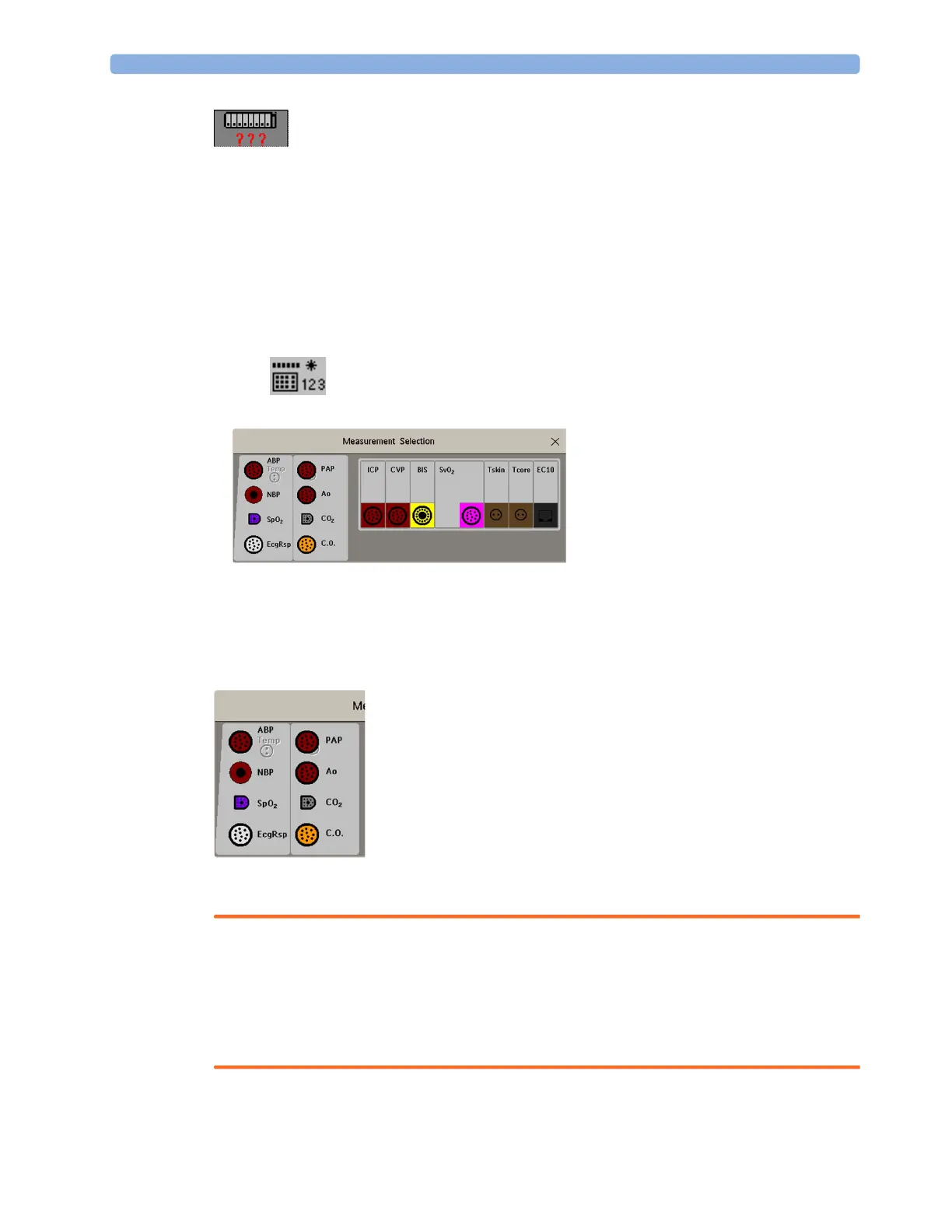
Measurement selection key with question marks indicating a label conflict.
Depending on your configuration, the monitor will either
• resolve the conflict automatically, by assigning a new, generic label to the most recently connected
conflicting label (e.g. a second FAP label could be changed to ABP)
•display the
Measurement Selection window automatically for you to resolve the conflict
• take no action, you must enter the
Measurement Selection window and resolve the conflict.
All the currently available measurement devices, for example MMSs, MMS extensions, measurement
modules, Gas analyzers, devices connected to a host monitor and manually entered measurements
(marked ), are depicted in the
Measurement Selection window.
Any measurement labels causing a label conflict are shown in red. If a measurement device is
connected but currently unavailable, for example, because it was deactivated due to a label conflict, the
device is shown "grayed-out".
When an X2 is connected to a host monitor, the measurement selection window looks like this:
X2 connected to a host monitor
WARNING
When an X2 with an active measurement, say SpO
2
, is connected to a host monitor with the same
measurement already active, the SpO
2
measurement on the X2 is deactivated and the Meas.
Deactivated INOP is displayed. The measurement can only be reactivated if the X2 is disconnected
from the host monitor. The label conflict can be resolved on the host monitor like any other label
conflict.
De-activated devices are grayed-out (here
the Temp measurement on the left)



 To Next Page