DMG 3200/3100/3000 – User Manual
Page 163 (306)
Figure 7.52 - Transparent Mode
7.5.4 MPTS Semi-Transparent Mode
The semi-transparent mode is a subset of the transparent mode. The semi-transparent mode
allows the user to replace some selected components. Currently this feature allows for
replacement of the NIT table only.To configure semi-transparent mode, create a transparent
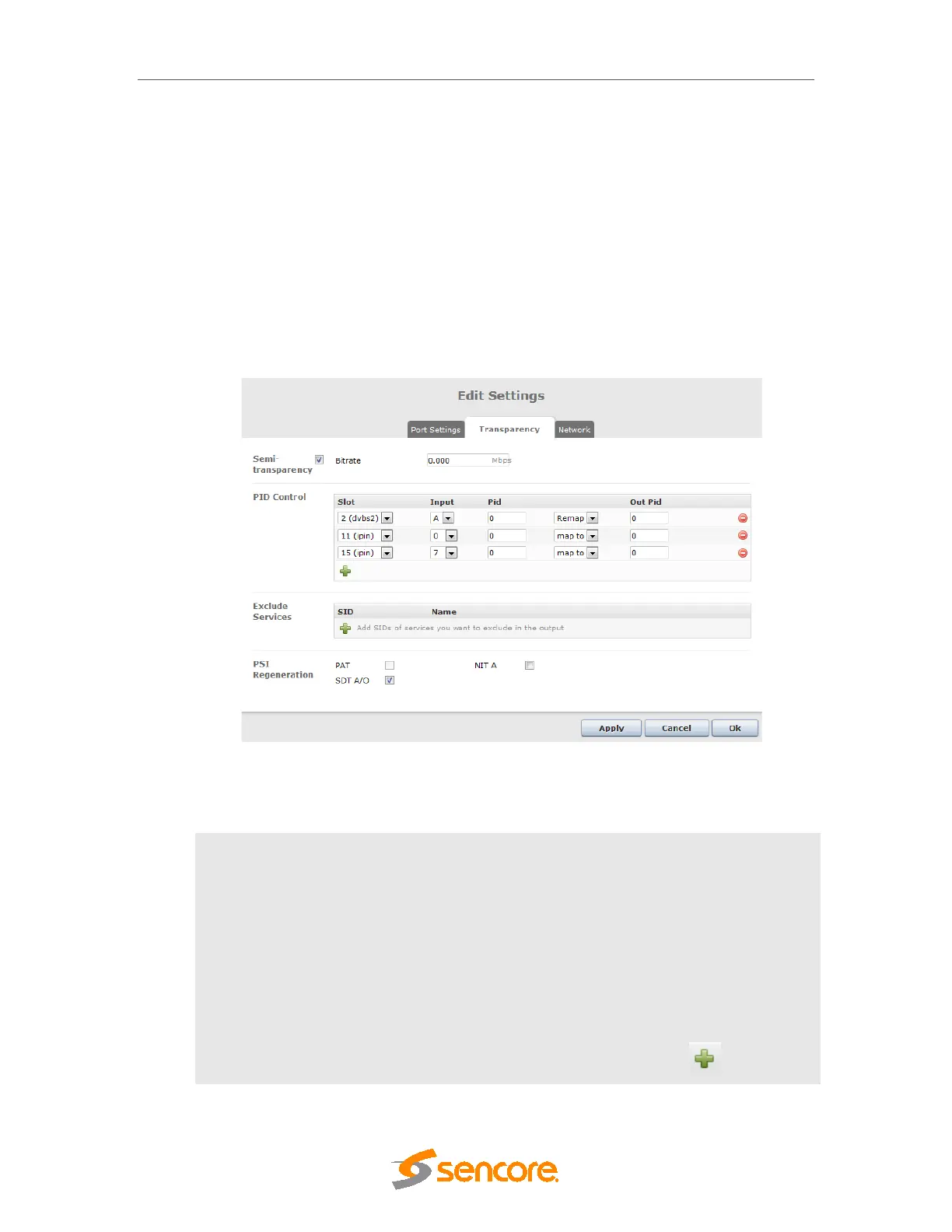
output, and then double click on it to access the Stream Properties dialog. Then, go on to the
Transparency tab to configure the new NIT Source (Generate NIT A ). In this mode, for IP and
ASI output modules, null packets are always removed and re-added.
Figure 7.53- Stream Properties for Semi-transparent MPTS
The following parameters are available if enabled:
Bitrate
Bitrate in Mbps. This parameter is mandatory in Semi-transparent
mode for IP output.
PID Control
When Semi-transparency is enabled, it is possible to both:
- Stop PIDs from the transparent input source
- Re-map PIDs from the transparent input source to a different
PID ID
- Import PIDs from another input source to the transparent
output.
It is possible to add multiple rules by clicking on the icon



 To Next Page