DMG 3200/3100/3000 – User Manual
Page 72 (306)
5.4.5 IP Input
There are two different types of modules supporting IP input, the switch with IP module and the
standalone IP module (with and without FEC option). The following description is valid for all.
The input streams can be either SPTS (VBR or CBR mode) or MPTS. To configure the module:
• Switch to the Inputs node in the Navigation Pane
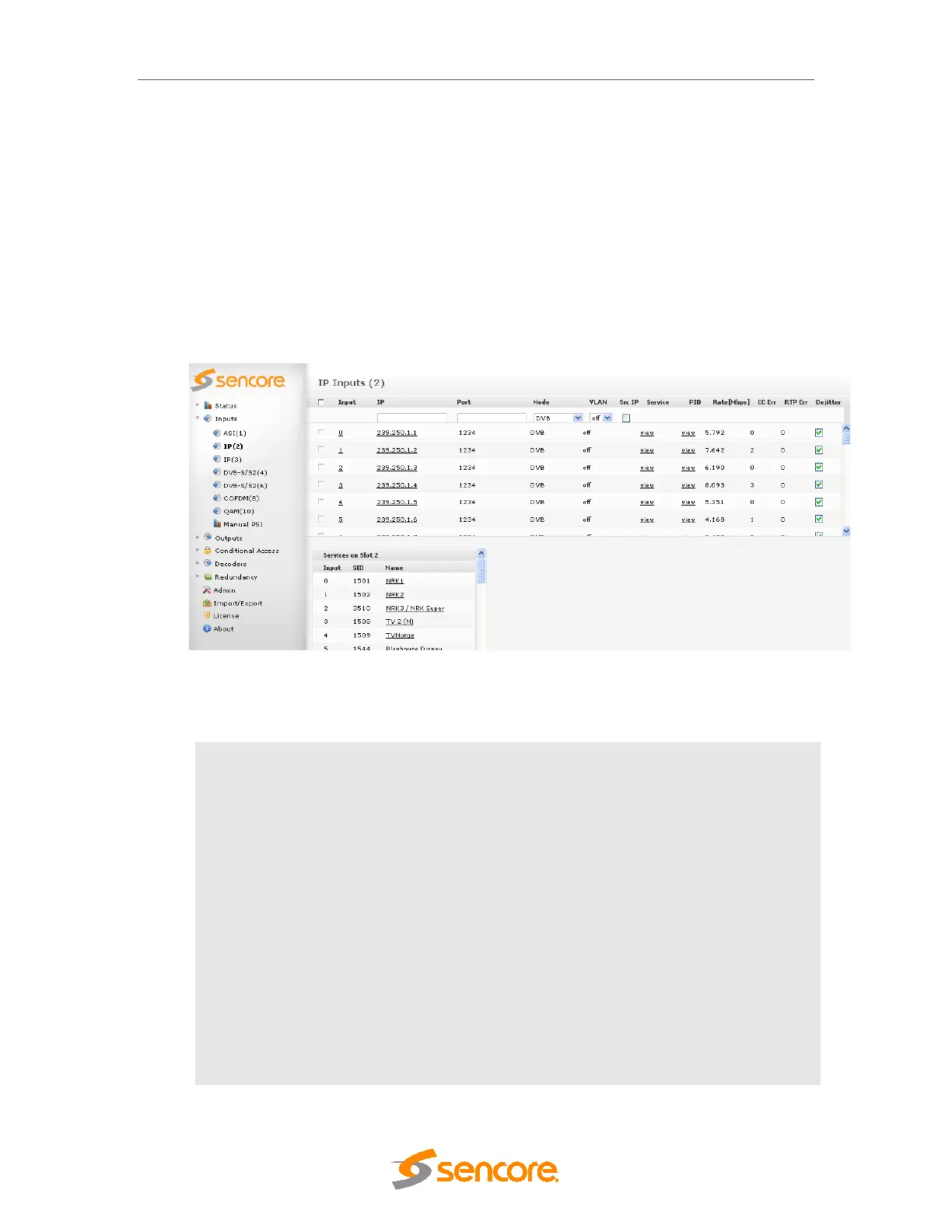
• Select the IP input module you want to configure and the module configuration window will be
displayed (see Figure 5.28). Services available on all inputs will be listed in this view.
Figure 5.28 - IP Input
When adding an IP input, the following parameters are available:
IP
IP address corresponding to the input
Port
Port corresponding to the input
Src IP
Check to enable Source filtering (IGMPv3 / SSM)
Mode
Select one of the following:
o DVB
o MPEG
o ATSC
o DVB (SDT)
Increment After a multicast is added, the current IP and Port values will be incremented
by one of the following:
o IP
o Port



 To Next Page