DMG 3200/3100/3000 – User Manual
Page 300 (306)
12.4 Importing and Exporting Chassis Configuration
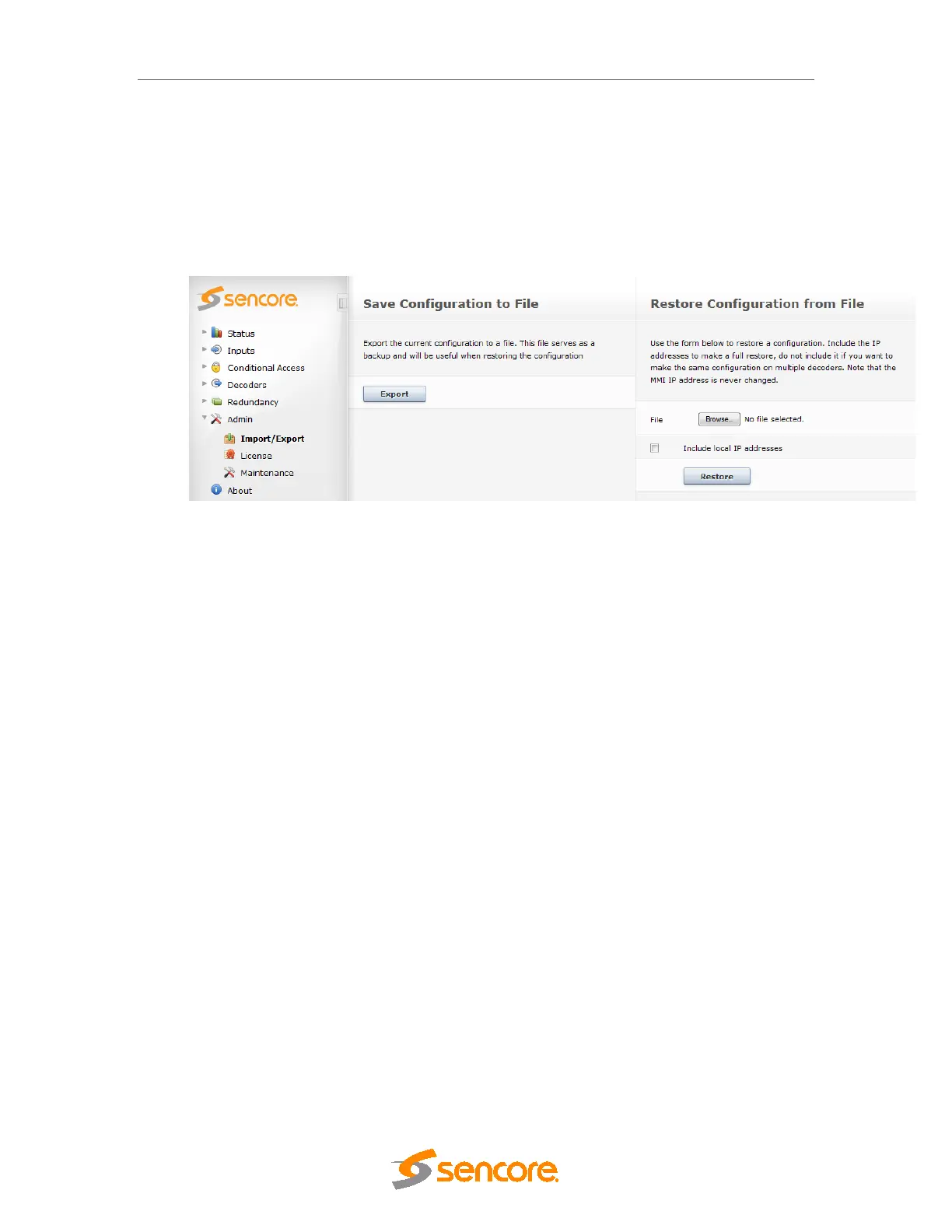
The configuration of a unit can be saved onto a file to be retrieved later. This file contains the
entire configuration, including the MMI IP address. To save the current configuration, click
Export (see Figure 14.3).
To retrieve the configuration from an existing file, select the file by clicking Browse. Then, check
Include local IP addresses if the IP addresses should be included, and click Restore.
Figure 12.2- Saving Importing and Exporting Chassis Configuration
This feature has two benefits:
o To restore a unit to a previous state, or
o To use the same setup on multiple units
Use the Include local IP addresses option to bring a unit back to a previous state when lots of
changes need to be undone; or if an upgrade has been unsuccessful.
It is recommended that the configuration be exported before each upgrade and restored after a
downgrade (if the downgrade was unsuccessful).
To use the same setup on multiple units, uncheck the Include local IP addresses option. This
way, only one unit needs to be configured, and all the other units will use the same
configuration – but on their existing IP addresses.



 To Next Page