DMG 3200/3100/3000 – User Manual
Page 97 (306)
It is generally advised to disable Alt CAM Mode as this creates a higher bandwidth
requirement in the unit.
We recommend you enable this option if you have problems with:
o descrambling a service
o keeping the subscription updated reliability
6.1.5 CAM Interface
Each CAM Module has its own menu structure defined by its manufacturer to access module
information, e.g. subscription status and to insert configuration data, e.g. a new PIN Code,
maturity rate, and a key to descramble a service.
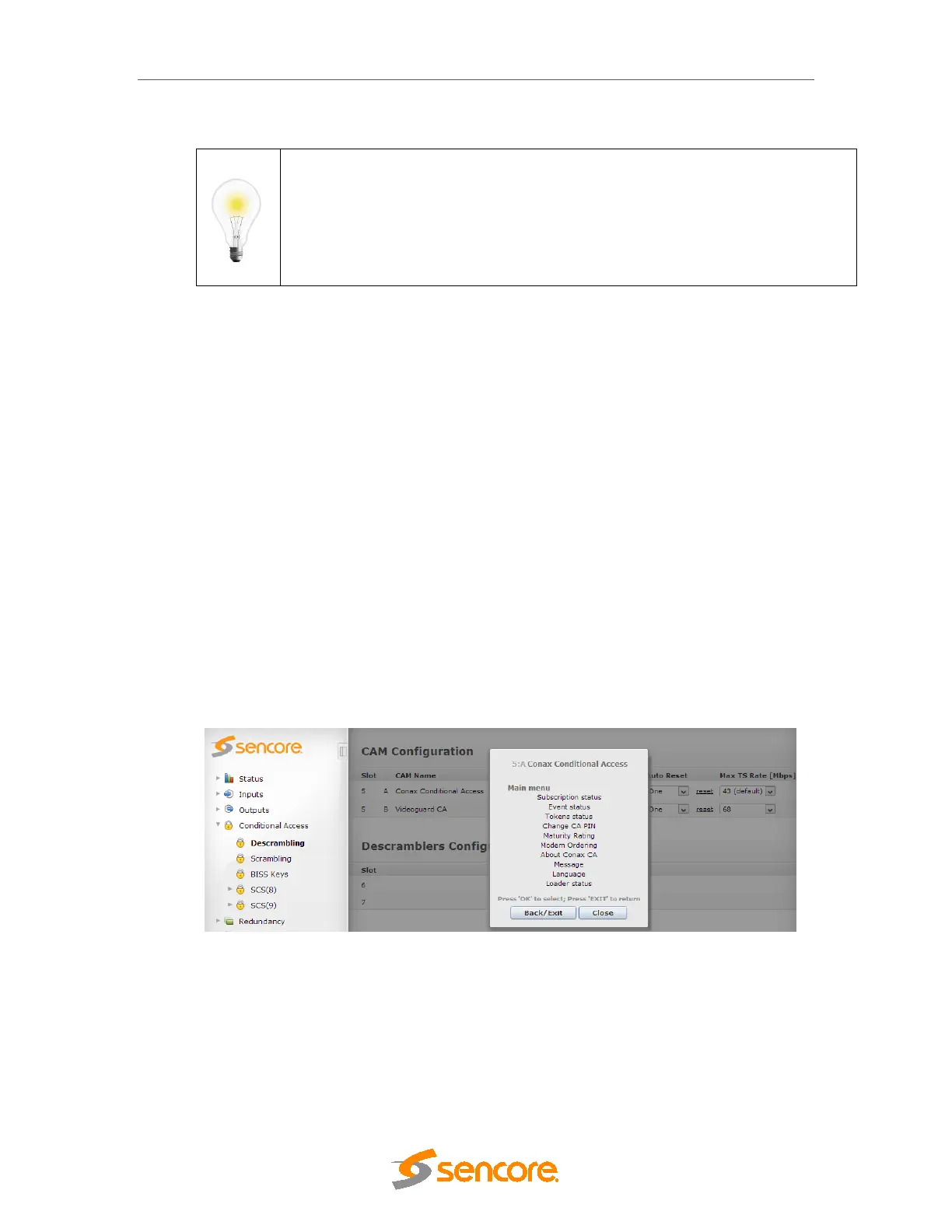
The CAM Interface feature allows operators to access and interact with these menus
easily via the web GUI. By clicking on Open under the CAM Interface column, a pop-up
box appears over the CAM Configuration page. This is the CAM Interface dialog.
6.1.6 Navigation
Based on Figure 6.1, the standard CAM Interface provides two buttons at the bottom and
a list of clickable menu options.
• The Back/Exit button returns to the previous menu
• If the Back/Exit button is pressed on a top-level menu, the same menu screen
will be displayed
• The Close button stops interaction with the CAM Module, closes the CAM
Interface dialog, and displays the CAM Configuration page
Figure 6.5 - Example of a Menu from Conax
It is possible that the dialog above varies depending on the CAM manufacturer. Menus
that do not allow user interaction are called Lists. Since Lists are bottom-level menu
items, possible operations are either to go back to the previous menu or close the CAM
Interface.



 To Next Page