DMG 3200/3100/3000 – User Manual
Page 60 (306)
Pre-FEC_BER
Bit error rate on the channel, before any FEC decoding.
5.4.2 ASI Input
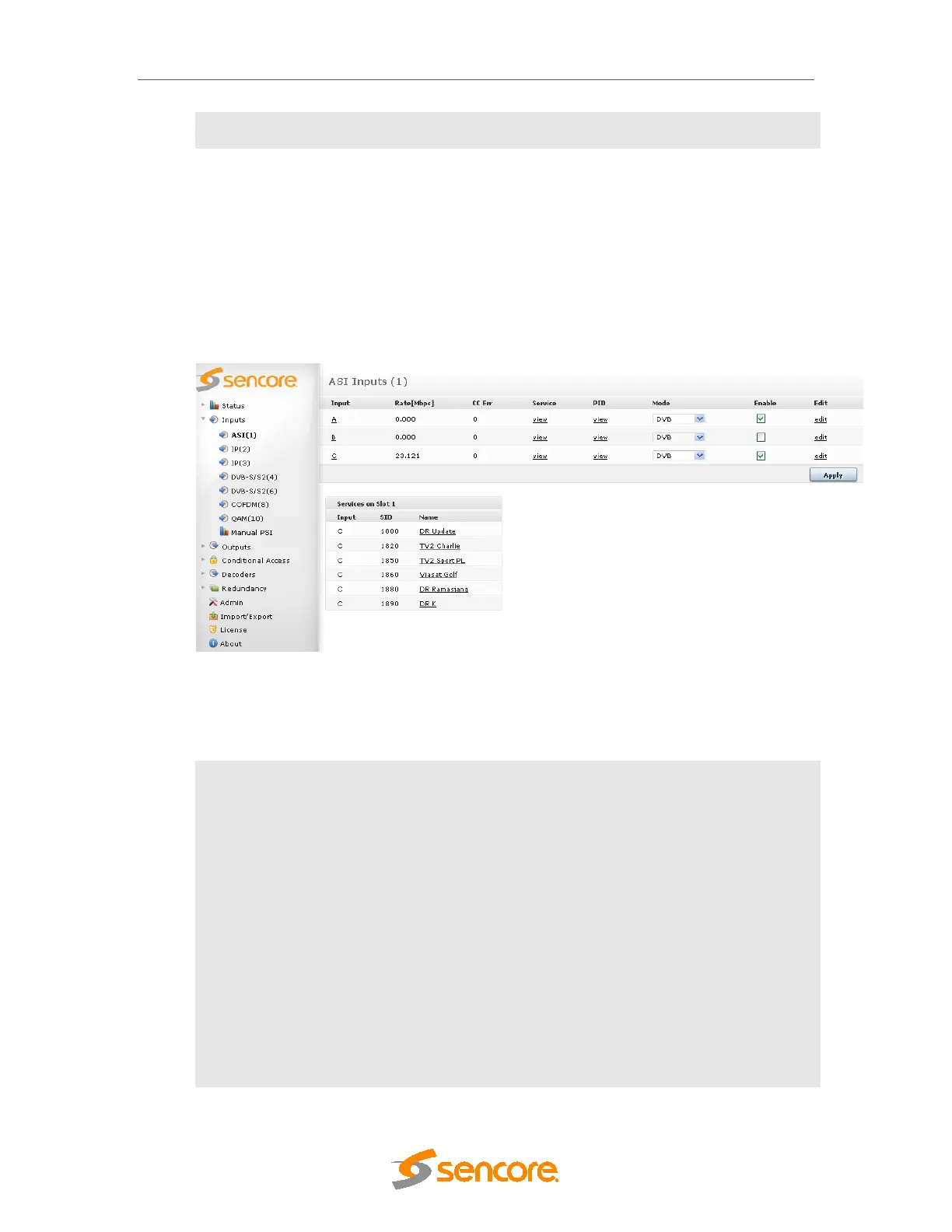
The ASI input module can receive up to three/four individual ASI input streams depending on
the hardware revision. Each ASI input can support up to 213Mbit/s. To configure the module:
• Switch to the Inputs node in the Navigation Pane
• Select the ASI module you want to configure to display the module configuration.
Services available on all three ASI input ports will be listed in this view.
Figure 5.19 - ASI Input
The ASI node shows all configurable settings as well as the current bitrate and service
information. The following parameters are available:
Input
Port on the ASI input module
Rate [Mbit/s]
Incoming data rate
CC Err
Continuity Counter Error – indicates that one or more packets are lost
Mode
Select one of the following modes:
o DVB
o DVB (SDT)
o MPEG
o ATSC
o OFF
The default mode is DVB. If the incoming transport stream is not DVB
compliant, use MPEG mode instead.
Enable
Enable the corresponding input port



 To Next Page