DMG 3200/3100/3000 – User Manual
Page 252 (306)
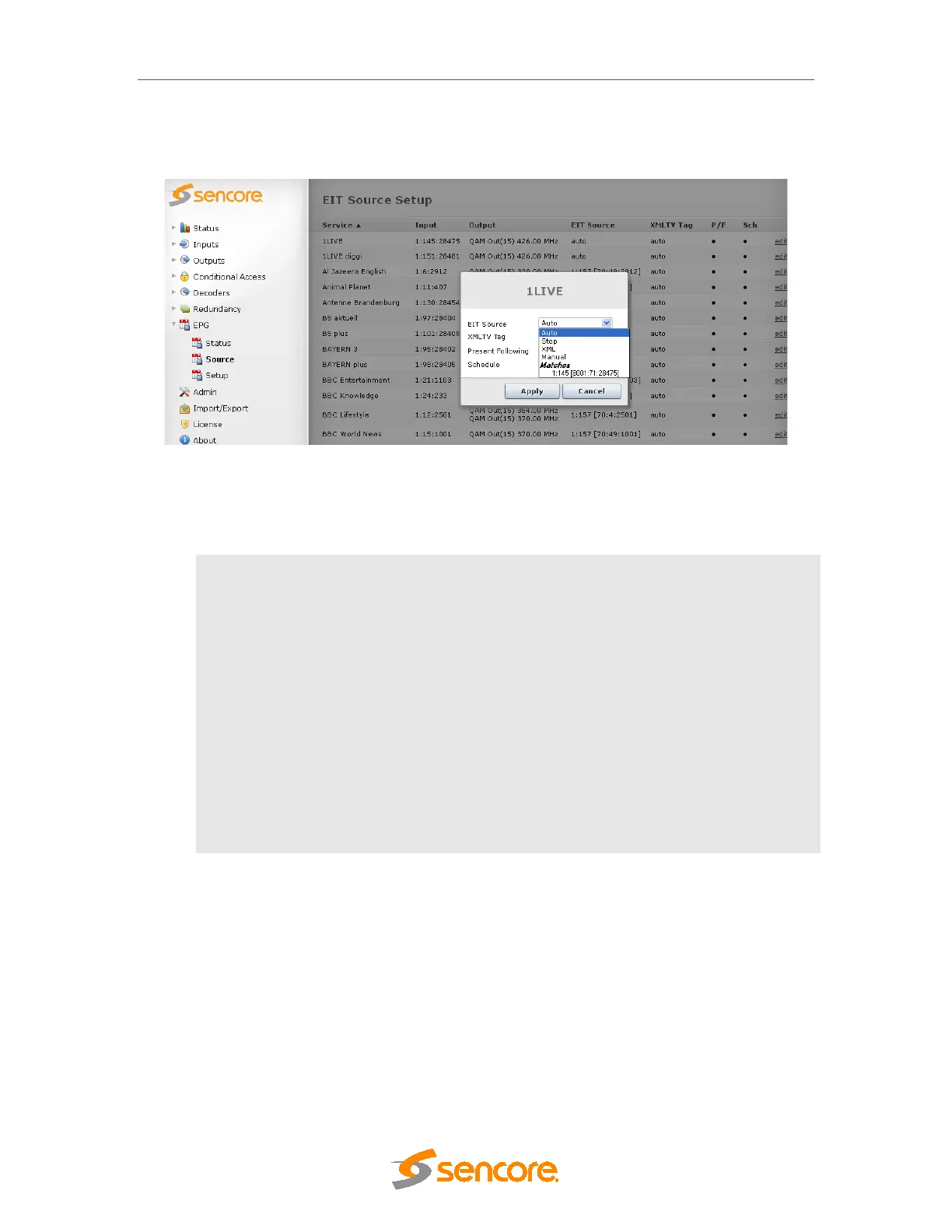
9.3.2 EIT Source Setup
Once the output transport stream is setup, the information will be displayed in the EPG node.
Figure 9.12 - EPG Node
If multiple services are available for the matching criteria, a drop down box is displayed under
EIT Source; pick the best course of action:
Auto Corresponds to the value chosen in the Setup node, under Multiple Match
Action .
Stop
Ensures that no schedule information is transmitted from this service. If no
drop down box is displayed, it means that there is only one source available
based on the matching criteria.
XML
Specify an XMLTV tag name for schedule information. This relies on EPG
XMLTV import which is covered in the Sencore EPG XMLTV Interface
document.
By default, if no tag is specified, this will be <NetID>.<TSID>.<ServiceID>
corresponding to the output service,
Manual
Manually specify an incoming source (Slot, Port, NetworkID, TSID,
ServiceID) of EIT information
10 Redundancy Support
The unit supports several types of redundancy. While each redundancy module is aimed to solve
different problems, the system handles all of the modules in a similar way, providing some general
parameters to control the switch delay and which triggers should be active for each module.
10.1 Input Redundancy
The goal of input redundancy is to prevent failures outside the system from resulting in errors on
input cards.



 To Next Page