DMG 3200/3100/3000 – User Manual
Page 63 (306)
5.4.3 QAM/DVB-C Input
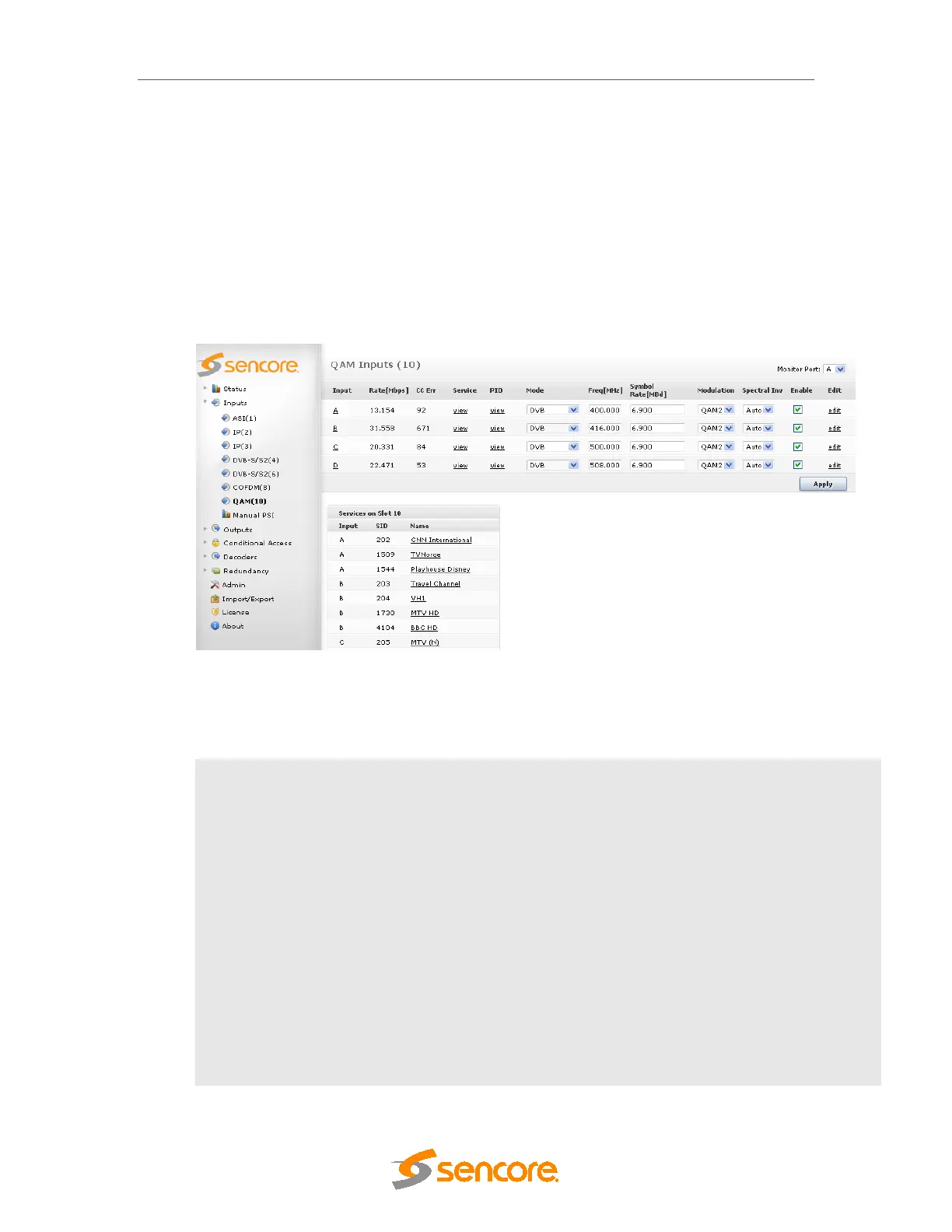
The QAM/DVB-C input module can receive up to four individual QAM frequencies. The
QAM/DVB-C input modules comes in 2 HW versions; a 2 slot version referred to as QAM input
and a 1 slot version referred to as DVB-C input. To configure the module:
• Switch to the Inputs node in the Navigation Pane
• Select the QAM module you want to configure and the module configuration window will
be displayed (see figure below). The services available on all four QAM input ports will
be listed in this view.
Figure 5.22 - QAM Input
The QAM/DVB-C input window shows all configurable settings as well as the current bitrate and
service information. The following parameters are available:
Input
Port on the QAM input module
Rate [Mbps]
Incoming data rate
CC Err
Continuity Counter Error – indicates that one or more packets are lost
Mode
Select one of the following modes:
o DVB
o DVB (SDT)
o MPEG
o ATSC
o OFF
The default mode is DVB. If the incoming transport stream is not DVB compliant,
use MPEG mode instead.
Freq [MHz]
Specify the QAM frequency in MHz, valid range is 170k – 887Mhz



 To Next Page