DMG 3200/3100/3000 – User Manual
Page 33 (306)
4.1.1 Assigning an IP Address
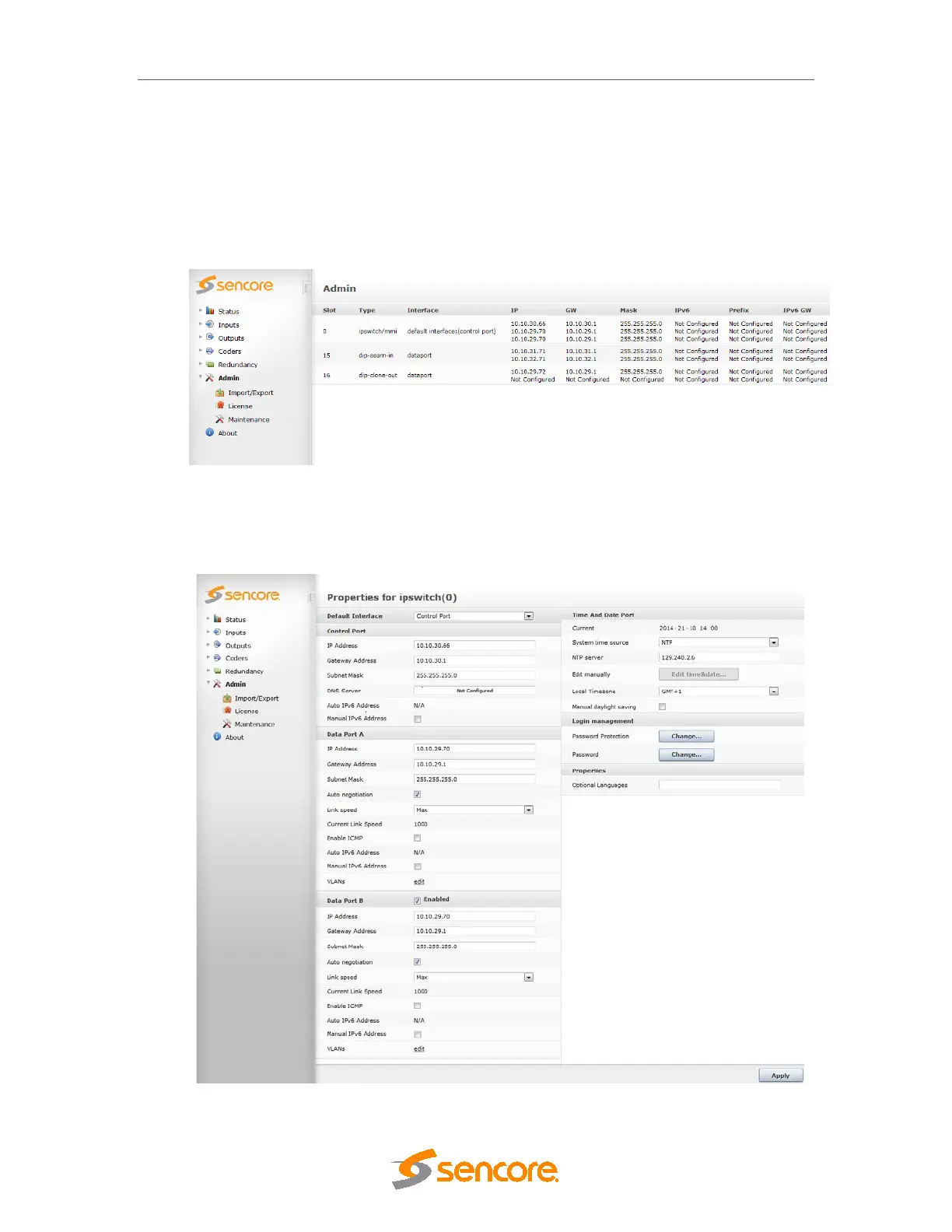
Click on the Admin node in the Navigation Pane and the window in Figure 4.4 will be
displayed. This window shows all installed modules with their respective network settings; the
MMI module is in slot 0 or slot 17 (marked as mmi in Type).
Figure 4.4 - Admin View
Select the switch module hosting the MMI and a module configuration similar to the one below
Figure 4.5 will be displayed.



 To Next Page