DMG 3200/3100/3000 – User Manual
Page 255 (306)
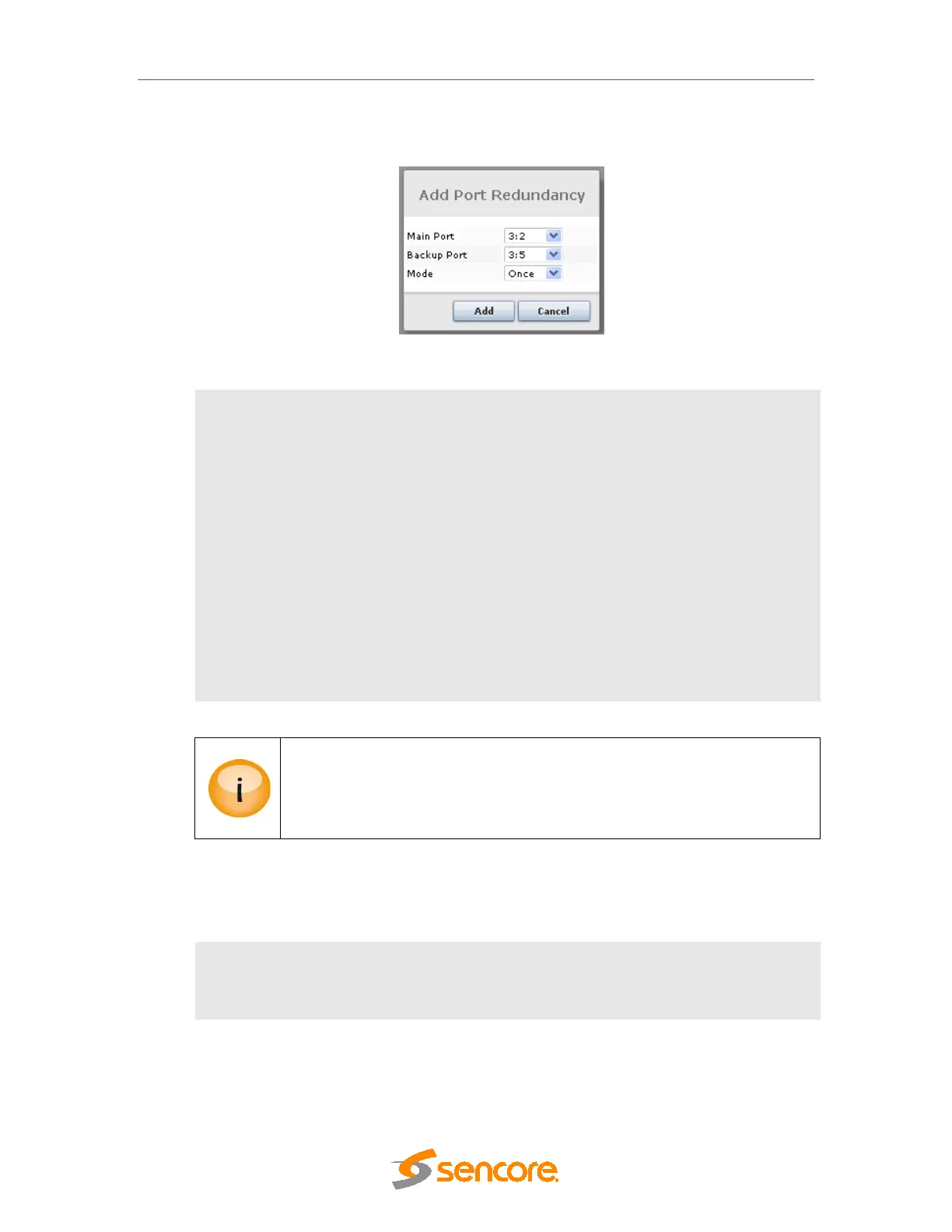
Port-based redundancy is set up under the Redundancy
Input node. Click on the Add Port
button (see
Figure 12.3) and the Add Port Redundancy dialog below will appear.
Figure 10.3 - Configuring Port-based Input Redundancy
Main Port
Assign a main port
Backup Port
Assign a backup port
Mode
Select a suitable mode for each redundancy pair. The following modes are
available:
Once – Switch from main to backup when an alarm occurs on main
and remain there
Floating – Switch when an alarm is set on the service that is active,
ignore clear alarms
Reverting – Switch to backup only if there is an alarm on main but
not on backup; switch back when alarms on main are removed or set
on backup (this is the recommended mode).
When using port-based input redundancy, it is intended to have the same input
structure for both main and backup ports.
Port-based input redundancy applies to transparent transport streams and
imported PIDs.
10.1.3 Alarms that cause Switching
The system will automatically switch from main source to backup source based on the
presence of alarms that are selected in the Redundancy Switching Triggers page below.
Switching Delay Parameter is added to mention the number of seconds for the module
to switch connections from one backplane to another when alarm
occurs.



 To Next Page