DMG 3200/3100/3000 – User Manual
Page 40 (306)
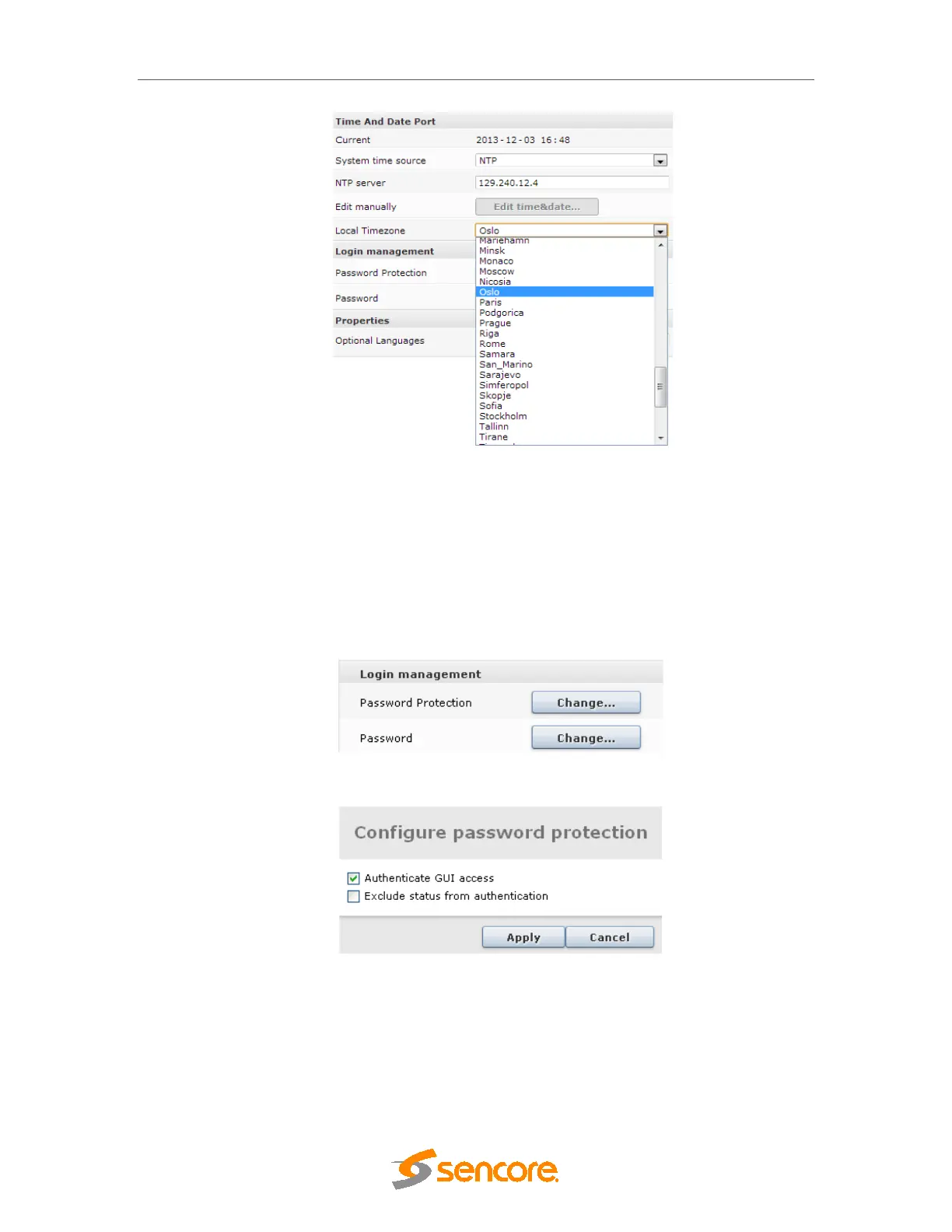
Figure 4.13 - Login Management Section
4.1.7 Password Protection in the GUI
For enhanced security the Web interface supports password protected access. This feature is
disabled by default but may be enabled easily from the GUI.
To authenticate GUI access, in the MMI Admin view, click Change under the Password
Protection entry in Login Management. Check the appropriate checkbox and click Apply.
Reboot the MMI module for this change to take effect.
Figure 4.14 - Login Management Section
Figure 4.15 Password Configuration
The Exclude status from authentication option is provided in cases where only certain parts of
the GUI need to be protected. If this checkbox is checked, only the Service View, Hardware
View and Active Alarm View will be excluded from authentication. All other pages, including
Alarm History will require authentication to be viewed.
4.1.8 Changing the Password for the GUI



 To Next Page