DMG 3200/3100/3000 – User Manual
Page 240 (306)
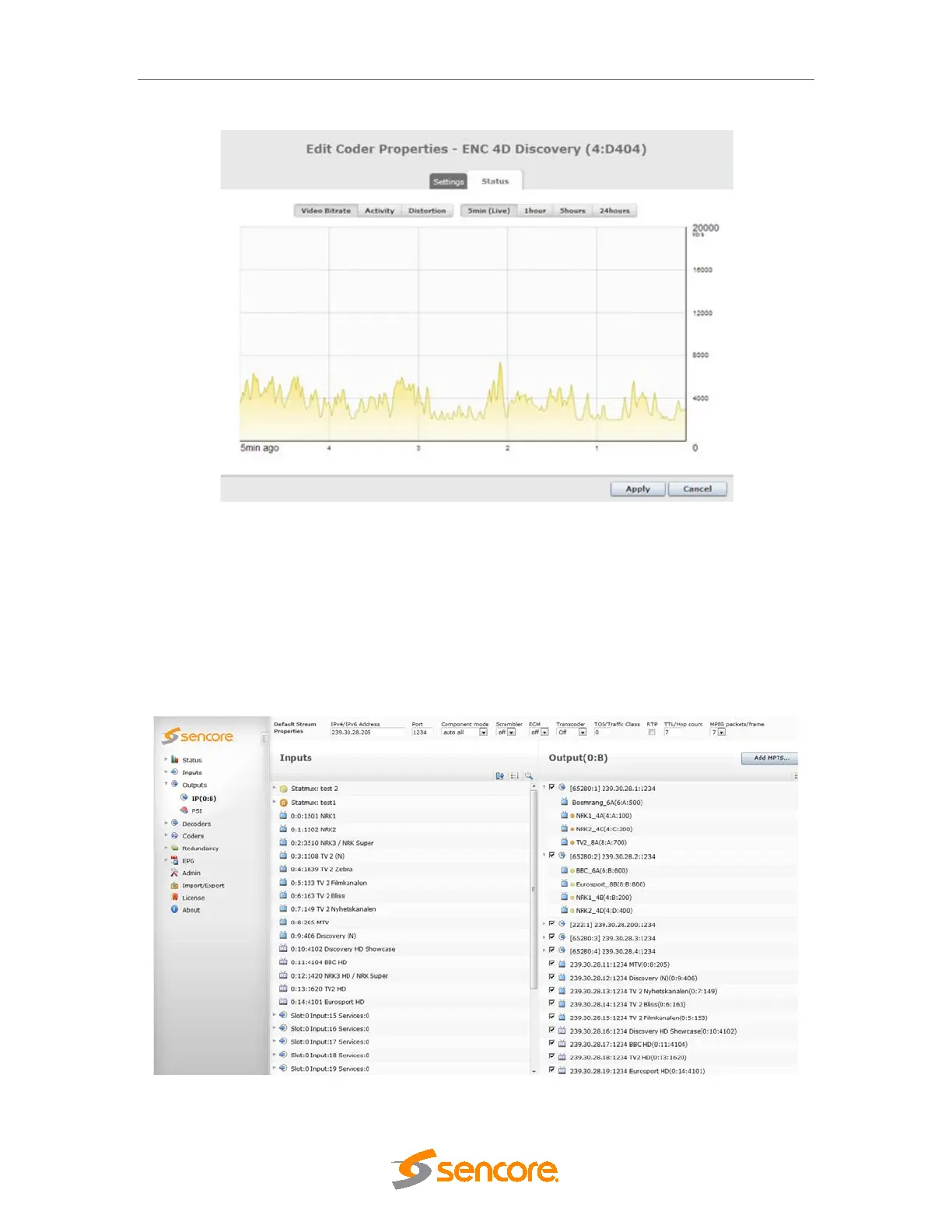
Figure 8.51 – Statmux Service status
8.7.3 StatMux service output configuration
Programs that are part of a StatMux group are treated as any other program in the output
multiplexer. Any output can contain a combination of non-StatMux and StatMux channels from
different StatMux groups.
StatMux programs are grouped under the input column, and colour markers are used to mark
StatMux group membership.



 To Next Page