DMG 3200/3100/3000 – User Manual
Page 35 (306)
VLANs
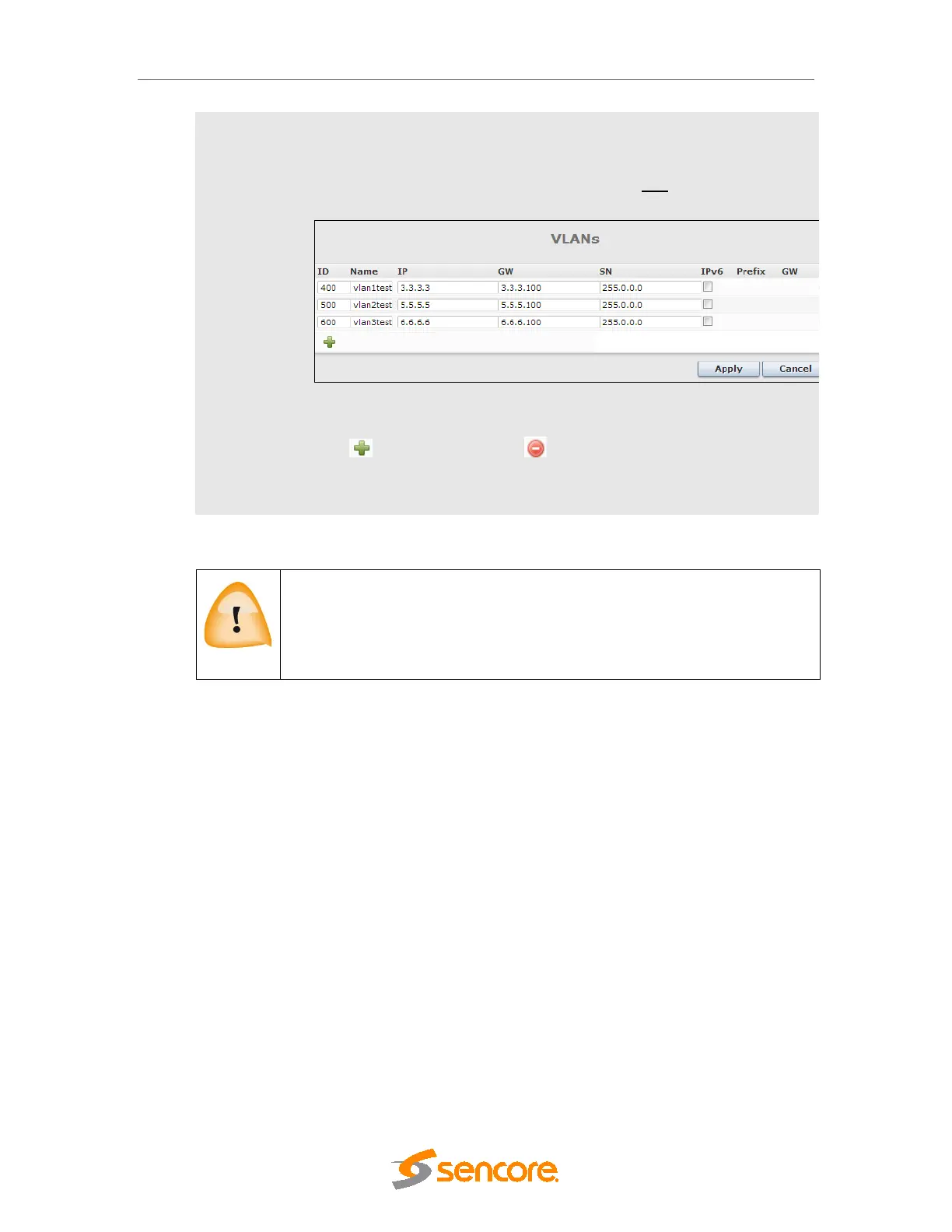
The IP Input port can support up to 25 Virtual LANs (VLANs) depending on
the module type and they can be defined in the Admin Properties view.
The VLANs may then be associated with IP input streams when configuring
input multicasts. To add and remove VLANs, click edit. The dialog below
will be displayed:
Figure 4.6 - Setting up Virtual LANs
Click to add VLAN tags and to remove them.
If an active VLAN is removed, the associated IP inputs are reset so that they
will not be part of that particular VLAN group.
Save the settings and connect the unit to your local network. Reconnect to the Web GUI using
the MMI address.
Please note that the following addresses ranges are reserved for internal use
and not available to be configured:
Switch: 192.168.0.xxx
Switch w/ IP: 192.168.0.xxx and 192.168.2.xxx
4.1.2 IPv6 Address Support
IPv6 support is available for management and data ports of the Switch module, both Control
and IP versions. The following options are supported:
• Support for simultaneous IPv4 and IPv6 addresses, both for management and data
ports.
• Management (GUI/SNMP) using IPv6 address
• IP inputs using IPv6 addresses
• IP output using IPv6 addresses
4.1.2.1 Management GUI



 To Next Page