DMG 3200/3100/3000 – User Manual
Page 276 (306)
10.4.3 Manual Switching
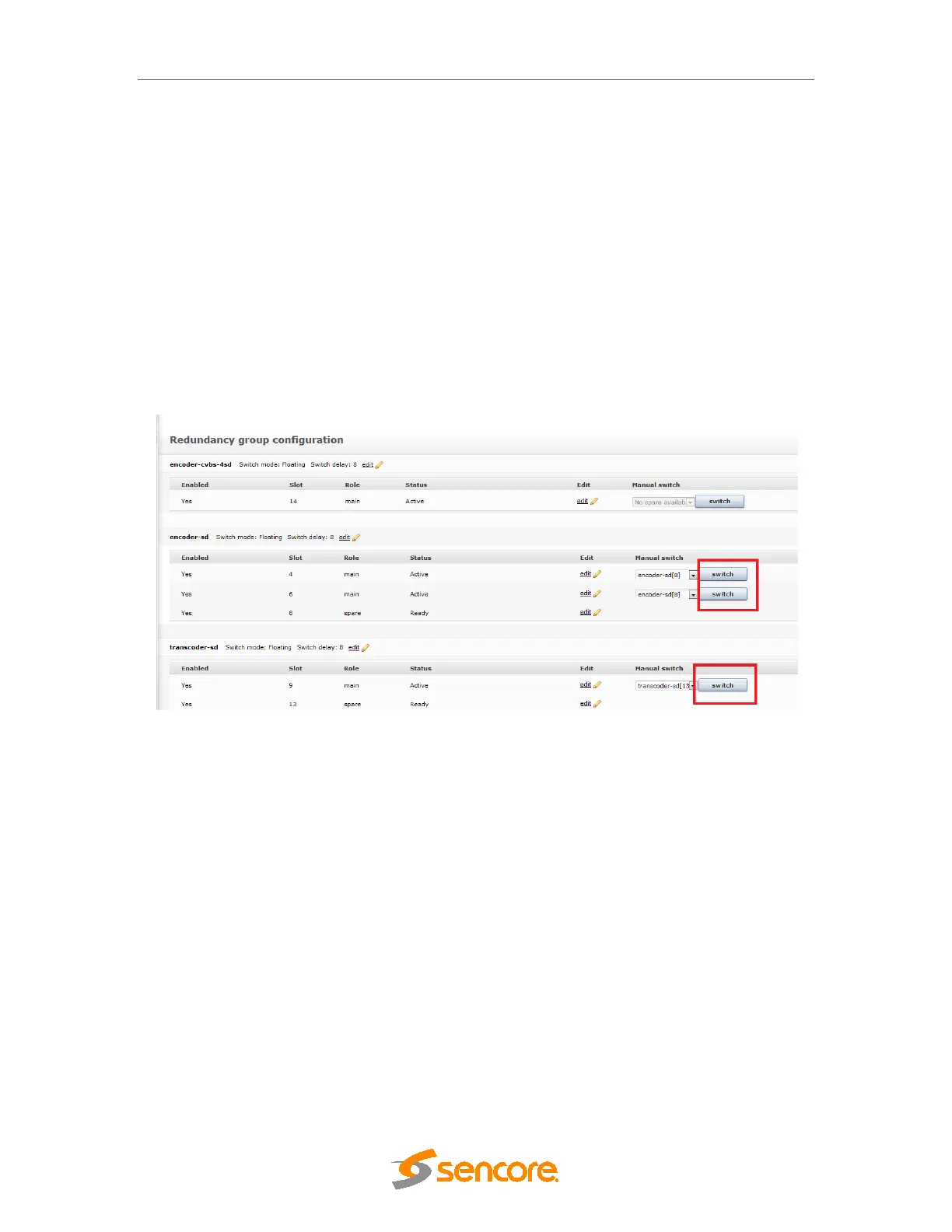
Manual switching can be performed using the switch button on the Group page. When an input
SDI switch is defined the switch will first be configured, and then when the switch is ready the
rest of the system will move to the spare unit. If the switch configuration fails then the switch
operation will be aborted.
Changes to encoder/transcoder parameters shall always be performed on the main device,
even when this device is switched to a spare. The system will automatically redirect any editing
of the spare card to the main card when the spare is running as a backup.
Figure 10.27 – Manual Switch.
10.4.4 SDI Input switch configuration
The following system topology is supported for encoder redundancy requiring an external SDI
switch.



 To Next Page