DMG 3200/3100/3000 – User Manual
Page 98 (306)
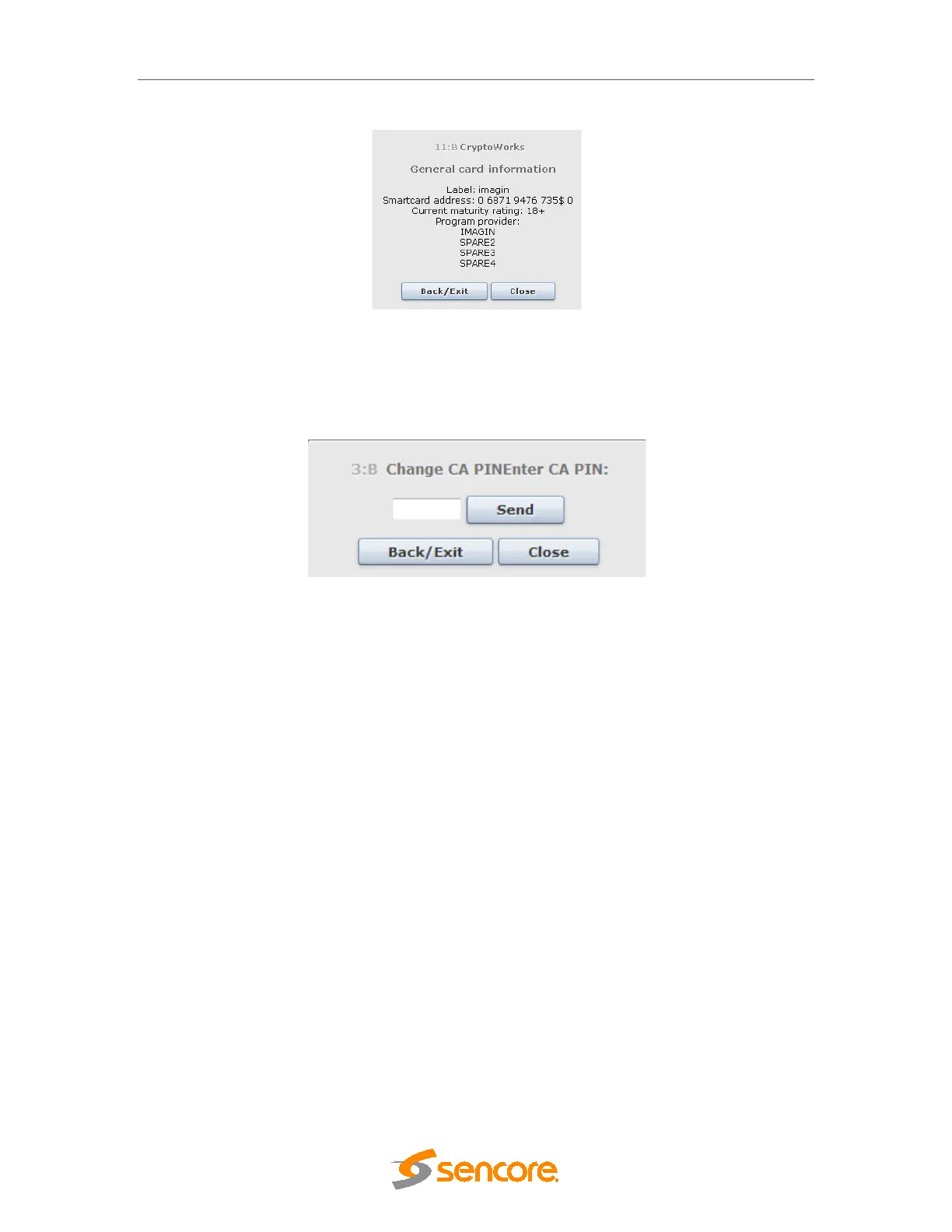
Figure 6.6 - Example of List from CryptoWorks
Another type of dialog is the Enquiry dialog (
Figure 6.7). This dialog is displayed when
the CAM Module requires user input such as a PIN code. The CAM defines the maximum
length of the input data and whether actual characters are displayed as the user types.
Figure 6.7 - Example of Enquiry
6.1.6.1 Multiple Users and CAM access
The CAM Interface supports multiple users but not multiple sessions. This means that it
is possible to access the CAM Interface of the same CAM Module from different
computers or browsers simultaneously, but users cannot be on different levels of the
menu. For this reason the CAM Interface is refreshed every 10 seconds to request the
current valid menu screen.
Due to this synchronization scheme the menu screen will change for all current users
even if just one of them interacts with the CAM Interface dialog.
Multiple users interacting with a single CAM Module can lead to synchronization errors.
For instance, when one user tries to access a menu that has not been refreshed after
another user has interacted with it, a synchronization error will occur. This will display a
Status error. This and other errors are handled by the CAM Interface to provide safe
and consistent interaction.



 To Next Page