DMG 3200/3100/3000 – User Manual
Page 185 (306)
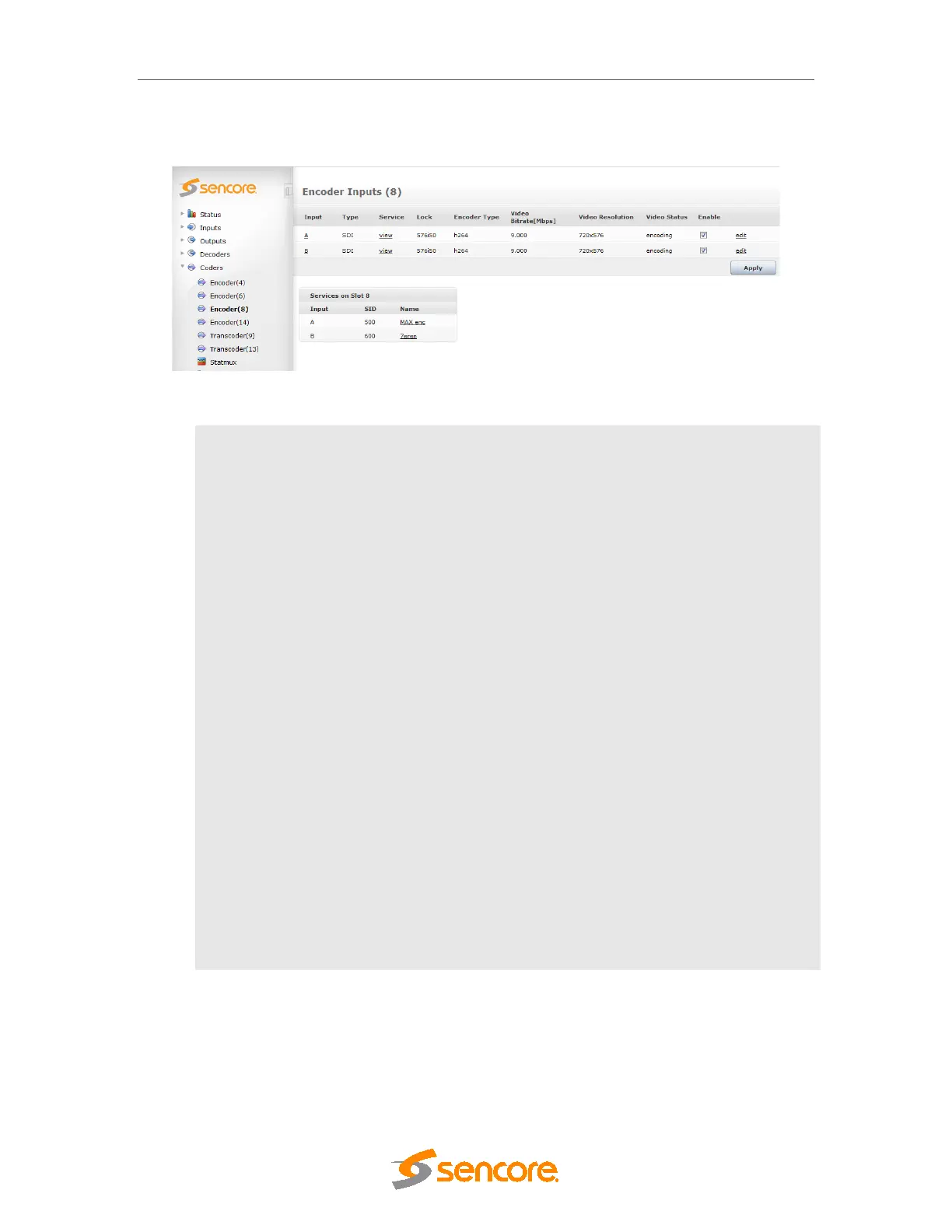
The encoder status and configuration page is accessed by clicking on an encoder module in
Navigation Pane. The number listed here refers to the slot that the module is installed in.
Figure 8.2: Encoder status and configuration
Input
Port corresponding to the SDI/HD-SDI input. Detailed status can be
displayed by clicking on the Port.
Type
Signal Type : SDI
Service
Lists all services generated by the encoder channel, including the
service IDs and the service names.
Lock
Lock status on incoming SDI. If locked, the received video format is
shown. The configured Video Format and Frame Rate must match the
incoming SDI video format.
Encoder Type
Configured video encoder standard; available standards are MPEG-2
or H264 (MPEG-4 part 10)
Video Bitrate
[Mbps]
Configured video bit-rate.
Video Resolution
Encoded video resolution; Depends on the configured video format
and horizontal rescaling. Horizontal Resolution x Vertical Resolution.
Video Status
Video encoder status:
encoding – normal operation
stopped – error (also status during reconfiguration
off – encoder is disabled
Enable
Enable or disable the encoder.
Edit
Edit option to change the encoder parameters.
The detailed status, found by clicking on the Input Port (ie A. B. etc), includes information
about the SDI input, main video encoder; pip video encoder, audio input, audio encoder and
VBI input.
Click edit and the encoder configuration pages will be displayed. The configuration parameters
are organized into different sections selectable from the tab menu on top. Common sections



 To Next Page