DMG 3200/3100/3000 – User Manual
Page 288 (306)
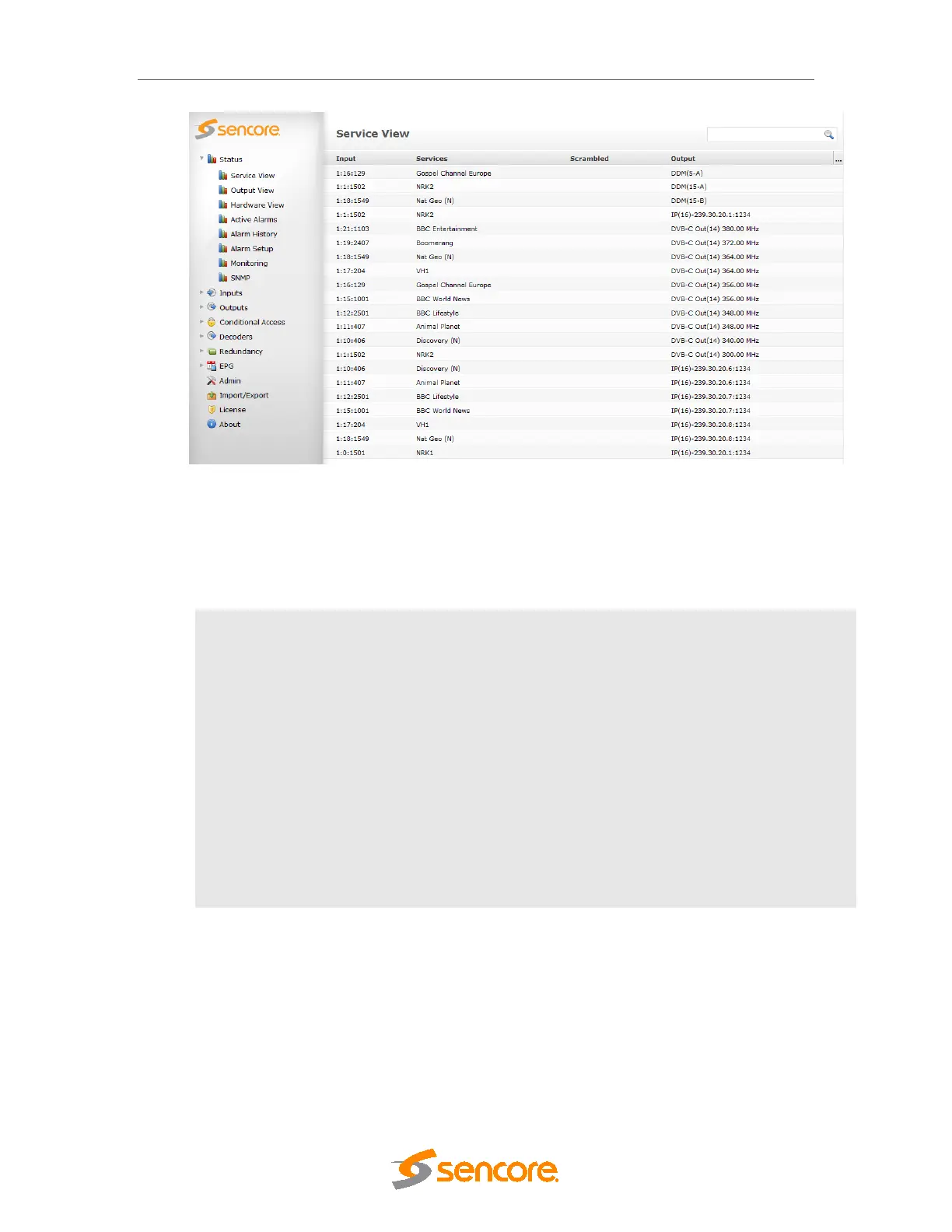
Figure 11.1- Service View
Information in the Service View can be sorted by clicking on the column headers. It is possible
to search within this page by using the field with the magnifying glass in the top right corner. The
Service View shows all configured services by default and the following information is
available:
Input
Input information about the corresponding service. The notation is <X:Y:Z> where:
• X – input module’s slot position
• Y – input module’s port
• Z – service PID
Service
Name of the output service
Scramble
Scrambler card assigned
Output
Output information about the corresponding service. The notation is <X:Y:Z>
where:
• X – output module’s slot position
• Y – output module’s port



 To Next Page