ECDIS-E User Guide Charts
65934012 4-29
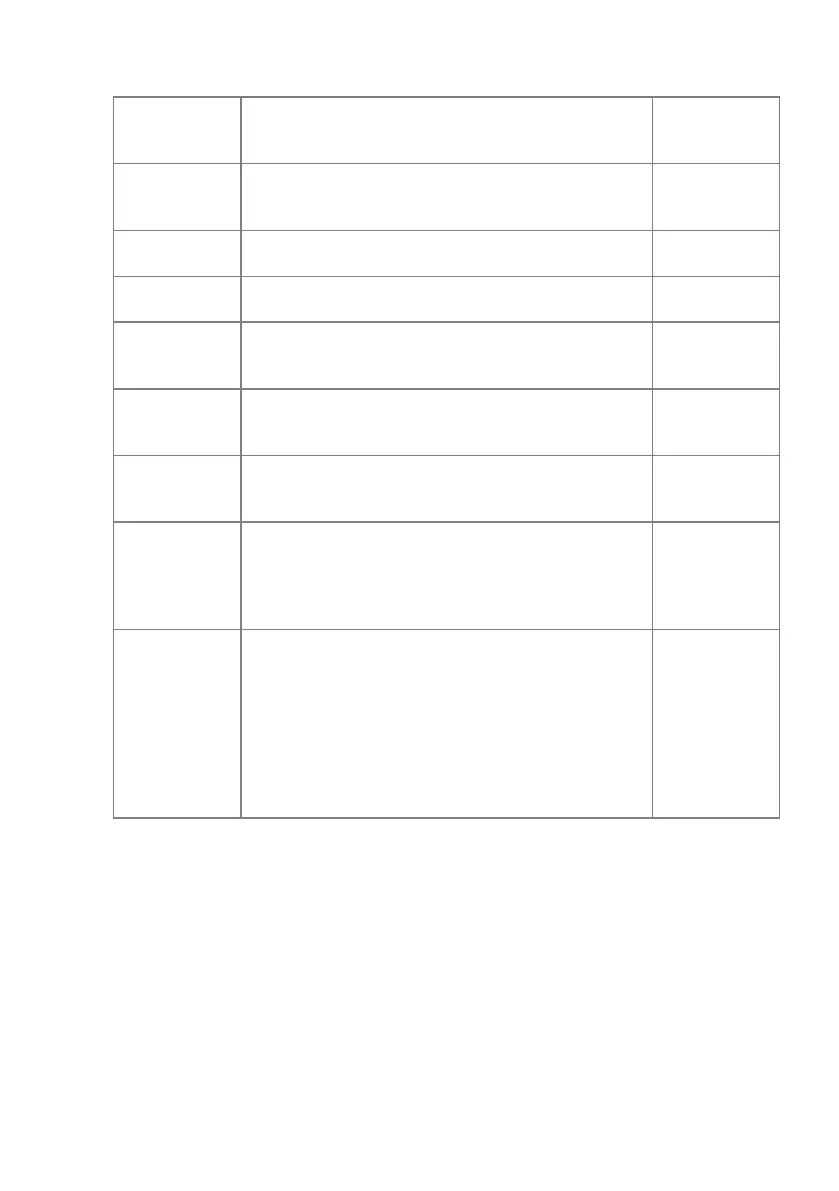
Water
Turns on the display of isolated danger objects
which are located in shallow unsafe waters,
Off
Contour
Label
Turns on the display of contour labels
(|including the safety contour labels), viewing
Off
Controls whether four water depths shades are
used.
Off
National Language NOBJNM, text group 31. Off
Unknown
Turns on the display of unknown objects which
are not specified in S-52 standard, viewing
Off
Symbol
Selects to display paper chart or simplified
point symbol styles.
Paper Chart
Symbol
Selects to display plain or symbolised line
boundaries
Symbolised
Date
Dependent
Objects
The Date Dependent Object settings enable a
date dependent object to be highlighted and
viewed by selecting a particular day or date
range, see `Highlighting and Viewing Date
Real Time
Update
Review
This function turns on colour highlighting for the
objects which have undergone modification in
the process of the latest accepted correction.
To define a time period and view colour
highlighting for that period tick the Highlight
Updates check box and select a defined date
range from the From and To fields using the
drop down keypad.
Off



 To Next Page