Charts ECDIS-E User Guide
4-30 65934012
Highlighting and Viewing Date Dependent Objects
A chart object or radar mapping object may have a specific date, or a
specific date range assigned for the display of the object. If the date
dependency is set for a future time period the object will not be displayed
on the screen until the particular day or date has been reached.
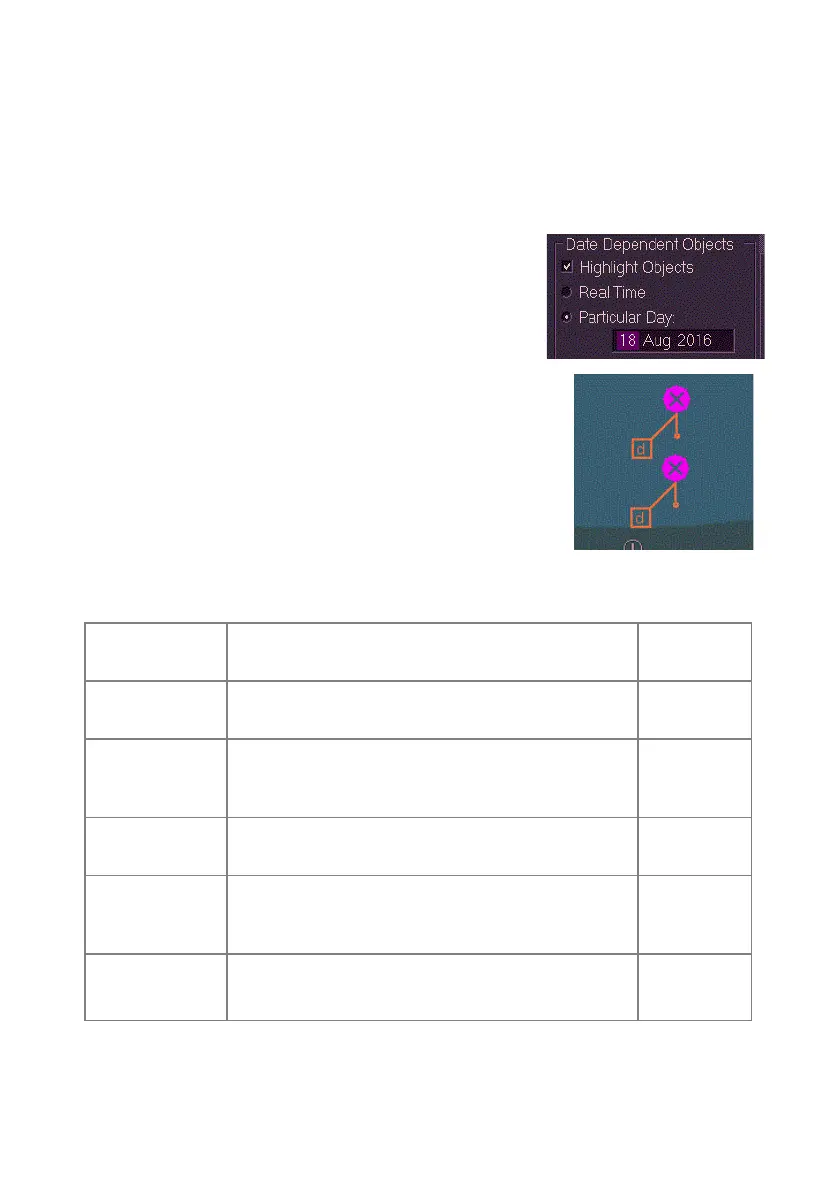
Date dependent objects may be viewed by ticking
the Highlight Objects check box and selecting a
particular day or a date range by ticking the
Particular Day or Date Range radio buttons
clicking in the data field and using the Forward and
Back arrows on the subsequent drop down keypad.
When Highlight Objects is enabled and the day or
date range dependency selected the object is shown
on the display with an orange diagonal line with a d in
a small box at the end of the line. All date dependent
objects for a particular defined day or date range will
be shown on the screen.
S-57 Text
The chart display settings listed below are available for S-57 text symbols.
Feature Description
Default
Value
Important
Text
Displays text important for navigation. On
Other Text
Displays other text information, including
Names, Lights description and All Other
settings information
Off
Other Text -
Names
Displays name text information Off
Other Text -
Light
Description
Displays light description information Off
Other Text -
All Other
Displays other text information (this is all other
information that does not include names or light
Off
VPF



 To Next Page