Charts ECDIS-E User Guide
4-52 65934012
Creating Anchorage, Beacons, Buoys and Danger Points
The creation of anchorage, beacons, buoys and danger point symbols is
the same procedure.
To create anchorage, beacons, buoys and danger points do the
following:
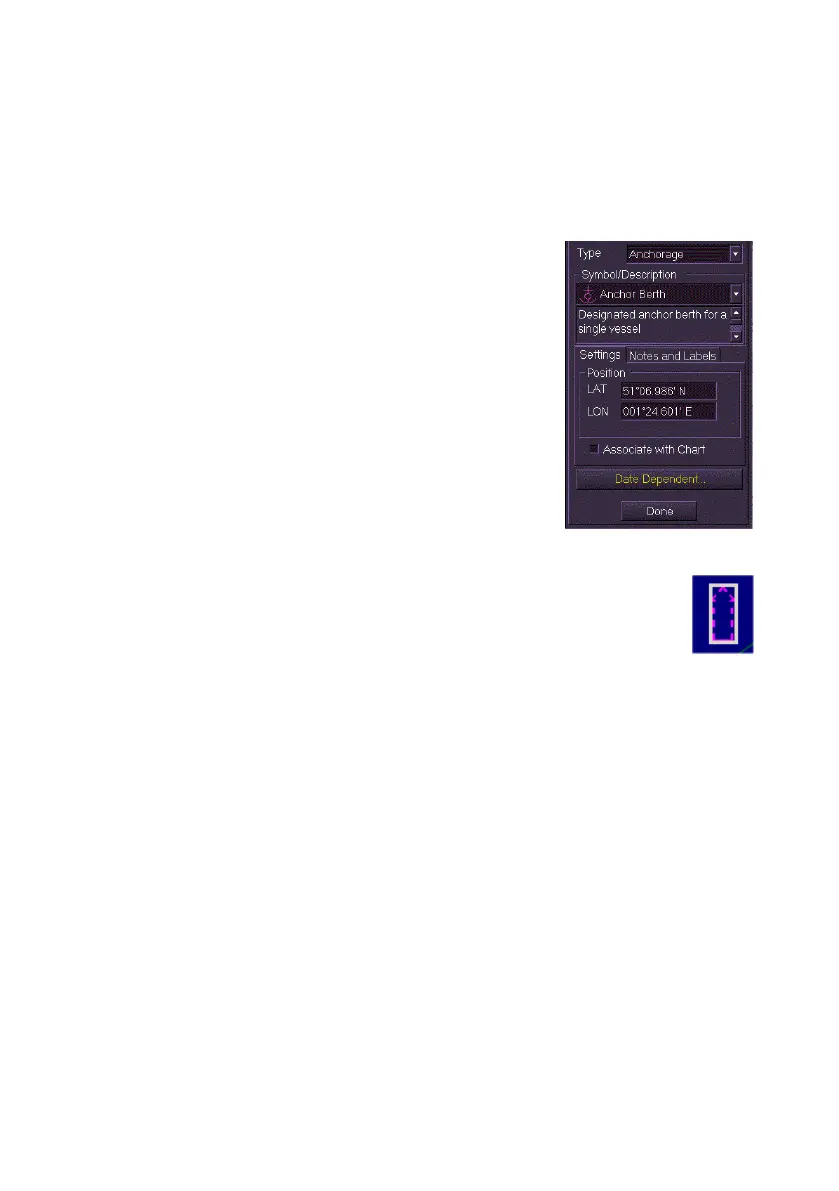
1. Select the chart type (Anchorage, Beacons,
Buoys or Danger Points) from the Type drop
down list.
2. With the chart type selected click on the
Symbol/Description drop down list and
select the object symbol. The field directly
underneath the Symbol/Description list
includes a brief description of the selected
symbol.
3. Move the cursor into the display, the screen
cursor displays
MO EDIT.
4. Click in the area of the display where you
want the symbol positioned. The symbol appears with a bold white
box around it and the following fields appear for the created
object: Position, Rotation (if applicable) and Notes.
5. When creating a buoy or a beacon, an Include Light check
box is included in the Settings tab. Tick this box if the
mariner object includes a light,
6. To change the object's position, rotation or to add notes click in the
respective fields.
7. To create the same symbol in a different position move the cursor
to another area of the screen and left click. Each left click in the
video circle results in a new symbol of the selected type being
created.
8. To change the location of the object click in the LAT/LON fields,
enter a position using the screen keypad, and click the OK button.
A symbol is created in the position specified.
9. To create a date dependency for the object see `Creating Date
Dependent Objects'.
10. To exit the Create Chart Objects mode click the Done button, the
symbols created are fixed in position and the view returns to the
Edit folder.



 To Next Page