Charts ECDIS-E User Guide
4-76 65934012
Local Display
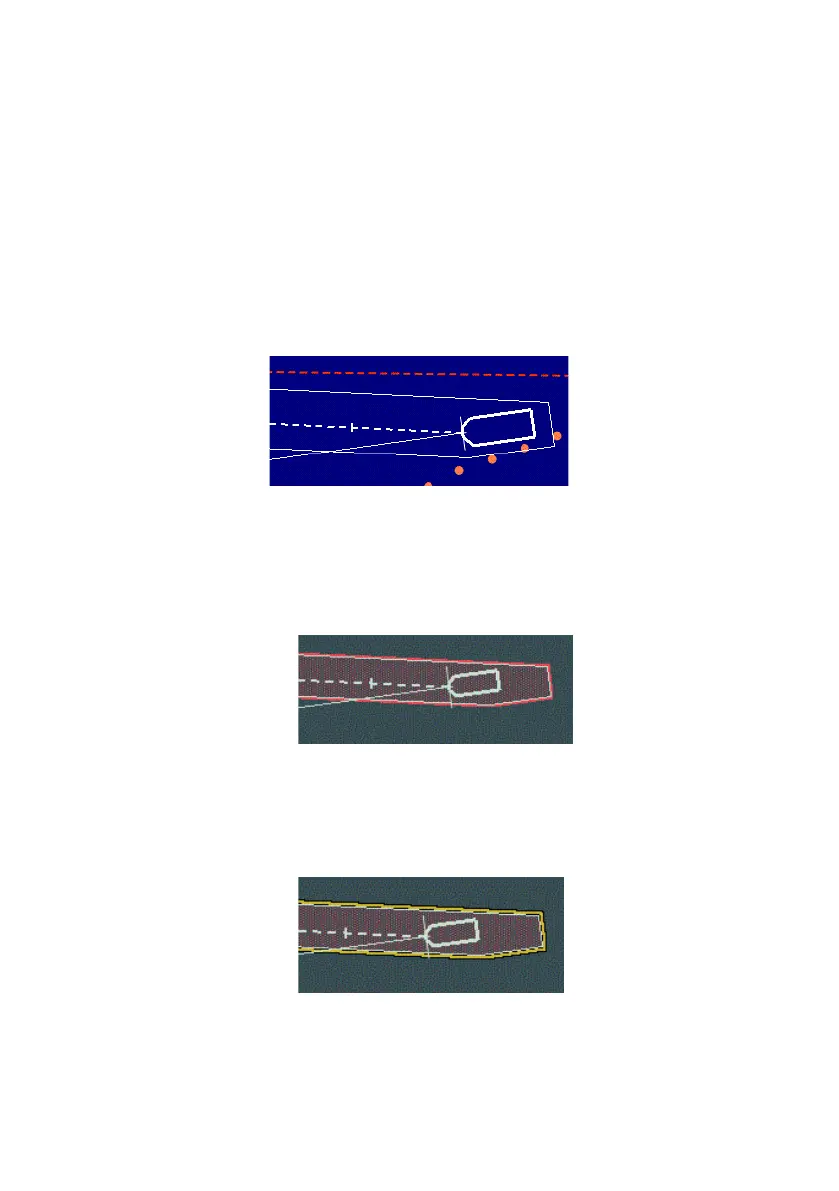
To display the safety region tick the Show Safety Region check box. If the
Look-Ahead value or added breadth are changed, the length and width of
the safety region adjust accordingly. As own ship moves across the screen,
the line is redrawn every 30 seconds.
When there is a difference between the COG and the Heading the safety
region will display a dog legged rectangle, this being the calculated safety
region taking into account the different COG and HDG values. If the COG
and HDG bearings are the same the safety region rectangle is drawn as
straight lines.
An ownship safety contour can be switched on or off by ticking the
Highlight Safety Contour check box. When enabled the screen shows
ownship's safety region highlighted in a red transparent background with an
additional red line around the safety outline.
A navigation hazards highlight can be switched on or off by ticking the
Highlight NAV Hazards check box. When enabled the screen shows
ownship's safety region with an additional yellow line around it representing
the navigation hazard area.



 To Next Page