Navigation Tools ECDIS-E User Guide
5-4 65934012
Adding PI Lines or deleting Sets
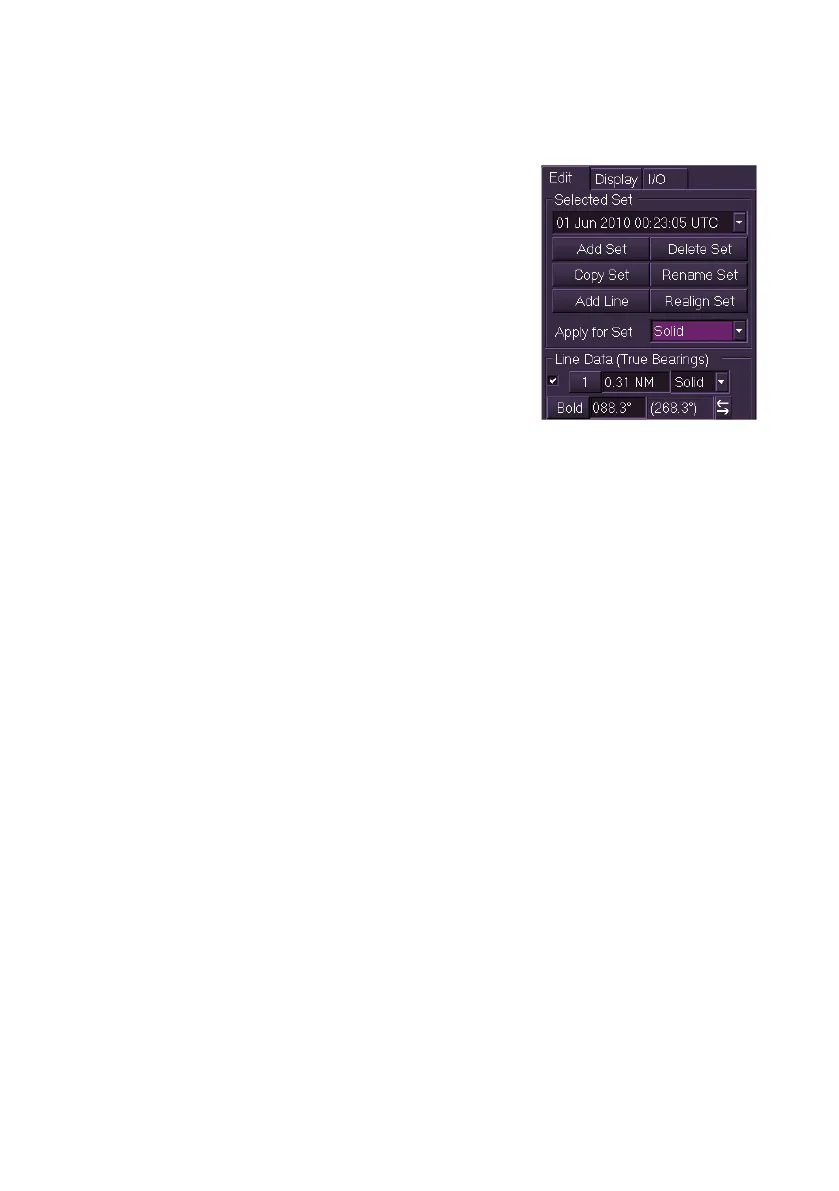
To add a PI line or delete a set do the following:
1. With the PI set name entered click the Add
Line button. A line is created and the
default line values are shown in the Line
Data area. A PI line is always initially
created with its axis through own ship's
CCRP and the bearing angle the same as
the current heading line of own ship.
2. To create further PI Lines click on the Add
Line button. On the screen the previously
created line is displayed as orange and the
new line shown as magenta. A further set
of Line Data values are displayed with default values and the last
line created is highlighted in Line Data.
3. You can remove a PI line from the display by unticking its check
box. When a check box is unticked the line's values remain. To
restore the line to the display tick the check box.
4. To delete a set select the set name by clicking on the Selected Set
drop down list and with the set displayed click on the Delete Set
button. A window appears prompting to confirm the deletion. Click
OK to confirm, the set is deleted and the PI Lines window
reappears with <Default Set> in the set field.
Realigning PI Lines and Sets
A set of PI Lines may be realigned so that all lines are redrawn to own
ship's current heading. This feature applies to the Default Set as well as
operator defined sets of PI lines.
Individual PI lines may also be realigned parallel to ship's heading.
PI lines may only be realigned when there is valid heading data for own
ship.
To realign PI lines do the following:
To realign a set:
1. Select the PI line set from the drop down list.
2. Click on the Realign Set button. An `Action Required' prompt
appears requesting confirmation of the realignment.
3. Click the Yes button to confirm. The bearing of each line changes
to ships current bearing and the PI lines are redrawn on the display
parallel to ships heading line.



 To Next Page