Navigation Tools ECDIS-E User Guide
5-6 65934012
the selected Pl line set with the current date and time highlighted in
the set field name.
2. To enter the current date and time as the PI name click the OK
button, or to edit the name click in the field, the text changes to
green (editable) and the on-screen keypad is displayed
immediately below the field.
3. Enter a new name using the keypad, press the Back button to
delete characters or the space button to create a space. With the
required name entered press the OK button.
4. The PI line set is renamed in the Selected Set list.
Editing PI Lines
To edit a PI line do the following:
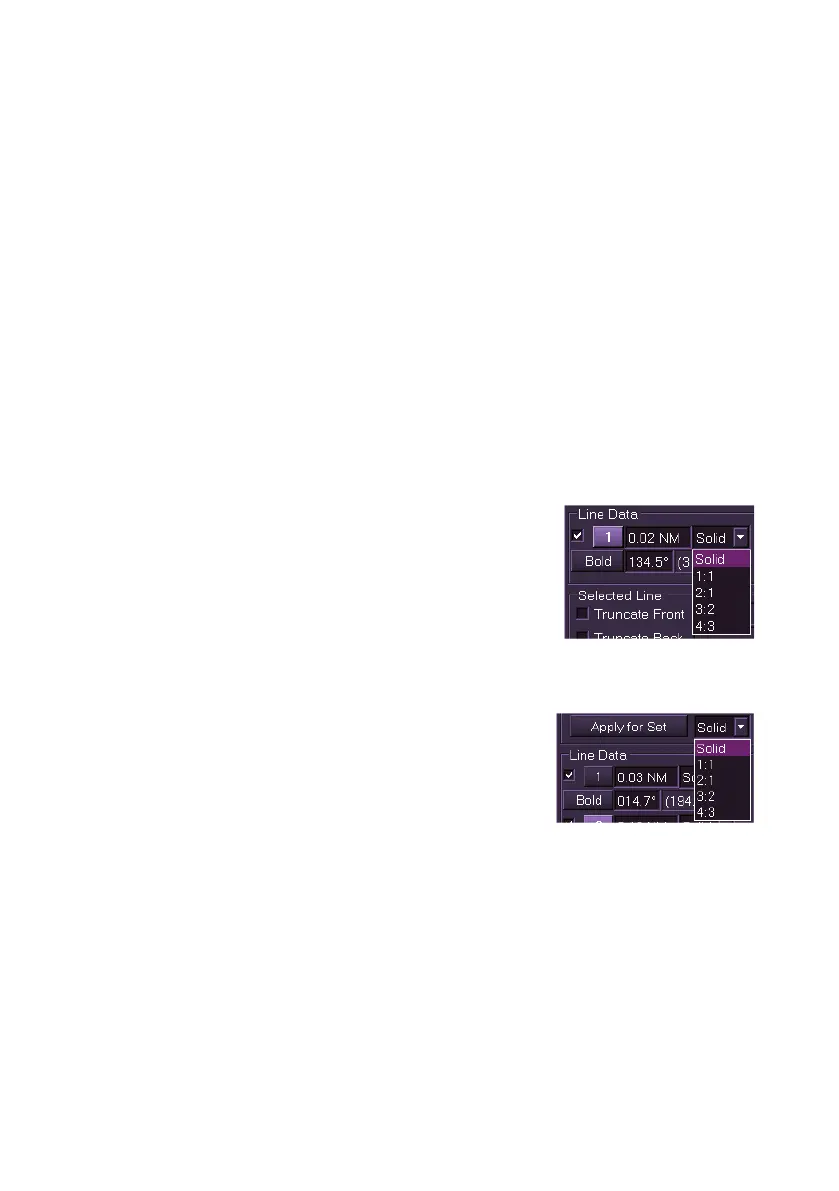
A different line style for each PI line may be selected, or a line style may be
applied to all lines in the set.
To select a line style for each PI line:
1. Click on the drop down list next to the current
line style (defaults to Solid), the PI line is
automatically selected and a list of line styles
are displayed as numerical indicators.
2. Select the preferred line style from the list,
each style is a variation of line dashes.
3. The line's style is changed to the selected option on screen.
To apply a line style to all PI lines in the set:
1. Click on the drop down arrow next to the
Apply for Set button, the same list of line
styles appears as described above.
2. Select the line style to be applied to all lines
in the set and click the Apply for Set button.
Any individual line styles previously selected are overridden by this
command.



 To Next Page