ECDIS-E User Guide Navigation Tools
65934012 5-13
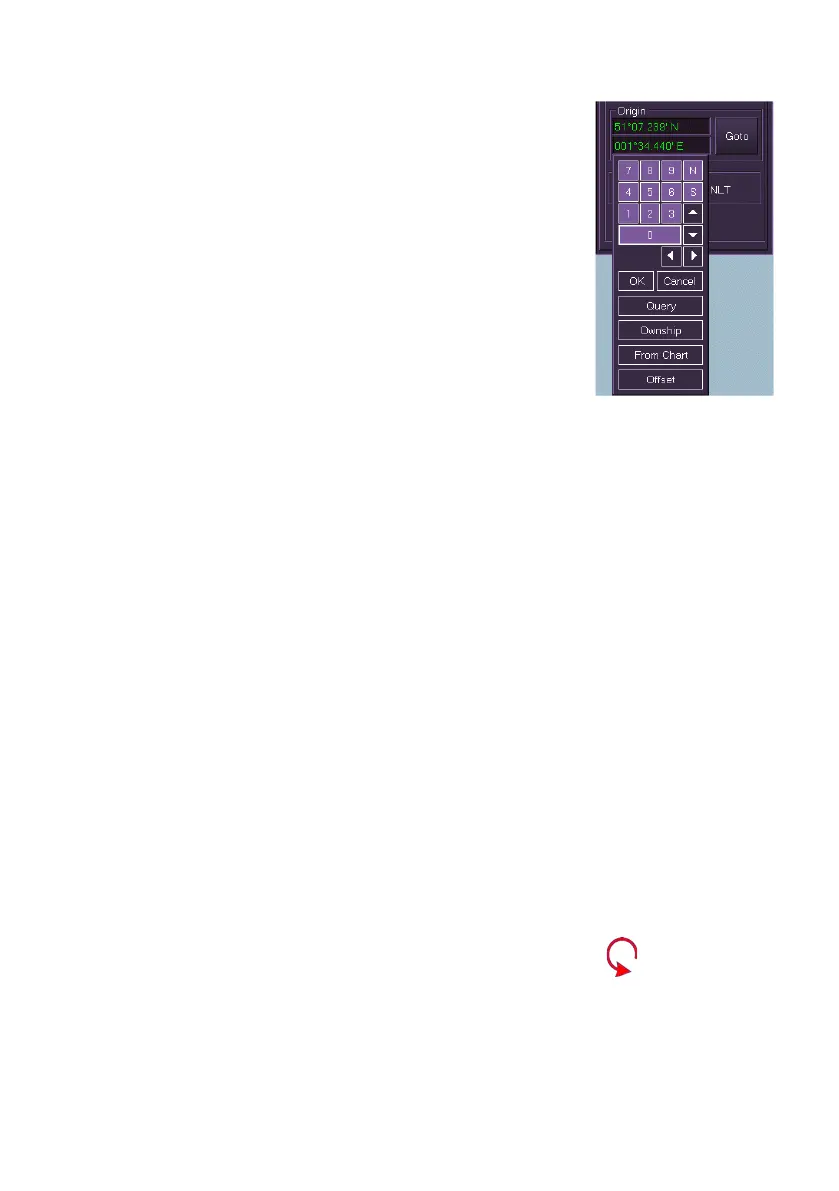
2. To define a specific Latitude/Longitude (L/L)
position click in the Origin fields, the current
L/L values change to green (editable) and a
drop down keypad appears. There are a
number of ways of defining the origin's L/L
position.
a. Manually enter an L/L position by using
the numbers and navigation buttons on
the keypad and click OK. The origin is
moved to the entered position.
b. To place the origin at a specific
geographic object select Query. Move
the cursor to the display (a ? is added to the cursor) and left
click, a Chart Query window appears with a list of objects in
the immediate area (see Chart Query). Select the object from
the list, the origin is repositioned over the chart object. Click
OK on the Chart Query window to fix the origin at the chart
object position.
c. To place the origin at own ship's CCRP select Ownship.
d.
To place the origin at a selected location on the chart display
select From Chart. Move the cursor to the display (a ? is
added to the cursor) and left click at the required location, the
origin is repositioned to that location.
e. To specify a range or bearing for the origin select Offset. An
Offset window appears where you can set a range and
bearing offset from the current position.
To move a line's origin, either:
1. Move the cursor over the origin on the display until the cursor
symbol changes to the following graphic
2. Hold down the left key on the trackball and move the trackball to
move the origin position around the display.
To change a line's bearing, either:
1. Move the cursor over the line's arrow head on the display until the
cursor symbol changes to the following graphic
2. Hold down the left key on the trackball and move the trackball to
swivel the line around the origin position.
3. Release the left key when the required position is displayed. Or:



 To Next Page