Targets ECDIS-E User Guide
9-26 65934012
AIS ATON will indicate off position of floating aid with "off Posn", light
failure with "Unlit" or Racon failure with "Racon err" in yellow text. The
absence of a charted Physical ATON is indicated with a virtual dotted
outline and with "Missing" in yellow text.
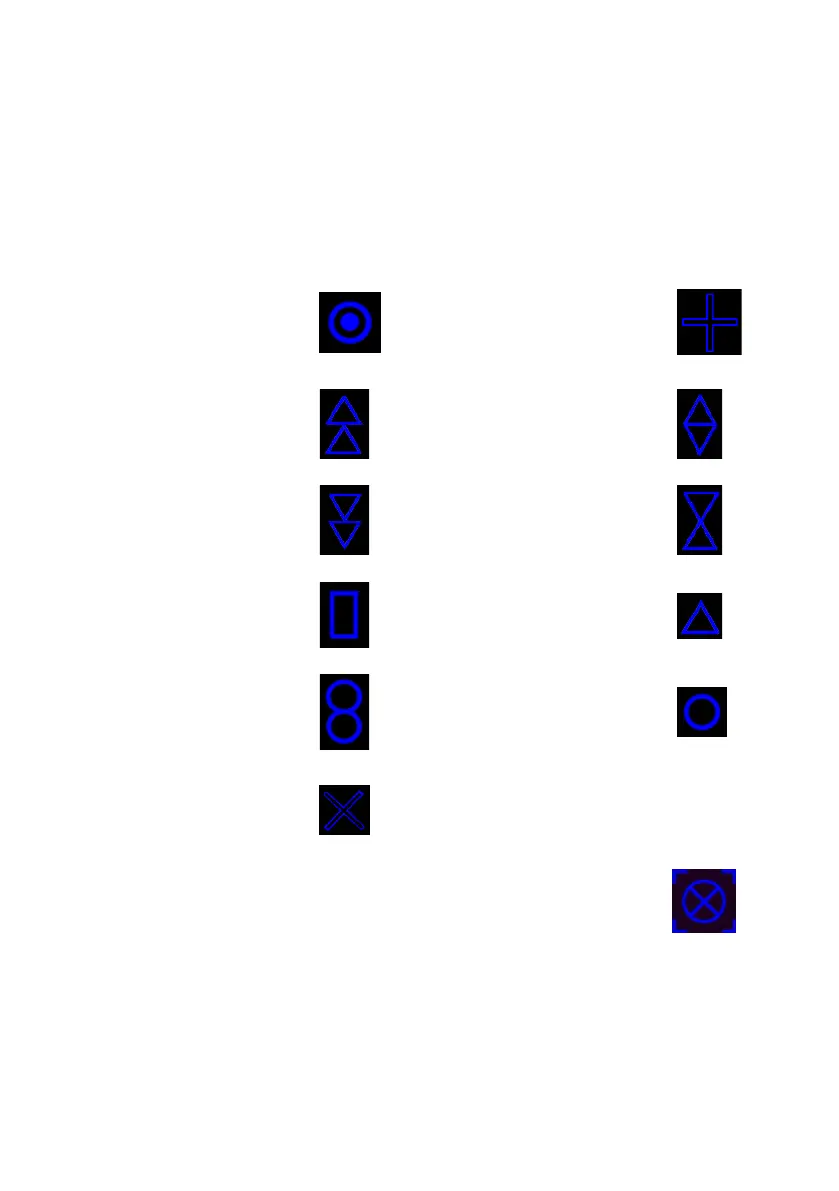
ATON Symbol Purpose Markers (Topmarks). The icons below indicate the
purpose of the ATON Symbol and will appear, if available, immediately
above it.
Racon
ATON Emergency
Wreck Mark
ATON North
Cardinal Mark
ATON East Cardinal
Mark
ATON South
Cardinal Mark
ATON West Cardinal
Mark
ATON Port Hand
Mark
ATON Starboard Hand
Mark
ATON Isolated
Danger
Safe Water
Special Mark
To view data on an AIS NAV symbol left click on the symbol, the
selected object is identified on screen with a blue broken line box
centred on the object and the Target Data tab folder of the
Selected Target window appears showing tracked data on the object.



 To Next Page