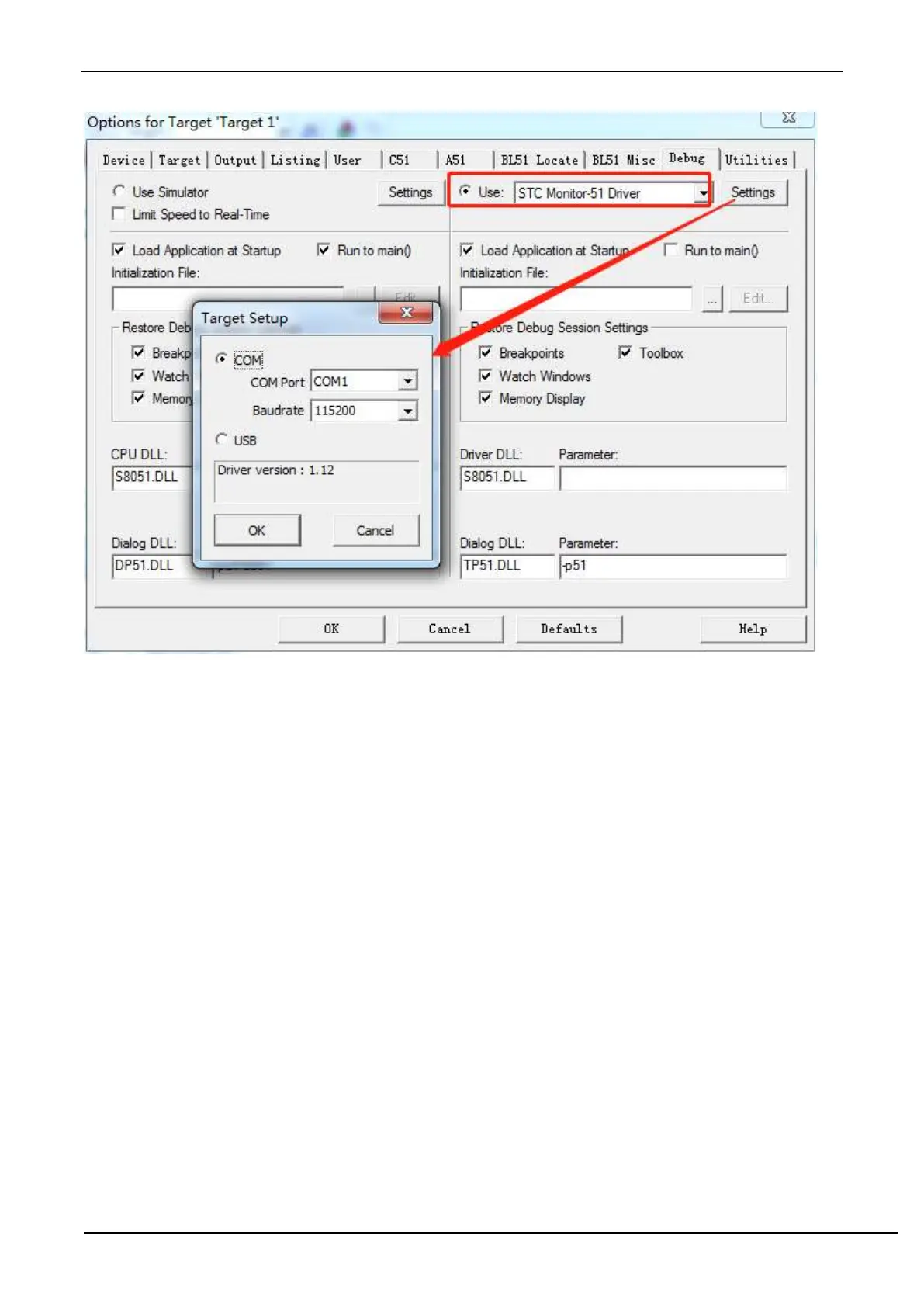
As shown above, enter the project setting page firstly, select the "Debug" setting page, select the hardware emulation
"Use…" on the right, and select "STC Monitor-51 Driver" in the emulation driver drop-down list. And then click the
"Settings" button to enter the following setting screen. Set the port number and baud rate of the serial port. The baud
rate is generally 115200. Then complete the setup.
4.Create simulation chip



 To Next Page