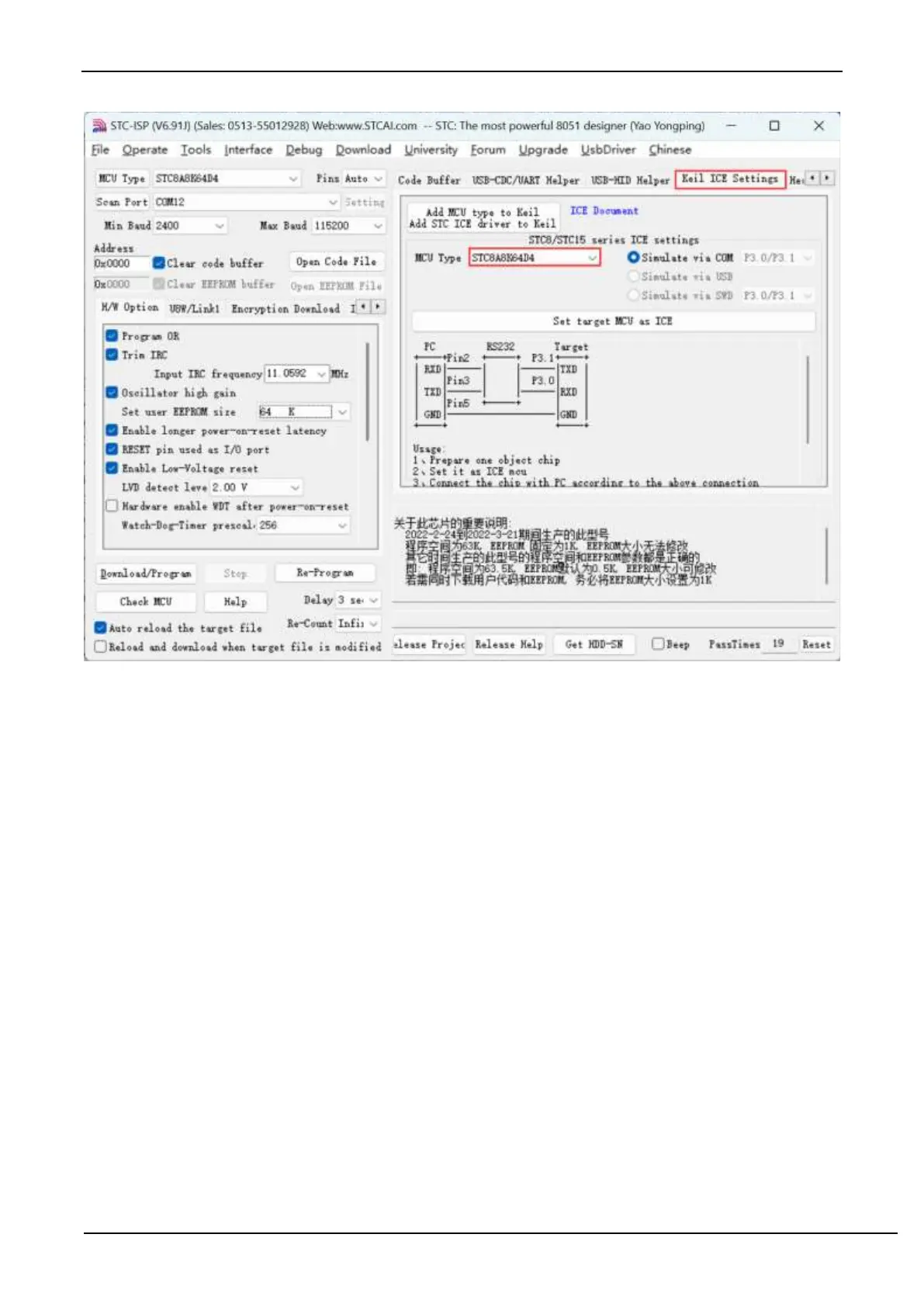
Prepare a STC8A series or STC8F series chip, and connect it to the serial port of the computer through the download
board. Then select the correct chip model as shown above, and enter the "Keil simulation settings" page, click the button
of the corresponding model. After the program downloading completes, the simulator is ready for use.
5.Start simulation
Connect the completed simulation chip to the computer through the serial port.
After compiling the project we created before without errors, press "Ctrl + F5" to start debugging.
If the hardware connection is correct, you will enter a debugging interface similar to the following, and display the
current simulation driver version number and the current simulation monitoring code firmware version number in the
command output window.
The current maximum number of breakpoints is 20 (in theory, any number of breakpoints can be set, but too many
breakpoints will affect the speed of debugging).



 To Next Page