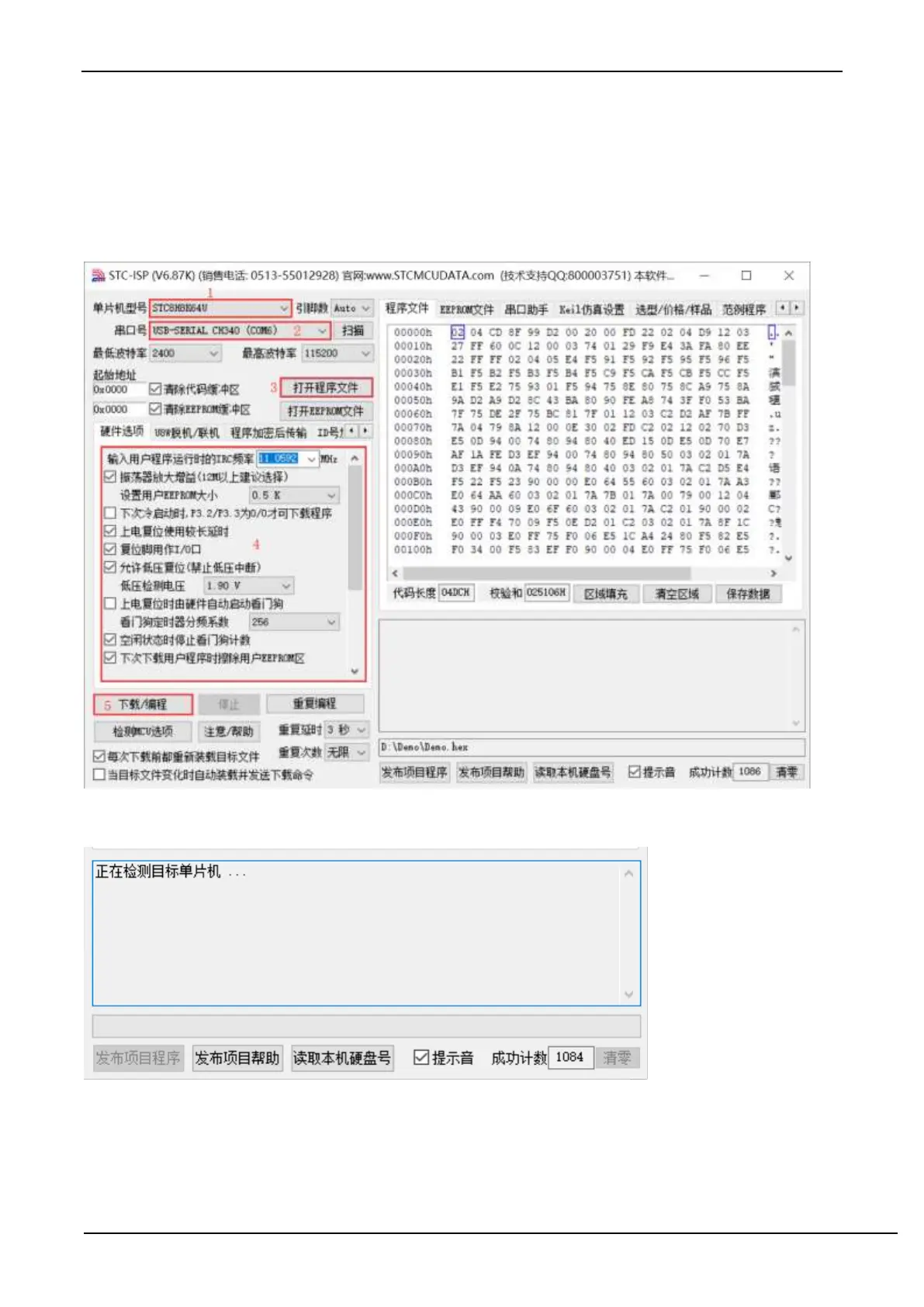
3. Select the model corresponding to the burning chip;
4. Select the serial port number recognized by the STC universal USB to serial tool (when the STC universal USB to
serial tool is correctly connected to the computer, the software will automatically scan and identify the serial port named
"USB-SERIAL CH340 (COMx)", the specific COM The number will vary from computer to computer). When multiple
USB-to-serial cables are connected to the computer, they must be selected manually;
5. Load the burning program;
6. Set burning options;
7. Click the "Download/Program" button;
8. When the prompt box in the lower right corner displays "Detecting target MCU...", press the "power switch" on the
STC universal USB to serial port tool to power on the MCU, and then start downloading [Cold Start Programming];
9. Wait for the download to end. If the download is successful, the prompt box in the lower right corner will display
"Operation successful!"



 To Next Page