Producing with the knitting machine 3
Eliminating errors in the fabric 3.5
100
5. When the fabric is long enough to be placed in the main take-down, stop
the machine with the engaging rod.
6. Open the main take-down, place the fabric in the main take-down and
close the main take-down.
7. To start the knitting program, tap the "SP from line 1" key.
8. Start the machine with the engaging rod.
"Picking-up after pressing-
off" function with an M1
pattern
Requirements:
The knitting program was generated on M1
When the pattern is generated, the "P.aft.press-off" menu item is
activated
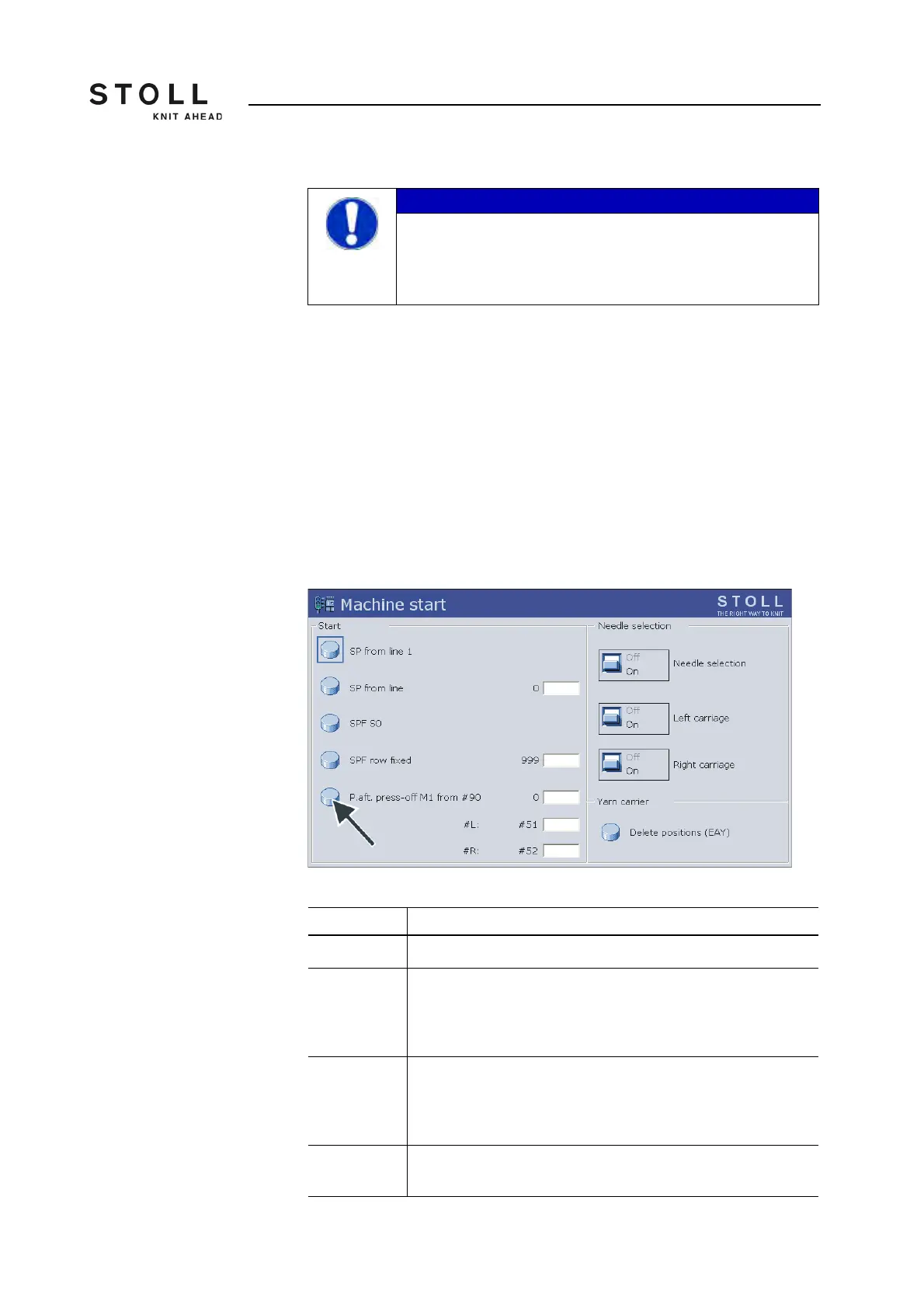
"Machine start" window
IMPORTANT
If you notice defective needles while picking up after
pressing off:
➜ Stop picking up after pressing off and replace the
defective needles.
Setting Function
#90=0 "Picking up after pressing off" function is deactivated
#90=1 "Picking up after pressing off" function is activated. A specific row
number (gauge x 4) is knitted, depending on the gauge of the
machine. A total of 40 knitting rows are processed for a machine
of gauge E10.
#90=n If this is too many knitting rows, "#90" can be set to another
number. Two knitting rows, similar to the "Picking up after pressing
off" function, are repeated as often as "#90" is set. Example:
#90=15. A total of 30 knitting rows (2 x 15) are processed.
#L, #R Setting the fabric width for the "Picking up after pressing off"
function. Standard setting: Starting width (#L=#51, #R=#52)



 To Next Page