Adjusting knitting machine 4
Basic settings 4.1
112
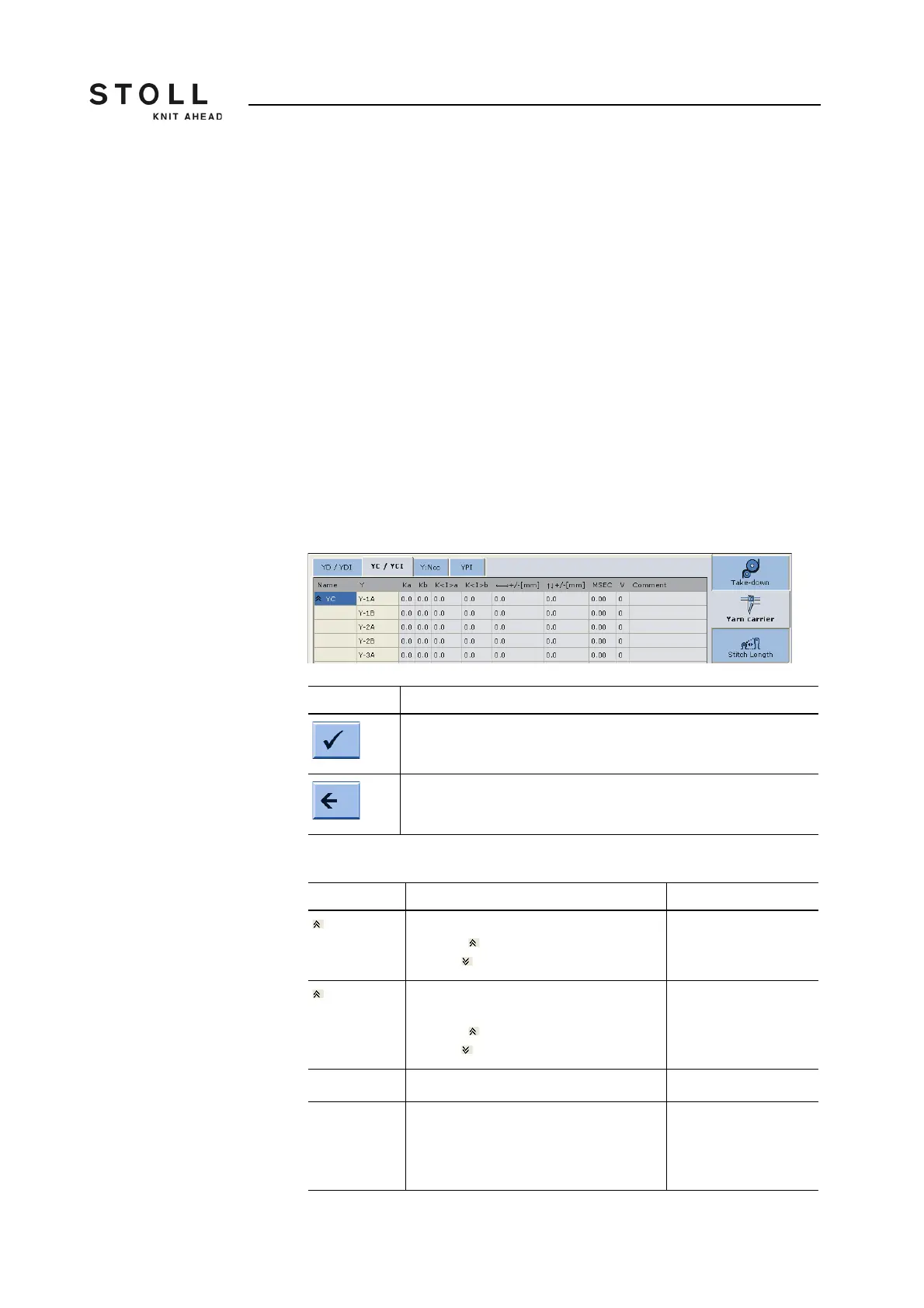
Adjusting yarn carriers:
1. Call up the "Yarn carrier" window.
In the default setting the yarn carriers are displayed in all knitting
areas (SEN areas).
2. If only the yarn carriers of a certain SEN area are to be displayed, then
call up "additional function keys" and tap the desired SEN area.
3. Tap the line (yarn carrier) that is to be processed.
The number of the yarn carrier appears at the bottom edge of the
window, on the right of the "Adjusting yarn carriers" key.
4. Tap the "Adjusting yarn carriers" key.
5. Tap on the input field that is to be edited and enter the value.
6. Confirm entries.
7. Return to the "Yarn carrier" window.
Key Function
Confirm entries
Return to the "Yarn carrier" window
Keys for adjusting the yarn carriers
Explanation Value range
YC Direct yarn carrier correction
Collapse (reduced display)
Expand (expanded display)
YCI Yarn carrier correction index YCI1 to
YCI20
Collapse (reduced display)
Expand (expanded display)
Y Corrections of yarn carrier 1A to 16B
Ka Correction value for the yarn carrier (on
the left) if the autarkic yarn carrier is
positioned in its own color field.
Minimum value: -120
Maximum value: 120
Step width:
0.5=1/32 inch=0.8 mm



 To Next Page