Adjusting knitting machine 4
Working with files 4.3
194
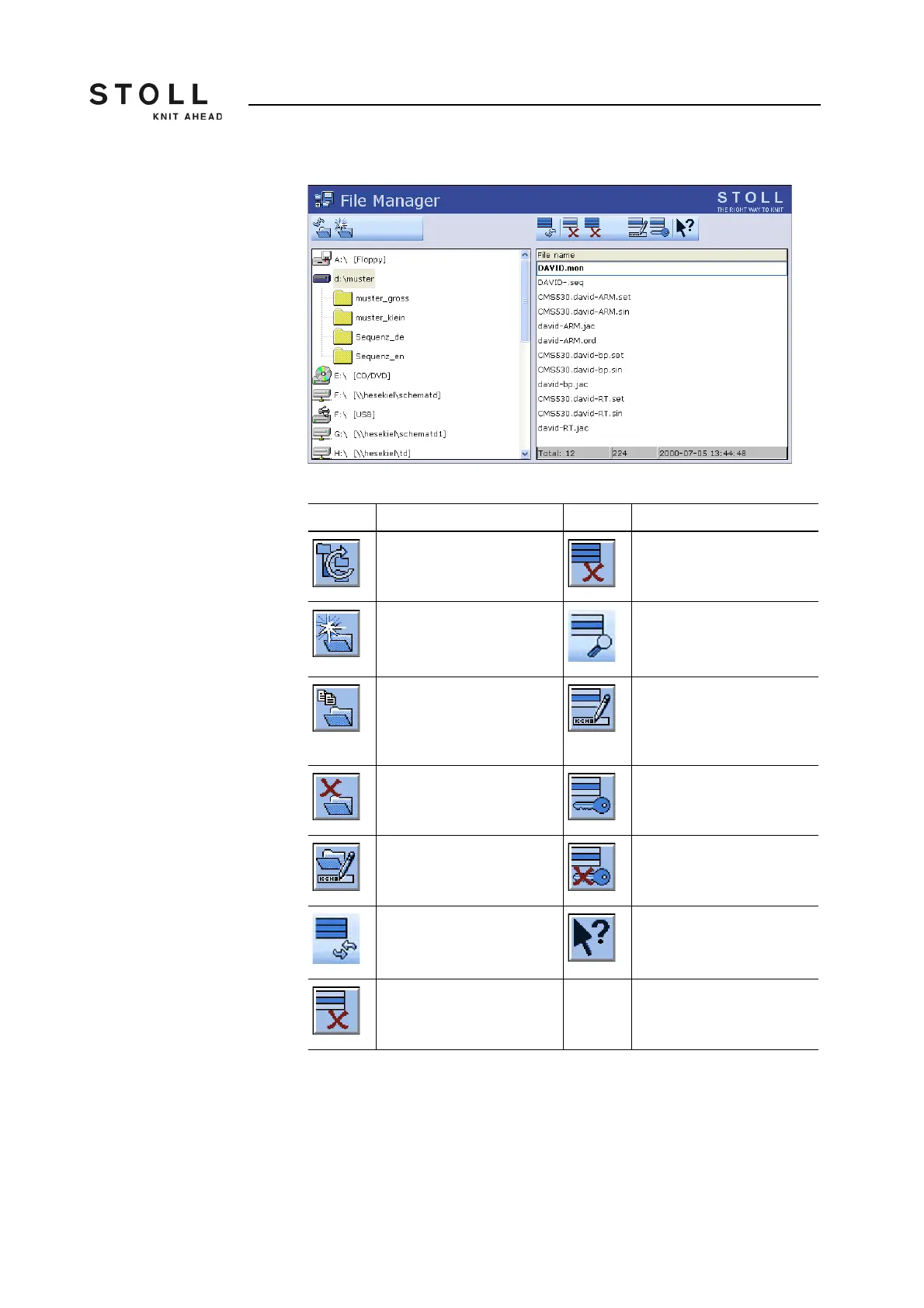
Actions in the "File manager"
window
"File manager" window
Key Function Key Function
"Update": Refresh the
contents of all the folders
"Delete all": Delete all files in
the selected folder
"Create folder": Create folder
in the selected directory
"Display file": Display
selected file
"Copy folder": Copy selected
folder, including contents
(subfolders, files) to the
target folder.
"Rename file": Change name
of selected file
"Delete folder": Delete
selected folder, including
contents (subfolders, files)
"Set Write Protection": Set
write protection of the
selected file
"Rename folder": Change
the name of the selected
folder
"Deactivate Write
Protection": Deactivate write
protection of the selected file
"Update": Update the
contents of the folder
Call up "Direct Help" for the
key pressed next
"Delete file": Delete selected
file
Keys in the "File manager" window



 To Next Page