267
5 Setup Data
5.5 Setup1 - Editing the setup file
Activating the Setup data
editor
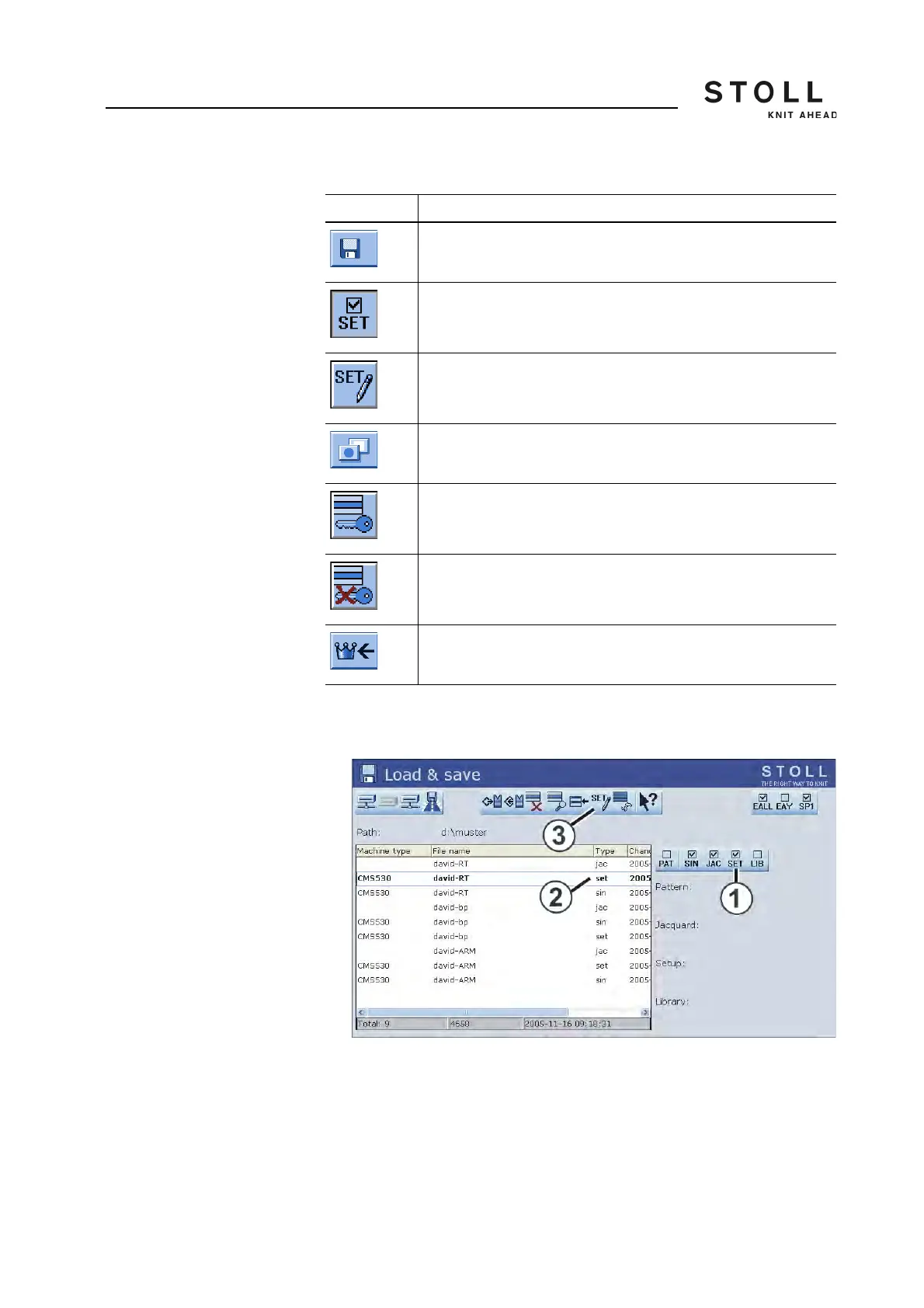
1. Call up the "Load & save" window.
"Load & save" window
2. Activate the "Setup selection" key (1).
3. Select the desired setup file (2).
The "Setup data" editor key is displayed (3).
4. Tap the "Setup data editor" key (3).
Key Function
Call up the "Load & save" window
Activate the "Setup selection"
Call up the "Setup data editor" window
Call up "Additional function keys"
"Activate write protection" key
"Deactivate write protection" key
Call up "Main menu"
Keys for the "Setup data editor" window



 To Next Page