VS1 Installation, Configuration & Operating Guide 95
prerecorded words and phrases provided to aid in creating standard messages) are designed for
recording voice messages for use by the Auto Attendant.
Voice Mail Interrupt Auto Attendant - gives any caller who has gained access to an extension’s
Voice Mail the option of entering the Auto Attendant to reach other individuals or groups within the
company. It enables callers to choose other options, such as routing to an operator from Voice Mail
by pressing 0 before or after a message. You need to modify this Auto Attendant to include the
end-user business name instead of Telecor, and insert voice messages containing specific
information appropriate for the end-user application.
Note The VS1 phone system reserves message numbers 11 through 13 and 900 through 999
for your use in creating an Auto Attendant script. See “Pre-recorded Message List” in
Reference section for a list of those messages. In addition, see “Phrase List” in the
Reference section, to view a listing of pre-recorded words and phrases to aid in creating
standard messages.
Reviewing the Default Auto Attendant
Before you begin configuring an Auto Attendant, it is recommended you review the default, ready-
to-use Auto Attendant. This will help you when writing an Auto Attendant script. Take time to
observe the four functions that an Auto Attendant must have in order to function properly. To
review the Default Auto Attendant follow these steps:
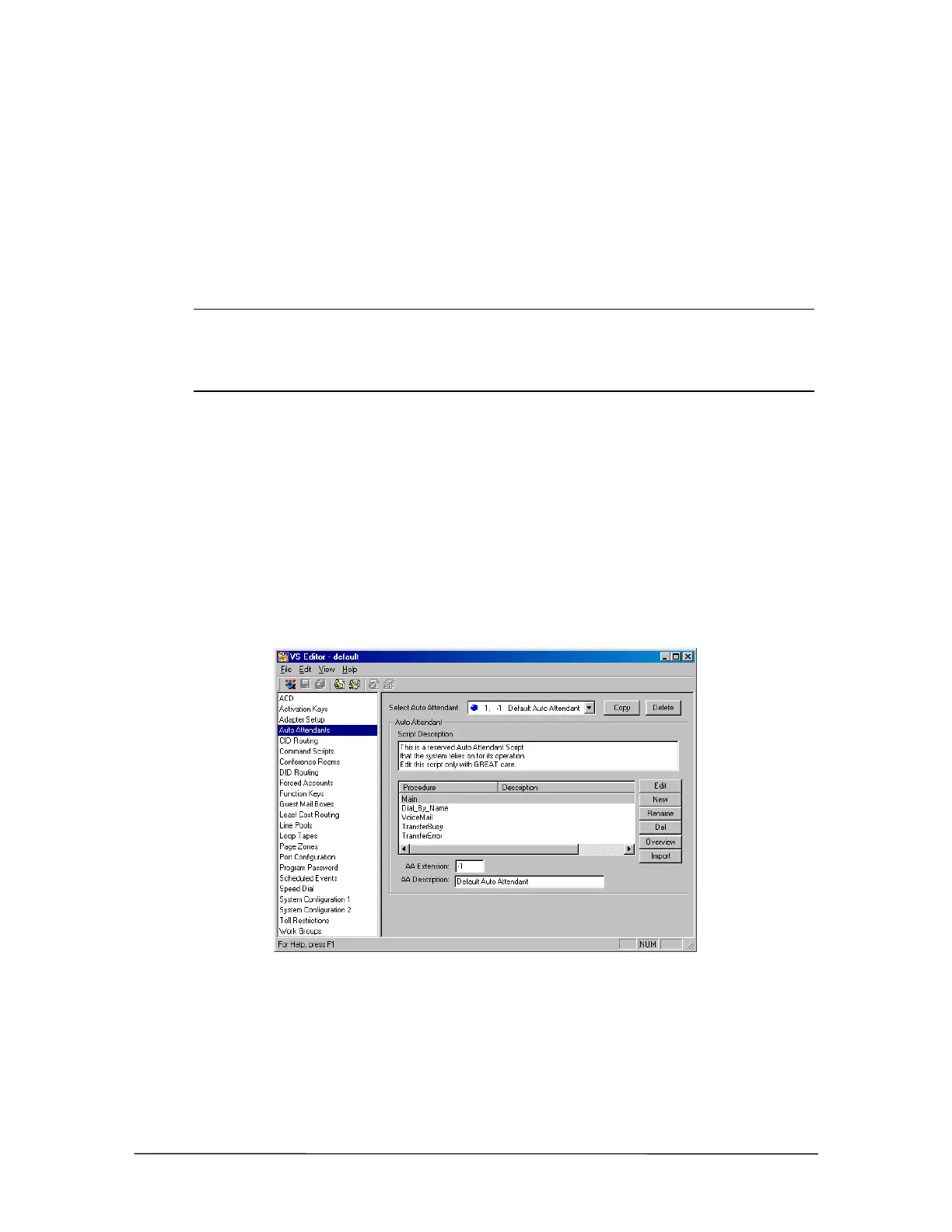
1. Click Auto Attendants in the Tree Control display.
• The Auto Attendant pane appears.
2. In the Select Auto Attendant drop-down box, select the Default Auto Attendant.
Auto Attendant pane
3. Review the Default Auto Attendant script file. The Default Auto Attendant includes the five
Procedures below. A Procedure holds the four basic functions required of an Auto Attendant.
There can be multiple Procedures in an Auto Attendant, which allow additional responses from
the caller to send him or her to different menus within the same Auto Attendant.



 To Next Page