134 VS1 Editor Configuration Application
LEAST COST ROUTING
Least Cost Routing (LCR) automatically selects a low-cost phone line based on the number dialed.
Least Cost Routing (LCR) looks at the dial string that a person dials from their station, prefixes the
number with the long distance carrier access code (if defined), and then routes that call to a
specified Line Pool.
Least Cost Routing on the VS1 System does not guarantee the least expensive method of call
routing. Cost savings are incurred when low rate long distance carriers are listed in the Least Cost
Routing window. As long distance carrier rates fluctuate, the Least Cost Routing window must be
maintained to reflect the current low-cost carrier for a given area code.
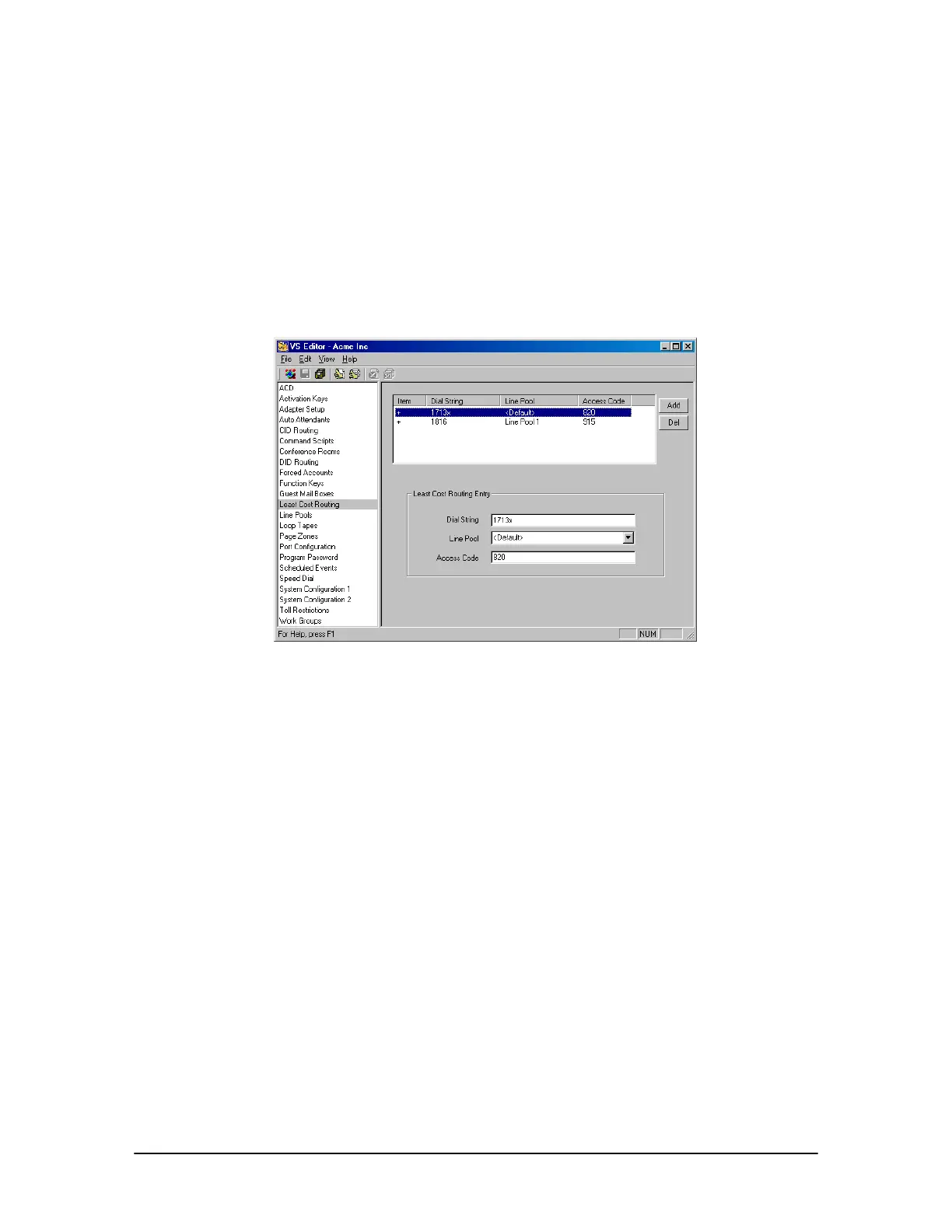
Least Cost Routing
pane
To create an entry for Least Cost Routing, complete the following steps:
1. Select Least Cost Routing in the Tree Control display.
• The Least Cost Routing pane appears.
2. Click ADD.
3. In the Least Cost Routing Entry box, enter the following in the corresponding boxes:
Dial String: Type the digit string you want the system to match. The Dial String can be an
entire phone number or any prefix set of identifying numbers such as an area code. Adding an x
represents a single digit, matching any number 0-9. For example, 1713x or 1816x.
Line Pool: Select a Line Pool that the call will go out on.
Access Code: Type the long distance carrier access code, which will be prefixed to the dialed
number.
4. Click the Save button in the toolbar.
• The LCR entry is added to the list box above.
5. Repeat the above steps for other LCR entries.



 To Next Page