136 VS1 Editor Configuration Application
LINE POOLS
Line Pools are used in PBX phone systems to assign a group of CO lines to a station option. With
the VS1 System, you can assign up to 96 COs to a specific Line Pool. Generally, PBX phone
systems have a higher ratio of phones than actual CO ports. Pooling station users together for certain
ports gives them more equal access to those phone lines. If all the available CO ports are in use, the
VS1 System generates a busy signal, informing the caller that all the lines are in use at the time.
CO ports in a Line Pool are always arranged in reverse order (descending numbers). It is important
to remember this when assigning specific CO lines to ports. No matter what order you select CO
ports, the system always arranges outgoing calls to go out on Line Pools in reverse numerical order.
For example, if you have four CO lines, and you select all four for your Line Pool, the system sets
up the calls to go on CO line 4 first, then 3, 2, 1. Generally, incoming calls start at the top of the CO
ports and move down. Reverse numerical order helps reduce call crashing, or connecting to a call
without it ringing a station first.
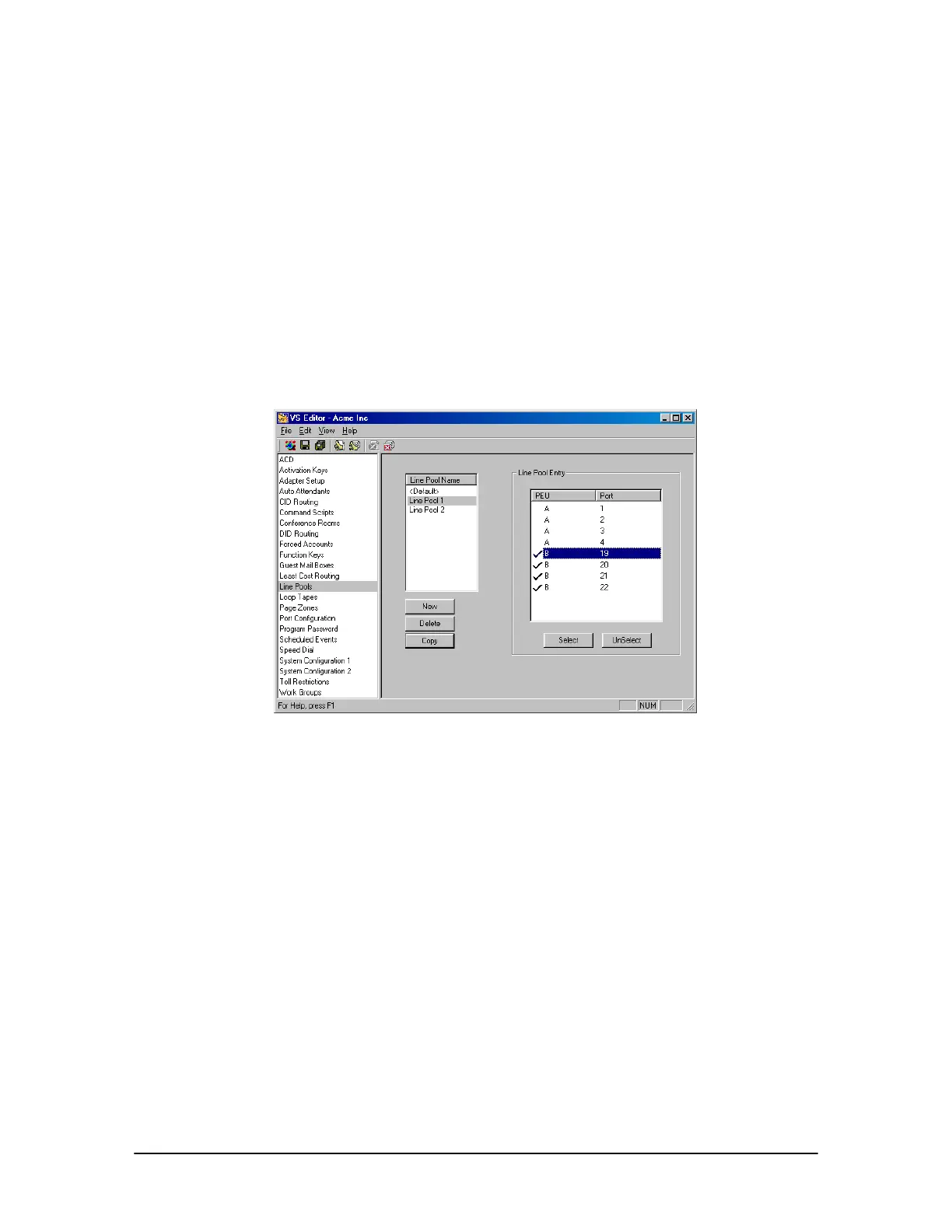
Line Pool pane
To add CO Lines to a Line Pool, complete the following steps:
1. Click Line Pools in the Tree Control display.
• The Line Pools pane appears.
2. The Line Pool Name list box consists of the <Default> Line Pool. The <Default> Line Pool is
a permanent Line Pool, which is automatically placed in an Extension port type configuration.
System installers can use or modify the <Default> Line Pool or create new Line Pools
according to site configurations.
3. Click the Line Pool you want to modify or, to create a new Line Pool, click New.
• The Line Pool Entry list box shows all the available CO ports you can use for Line Pools.
4. Click on a CO port you want included in the selected Line Pool and click Select.
• A check mark indicates that the CO port is selected. A CO port must have a check mark in
order to be included in a Line Pool. A CO port can be in some, none or all Line Pools.



 To Next Page