VS1 Installation, Configuration & Operating Guide 27
TVS to PEU 205
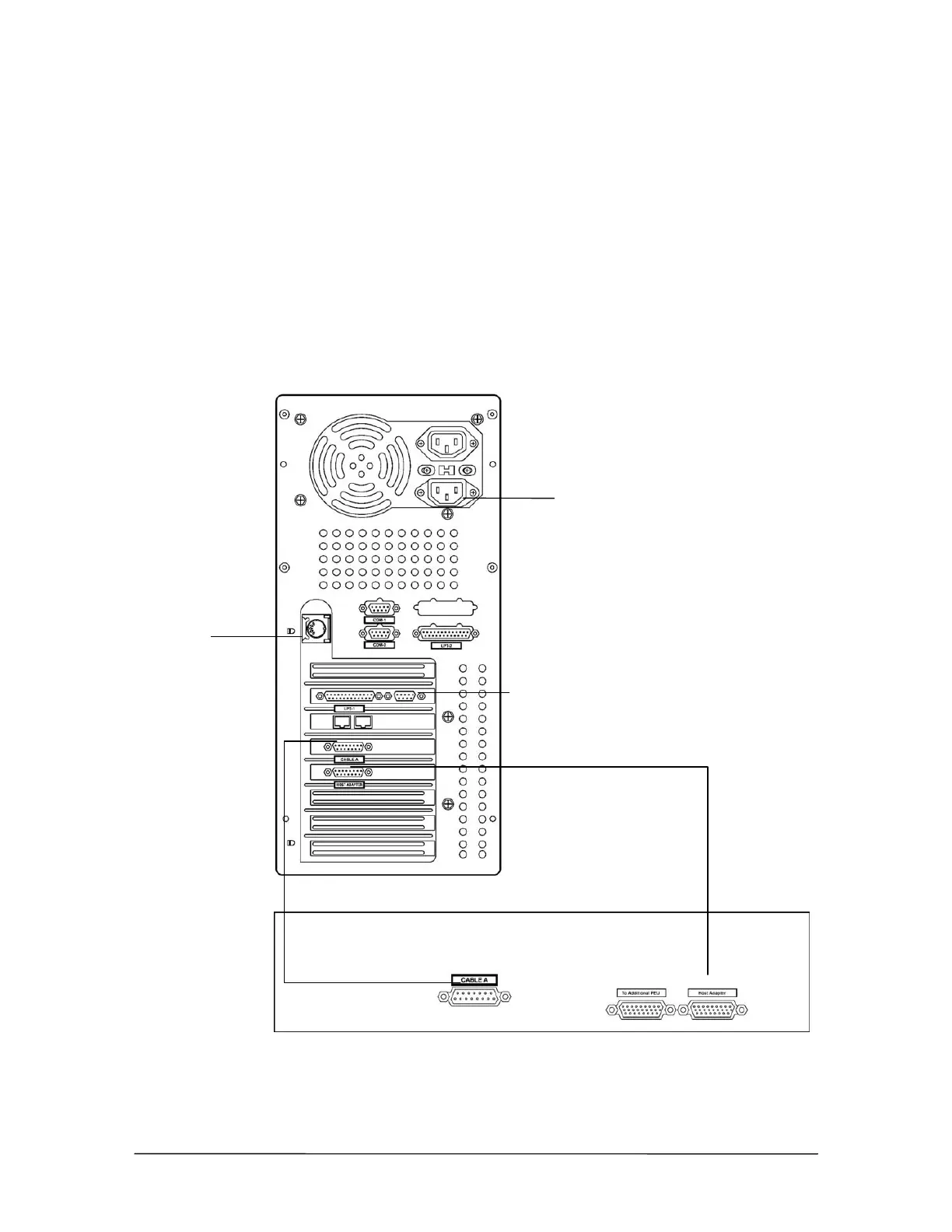
The diagram below shows the correct port for each cable on the TVS and PEU 205. To connect the
TVS to the PEU 205, complete the following steps.
1. Plug one end of the 15-pin cable in the Cable A jack on the TVS; plug the other end of the 15-
pin cable in the Cable A jack on the PEU.
2. Plug one end of the 26-pin data cable in the Host Adapter port on the TVS; plug the other end
of the 26-pin data cable in the Host Adapter port on the PEU.
3. Plug the Power cord into the TVS, and then connect it to a powerstrip.
4. Plug in a keyboard and VGA monitor. This is required to create an emergency boot floppy
(page 47).
Program the T1
Interface Card using
the T1 Edit program
in Tel-Site.
Connecting the TVS
to the PEU 205
Connect the Host Adapter Cable (26-Pin)
Cable A (15-Pin)
Next PEU
Side View
Back View
Plug in a VGA monitor
Plug in a
Keyboard
Plug in the Power Cord



 To Next Page