VS1 Installation, Configuration & Operating Guide 65
Tel-Site Setup
For a TVS Modem as an Extension Connection, Tel-Site must be set up so that it can dial the
customer site phone number. If answered by an Auto Attendant, Tel-Site must automatically dial the
extension number 599. If answered by a receptionist, the call must be manually transferred to
extension number 599.
1. From the File menu, click Site Selection.
• The Site Selection window appears.
2. Select the site from the Site Name column.
3. Click Edit Site.
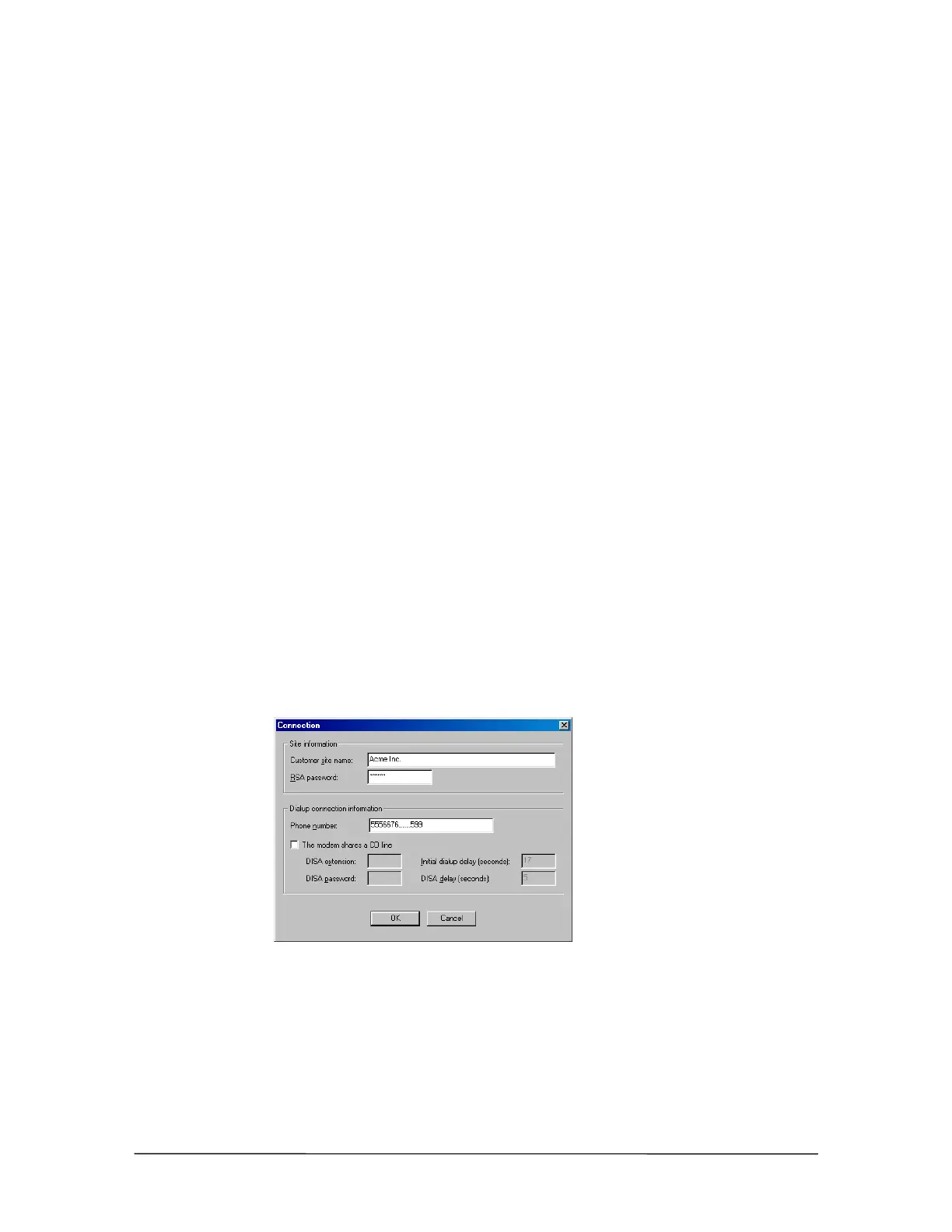
• The Connection dialog box appears.
4. If an RSA password is required to enable the Tel-Site modem to communicate with the TVS,
enter it in the RSA password text box. See “Remote System Access (RSA) Password” on page
78 for more information.
5. In the Phone number text box, enter the customer site phone number to dial. If the Tel-Site call
is to be answered by an Auto Attendant, enter five or six commas after the phone number and
then the extension number 599. Each comma is used as a 1-second delay in the dialing process
to give the Auto Attendant time to answer before it receives the digits 599. The number of
commas used may vary depending on how long it takes for the Auto Attendant to answer.
If the Tel-Site call is to be answered by a receptionist, you must contact the receptionist
beforehand and let her know that a modem call will be made. Inform her that when she answers
the modem call to please transfer it to extension 599.
6. In the Dialup connection information group box, ensure The modem shares a CO line check
box is cleared.
Connection dialog
box for TVS Modem
as an Extension
connection with Auto
Attendant answering
7. Click OK to return to the Site Selection window.
8. Click OK to return to the Connection window.
9. See “Tel-Site Basic Operation” on page 76 to:
• Connect to a site



 To Next Page