130 VS1 Editor Configuration Application
FORCED ACCOUNTS
The Forced Account feature requires a phone user to enter a code to place an outgoing non-
emergency call. After a number is entered the user hears four beeps to prompt input of an account
code. If the required number of digits is not entered within 10 seconds, the call is terminated. If the
required number of digits is entered, the code is compared with the defined list of Forced Account
Codes. If there is no match, the user hears four beeps again and can re-enter the account code.
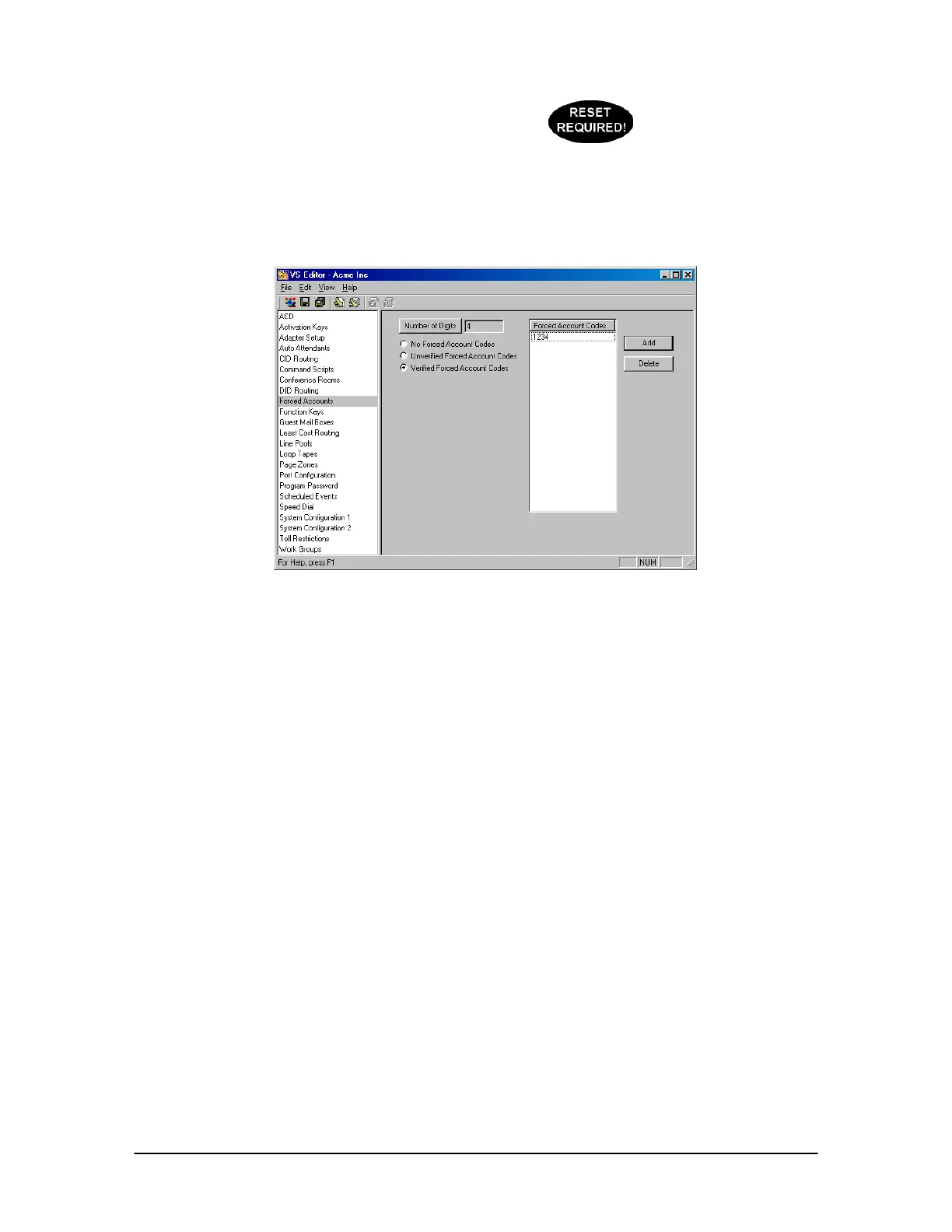
Forced Accounts
pane
To create Forced Accounts, complete the following steps:
1. Select Forced Accounts in the Tree Control display.
• The Forced Accounts pane appears. Three options are available:
2.1 Clicking No Forced Account Codes will prevent phone users from having to enter codes, even
if their stations are enabled with Forced Account Codes in Port Configurations.
2.2 Clicking Unverified Forced Account Codes will force the phone user to enter the same
number of digits specified in Number of Digits field – regardless of which digits – when
dialing out. Click the Number of Digits button to enter the amount of digits (1 - 15) the user
will be required to press.
2.3 Clicking Verified Forced Account Codes will force the phone user to enter a specific digit
string when dialing out. Click Add to enter a digit string in the Forced Account Codes column.
Multiple Verified Forced Account Codes can be created.
See “Setting up an Extension Port Type” on page 149 to enable Forced Account Codes on an
extension.
If changing the number o
digits or changing between
verified and non-verified



 To Next Page