VS1 Installation, Configuration & Operating Guide 247
T1 Interface Card Setup Using VS1 Editor
After using the T1 Edit program, the VS1 Editor configuration program must then be used to enable
the VS1 phone system to recognize the T1 Interface Card.
Adapter Setup
Note If you already have a Host Adapter Card installed and a PEU is configured for Ports 96–
128 or Ports 65–96, change the PEU port assignments before configuring a T1 Interface
Card. PEUs and T1 Interface Cards cannot share the same port assignments. For more
information on changing PEU port assignments, see “Adapter Setup” in the VS1 Editor
section.
Complete the following steps:
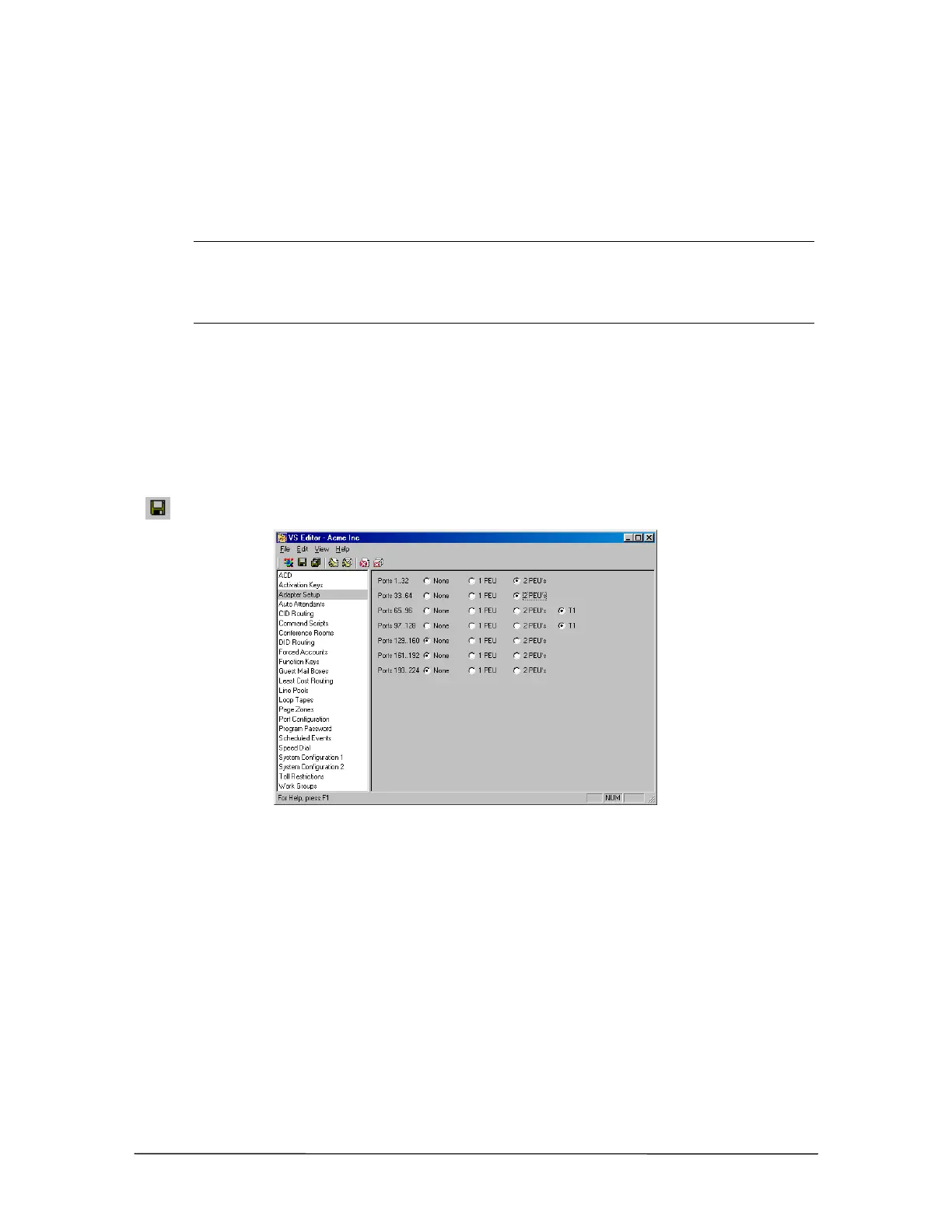
1. Using the VS1 Editor configuration program, select the Adapter Setup pane.
2. For Ports 1..32 select if one or two PEUs are used. Repeat this step for additional ports.
3. If one T1 Card is installed, select the T1 radio button in the Ports 97..128 row. If a second T1
Card is installed, select the T1 radio button in the Ports 65..96 row.
4. Click the Save button in the toolbar.
Adapter setup pane



 To Next Page