140 VS1 Editor Configuration Application
PAGE ZONES
The VS1 System has 20 software Page Zones that can consist of any combination of DP200
speakerphones and the two overhead paging systems connected to a PEU 205 or DCU. Each Page
Zone is assigned a separate extension.
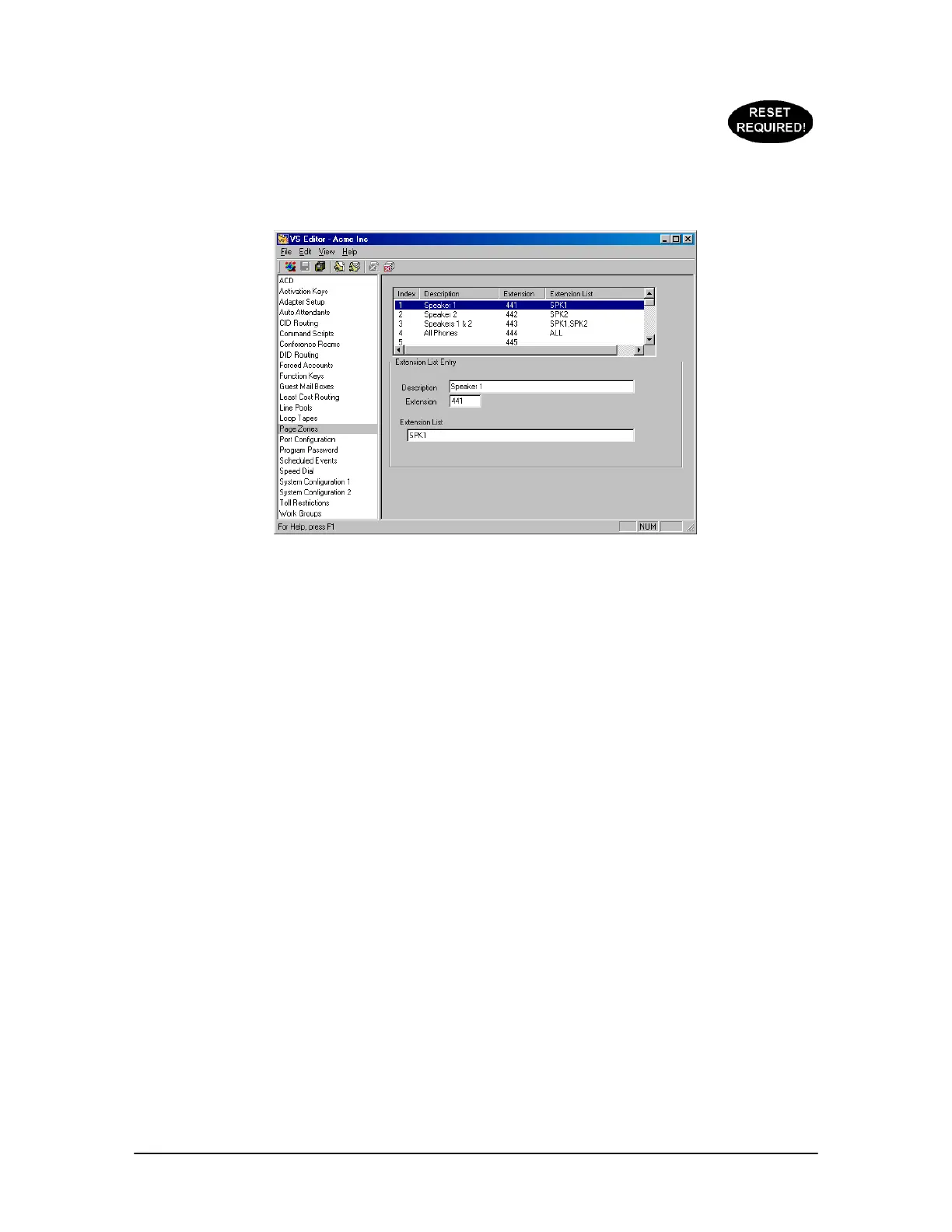
Page Zones pane
To create a Page Zone, complete the following steps:
1. Select Page Zones in the Tree Control Display.
2. The Page Zone pane appears. By default, the VS1 System allocates extensions 441 to 460 for
Paging Zones. In addition, four Paging Zones already exist:
• Speaker 1 is extension 441 and consists of the overhead paging system connected to the
first zone output of a PEU 205 or DCU.
• Speaker 1 is extension 442 and consists of the overhead paging system connected to the
second zone output of a PEU 205 or DCU.
• Speakers 1 & 2 is extension 443 and consists of both overhead paging systems connected
to the zone outputs of a PEU 205 or DCU.
• All is extension 444 and consists of all DP200 speakerphones and the two overhead paging
systems connected to the zone outputs of a PEU 205 or DCU.
3. To modify an existing Page Zone select it from the list box. To add a new Page Zone, click the
empty space in the list box.
4. In the Extension List Entry group box, enter the following in the corresponding text boxes:
Description: Type the Page Zone description, e.g. Sales.
Extension: Type the extension of the Page Zone.
Extension List: Type the extensions you want included in the Page Zone. Up to 19 extensions
can be listed in this text box. Use commas to separate the extensions. Do not use spaces
between the extensions. For example, 101,102,103,104,105. The extension names for the two
hardware connections on the PEU (or DCU) are spk1 and spk2 respectively. Type ALL to
include all DP200 speakerphones and both overhead paging systems.



 To Next Page